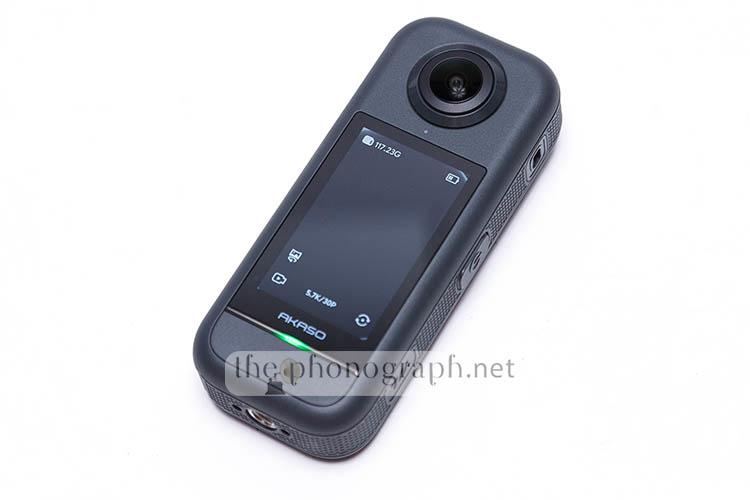
AKASO 360 Action Camera
| 360 degree Action Camera | 5.7K | 72 MP | WiFi | Dual Sensor | Dual Lens |
We are reviewing the AKASO 360 Action Camera, the very first 360 degree action cam from AKASO.
In the past we have reviewed other products from AKASO, ranging from action cams to night vision goggles; all of them proved to offer excellent value for money while providing modern tech and specs.
The AKASO 360 is marketed by the brand as “Your First 360 Action Cam” which might suggest that the camera is basic and lackluster of features and specs, but from our tests the AKASO 360 proved to be much more than “Your First 360 Action Cam” with little to envy to the market leading 360 action cams, yet with a substantially cheaper MSRP.
FIND ALL: Earphones Scores Compared
MORE: In-Ear Headphones Reviews
SEE ALSO: Headphones Technical Specifications

AKASO 360 Action Camera Review
Tests & Scores
AF
Advanced Features
 4.5/5
4.5/5
A
Accessories & Packaging
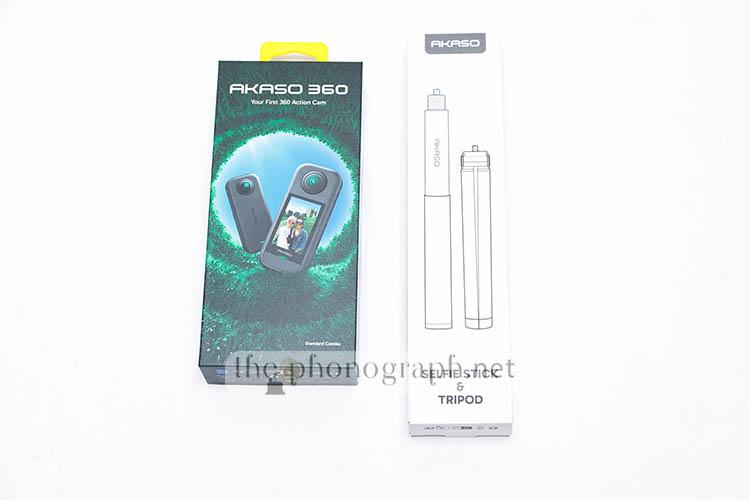
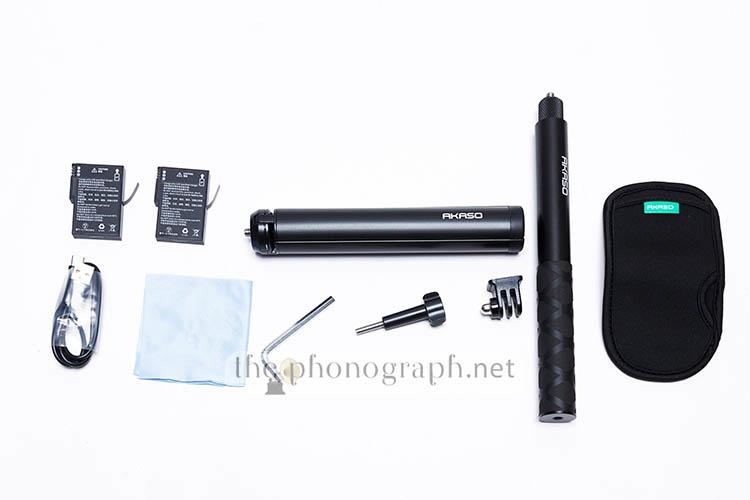
The AKASO 360 Action Camera comes inside a small but well-protected packaging including accessories like:
• 1*swivel adapter
• 1*Wrench
• 1*Folding tripod
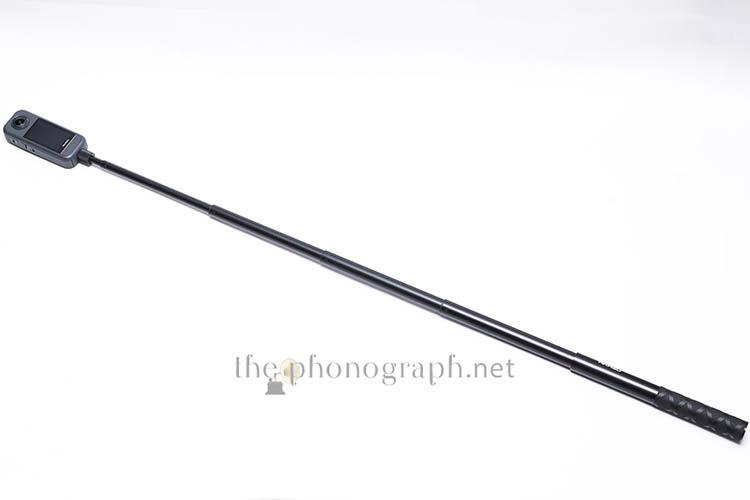
• 1*Invisible selfie stick
• 1*pouch
• 2* 1350mAh batteries
• 1* cloth
• 1* cable
It is worth mentioning that there are different bundle options to choose when purchasing the AKASO 360, so the amount and variety of accessories included might be less or more than the ones that we got, according to the bundle variant that you buy.
4.25/5
D
Design
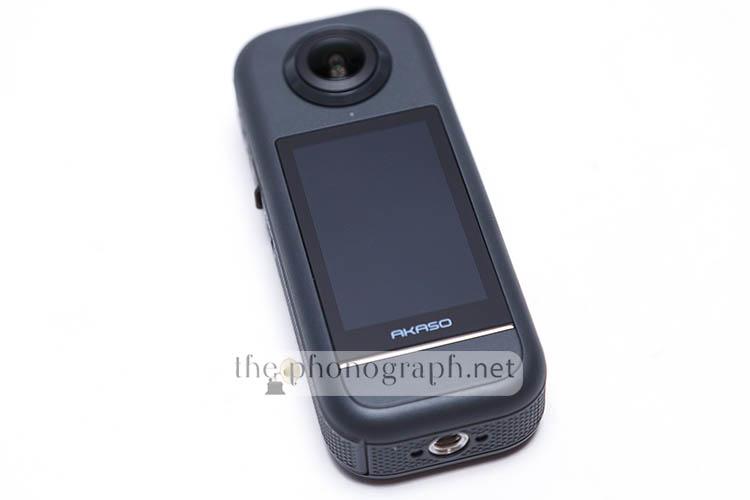
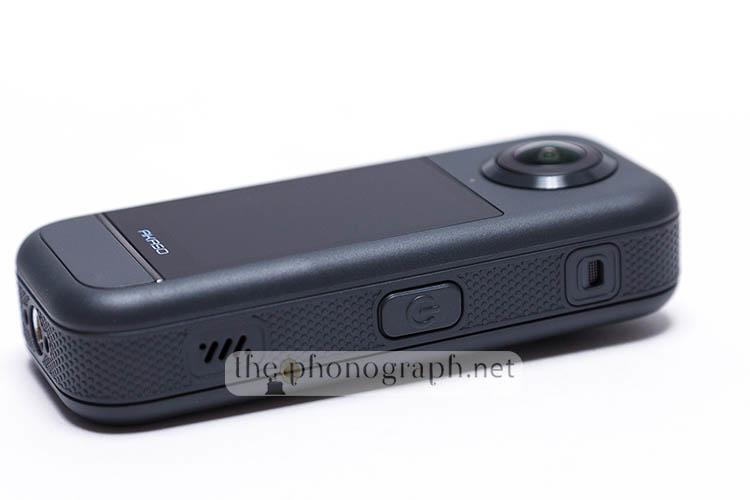
The AKASO 360 Action Camera follows a similar aesthetic and finish as the AKASO BRAVE 7 and many other action cams from the brand, regarding overall looks and finish.
Shape and overall design, though is way different than a classic action cam, with the AKASO 360 having a rectangular form factor with a wider than thicker dimension that results in a noticeably larger foot print than a standard action cam.
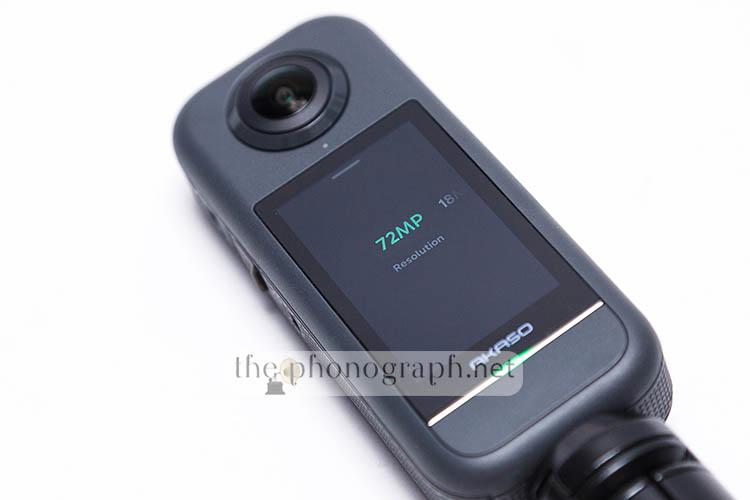
On each side of the front and back shell, the AKASO 360 sports a curved lens but unlike other action cams from the brand, the AKASO 360 has one single display screen.
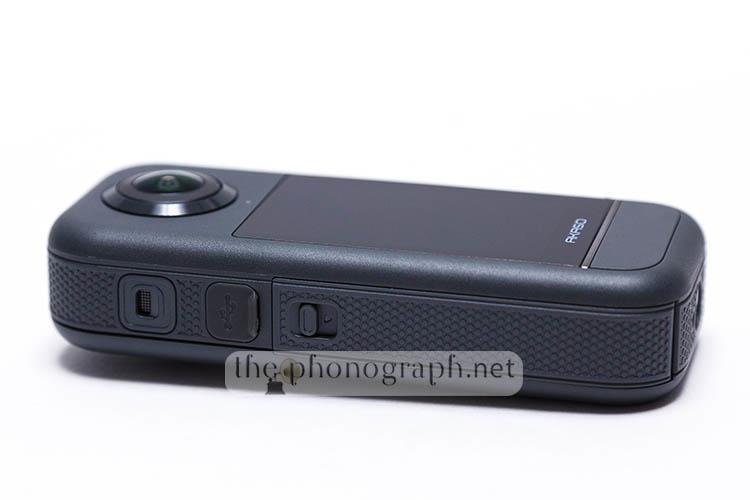
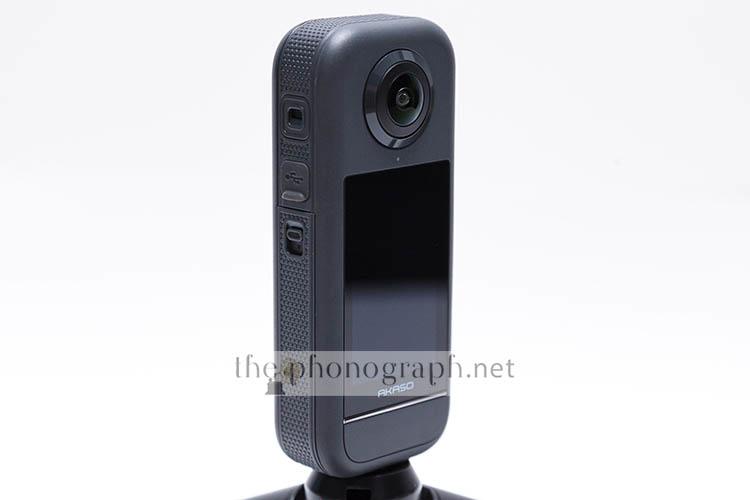
On each edge of the shell you can find one microphone with a protective grid and internal built-in windshields that couple up to provide stereo sound recording.
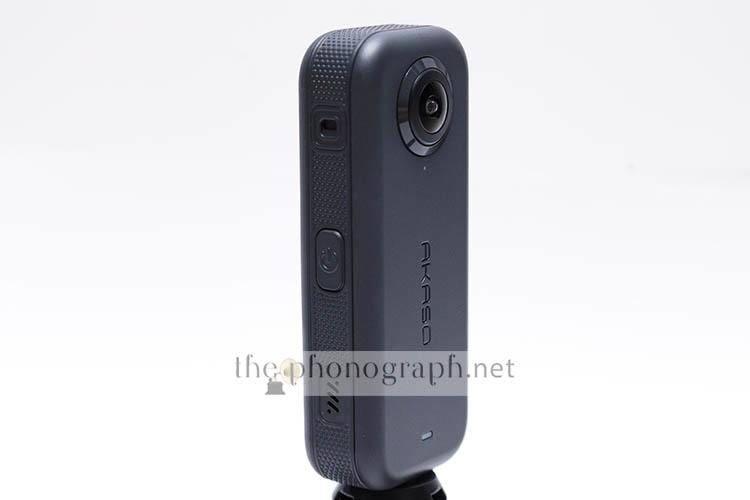
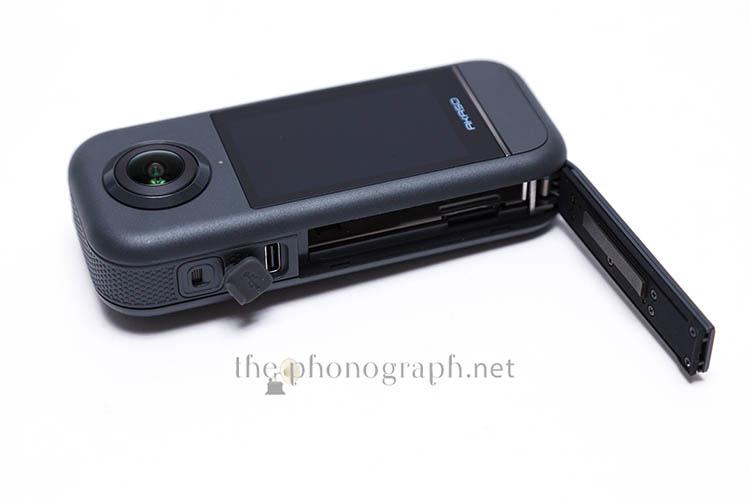
Further below on one of the edges you will find a power button and a speaker, while the other edge holds the USB-C port and the lid protecting the battery and memory card compartments. On the bottom edge you will see a 1/4″ thread compatible with standard photo and video accessories like tripods, action cam addons or even with the bundled selfie stick and tripod.

The front face of the case (the one without the display screen) is also equipped with a bright LED light informing the status of the device and battery.
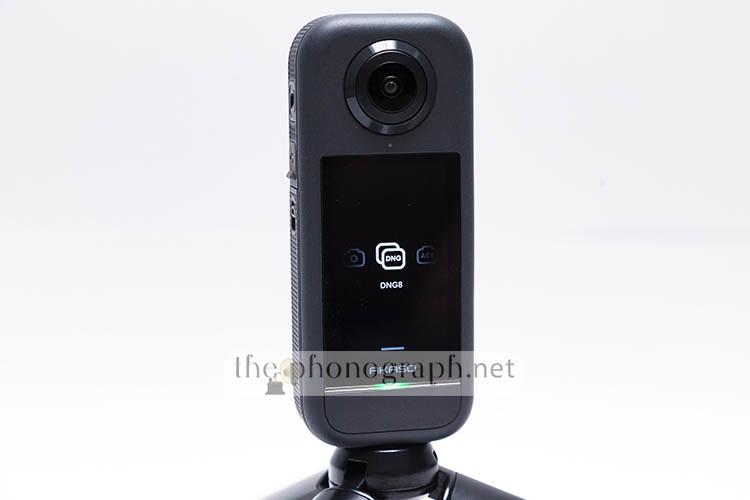
The rear face, where the display screen is found, has a dedicated large button and a 2nd status LED light.
As you might expect, the AKASO 360 can produce both videos and photos but on top of the “classic” video and photo modes, you can also opt to set the camera in other recording modes like:
• Timelapse
• Time fusion
• Interval
• RAW photo
• Bracketing
• Loop record
4.5/5
OC
Operation & Control
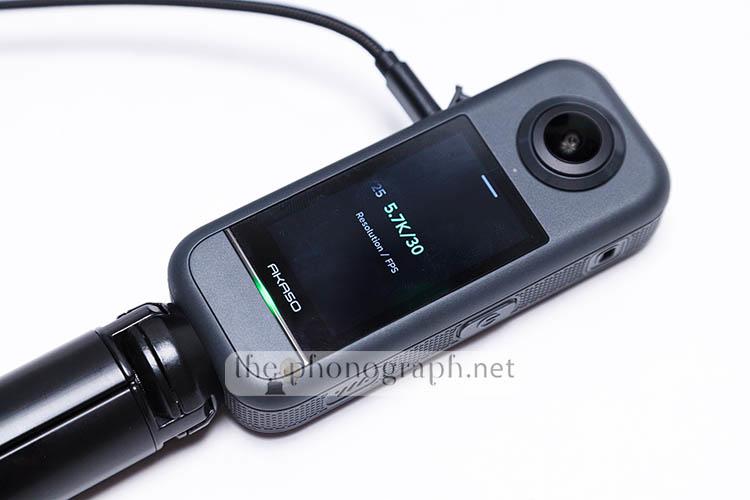
The AKASO 360 can be used fully standalone or through your smartphone/tablet through the AKASO 360 app.
Most features, settings and configurations are available in either mode and allow users to access all the parameters by touch the corresponding function in the touch sensitive display screen of the camera or in the UI of the mobile app.
As physical buttons, the camera has 2, a dedicated power button and a shutter/record button; the latter one is placed right at the bottom of the display screen.
It is fair to note that the camera cannot be used in both modes at the same time, meaning that if you pair the camera to the mobile app, then the touch screen and display of the camera become inoperative and you will have to control the AKASO 360 exclusively through the app.
We did notice, though, that when using the camera without the mobile app (standalone), some users might not immediately realize that the camera has most of the options and settings available through menus that only appear with different sliding gestures; these gestures are not indicated nor suggested anywhere in the UI of the camera.
4/5
MORE: Editor’s Picks Earphones Chart
MORE: Best Bang for the Buck Earphones
C
Connectivity
AKASO has upgraded the AKASO 360 with faster and better performing 5GHz Wi-Fi connectivity yet without removing 2.4GHz connectivity too for farther reach.
When using the 5G connection, you will gain faster communication speeds that help a lot with delay, lag, transferring videos and photos and even for OTA firmware upgrades.
Under a rubber gasket, the camera also includes an USB-C connector that serves to charge the batteries with the camera itself. If connected to a PC, the camera is recognized as an external drive, which might serve some users to transfer the photos and videos without the need of an external card reader.
On the other hand, the AKASO 360 is not recognized as a camera when connected to a PC, in case that you were looking forward to use it as a webcam or similar.
4.5/5
SEE ALSO: Coupons – Discounts – Deals – Promo Codes – Sales Deals
IQ
Image Quality
ANGLE OF VIEW
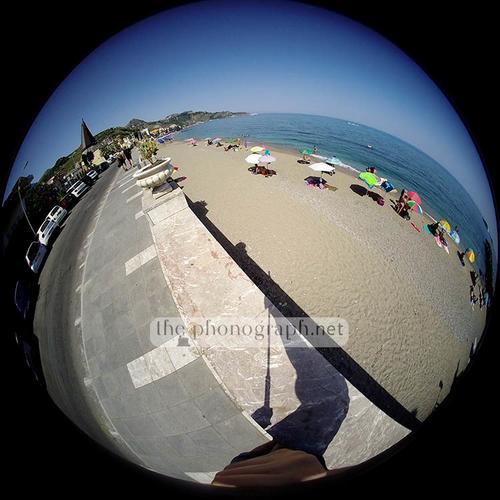
The AKASO 360 basically has two circular fisheyes, one on the front and one on the back; each of which produce a 180 degree circular (with vignettes) image.
If you have some knowledge of photography/video, you will see that this surpasses even the angle of view of a full-frame standard fisheye lens and matches the angle reached by a circular fisheye (with a focal length equivalent in full-frame of around 8mm) – to be more specific, the exact focal length equiv. in 35mm is 7.6mm.

With such a large coverage you will need to have special attention regarding your own shadows in the frames.

COLOR, CONTRAST
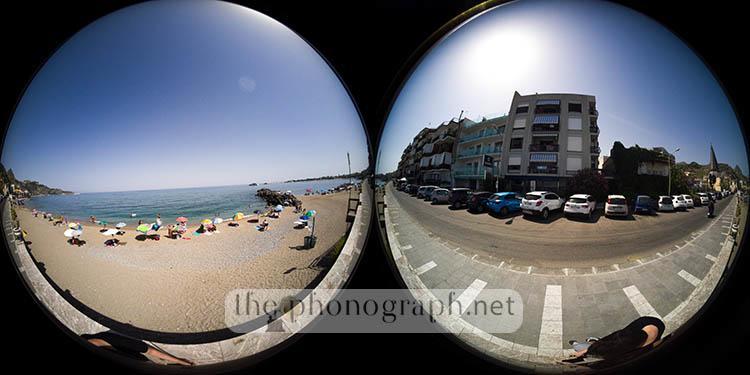
From our dual lens photo example straight out of camera without any retouching nor adjustments; you can see that the image is quite impressive for an action camera, with excellent contrast and nice vibrant look with deep, popping colors without being oversaturated.
DISTORTION
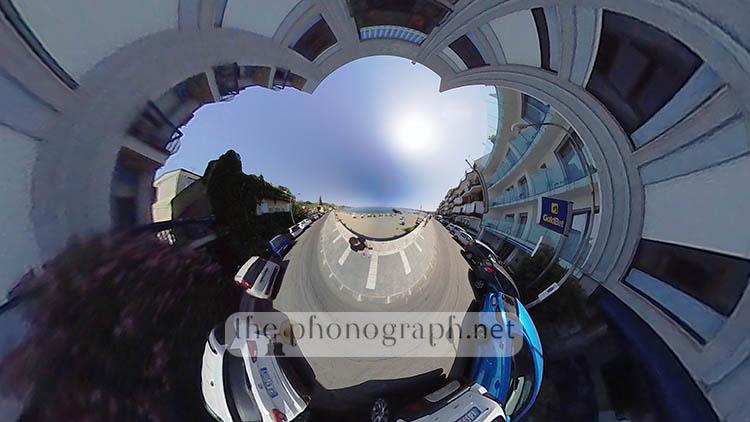
As with any fisheye and even more with a circular fisheye, the images have a distinctive curved distortion and these optical nature can be exaggerated exponentially when tilting the camera/lens angle producing almost surreal imagery, thus allowing the extreme distortions to be used as a creative element.
Below you have an example of one of the many distortion effects that can be achieved.

LENS FLARE
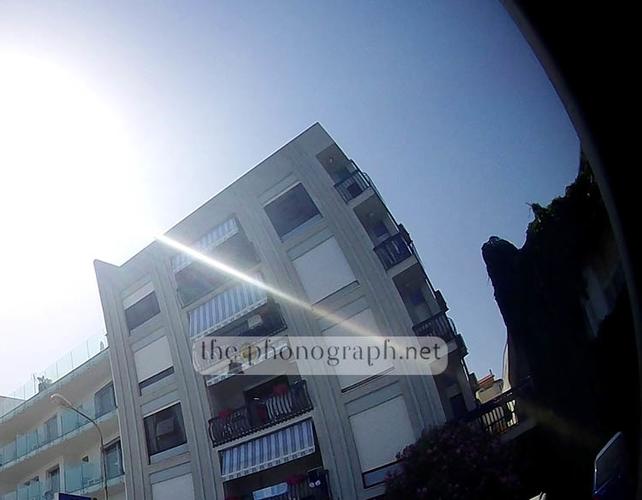
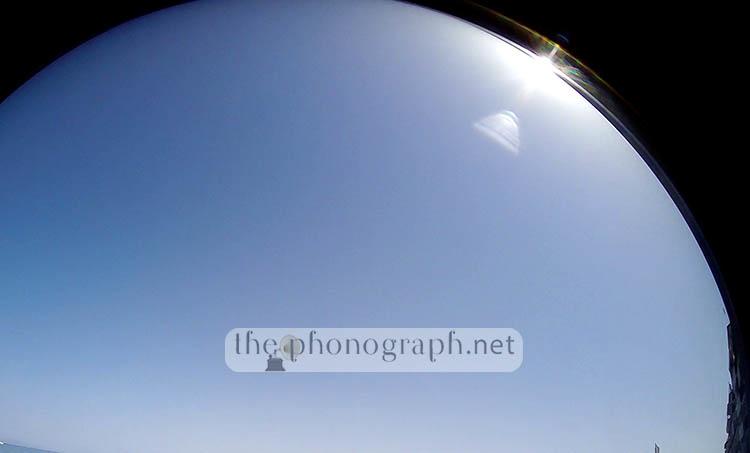
From the 100% crop below and having one of the lenses pointing straight to the Sun and the other lens having the Sun on the edge, you can appreciate the superb control of flare.
The examples show video frames were we attempted to force as much lens flare as possible and yet the AKASO 360 was excellent at it.
You can also see that there is no drastic ghosting nor loss contrast when flare is forced.
VERSATILE POST-PROCESS
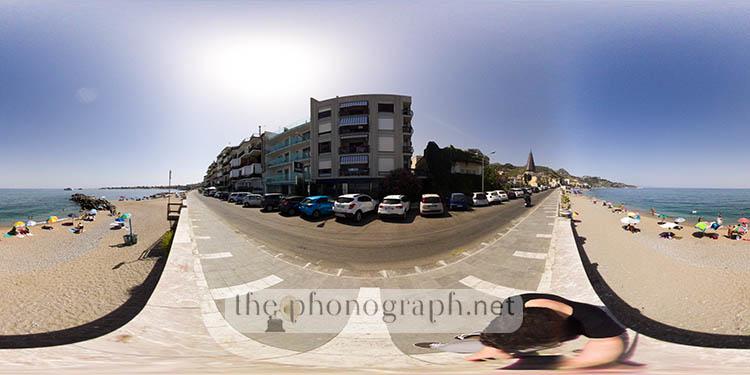
Among the flexibility and uniqueness of the AKASO 360 video and photo files generated, is the access to interactive 360 images/videos that can be either viewed as:
– 2x circular fisheyes
– 1x stitched panorama image that is interactive to your movement/mouse drag and can be zoomed in/out
– 1x 360 degree image/video that is interactive
Below you can see the same dual fisheye “native/raw” image that we showed you above in the “COLOR, CONTRAST” section but now being handled by the AKASO 360 software and enabling it to be used in either the panorama or re-frameable (and non-distorted) image modes.

POST-PROCESS CREATIVITY
Also you can see 3 further examples of intentional distortions added by dragging the panorama and reframing the view into more unconventional images.

INVISIBLE SELFIE STICK and DRONE EFFECT
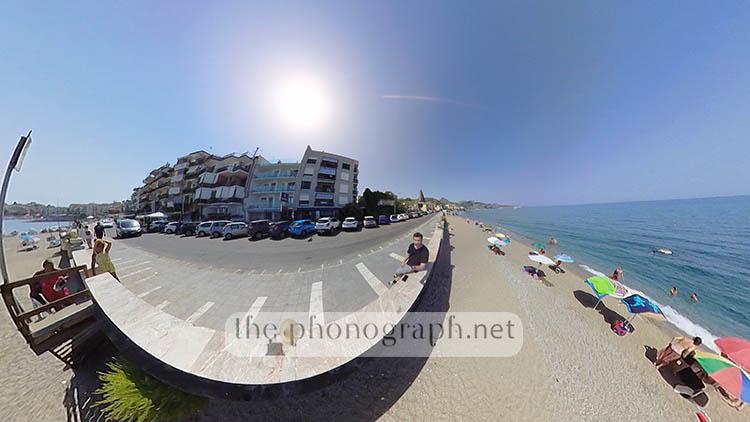
Another excellent implementation is that if you get the Akaso 360 with their invisible stick, it truly becomes “invisible” as the videos or photos that you take with it for selfies will make it to completely disappear and getting a sort of drone-styled selfie images – example below.
SHARPNESS & RESOLUTION
The image quality, and most of all seen over sharpness and noise, is decent on 72mp resolution, improving when using DNG RAW instead of JPG; but most of all it looks miles better when switching to 18mp resolution – almost like suggesting that the 72mp might be achieved with some interpolation of the original resolution; which according to our IQ tests, it might suggest that the true native resolution is not 72mp but interpolated coming from the 48mp CMOS sensor.

A sidenote on this, we noticed that the resolution in JPG vs DNG photo modes is slightly different being jpg 12032×6016 and DNG 11136×5568; this equals to 62mp for DNG and 72mp for JPG.
In video mode, the video resolution is recorded at 2880×2800 per lens (on max. resolution), which equals to 8.294mp for each lens and video recording file. In pixel count, that would be the exact same as 4K but as the standards for the “K” video resolution are determined by the horizontal resolution, it could be said that the video resolution is 2.8K per lens.
Under the same premise, this means 5.7K resolution for the 360 dual lens videos but a true pixel count that would be equivalent to 8K.
If you set the camera in 360 degrees, the maximum resolution is 5.7K and the maximum frames per seconds is set to 30fps (29.97fps to be more precise), while 60fps can be chosen if the camera is set to 4K mode. If you use the camera in single lens mode, then you can select a maximum of 2.8K and 60fps.
All video recordings use H264 codecs with MP4 file format.
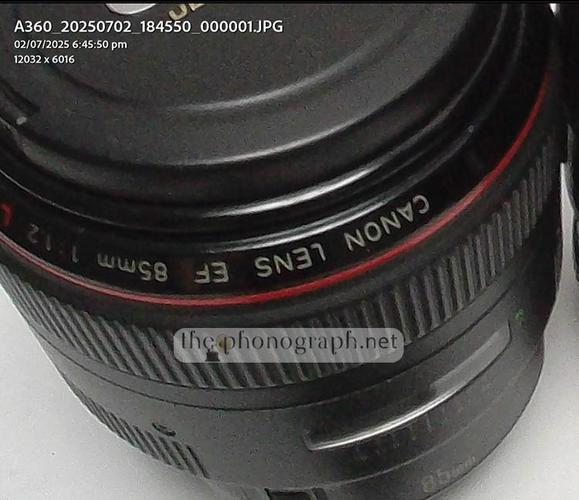
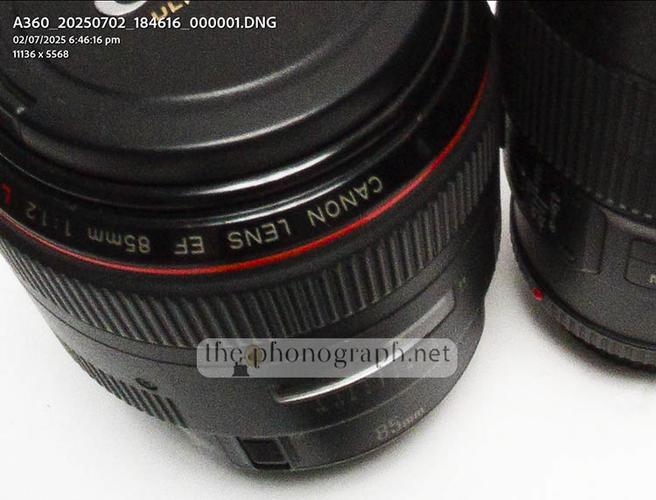
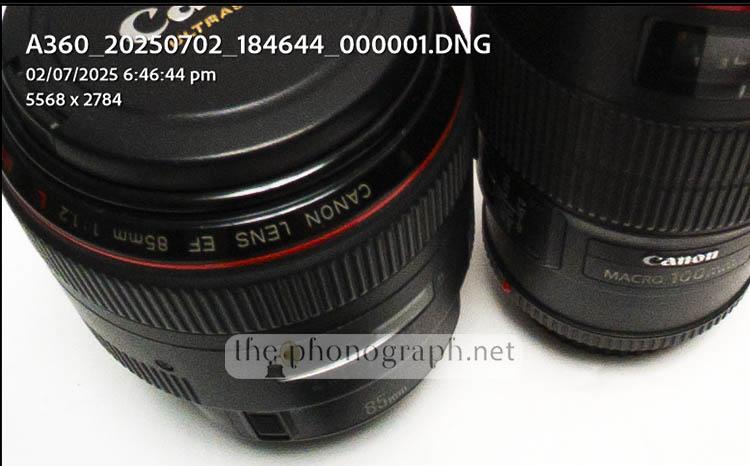
NOISE
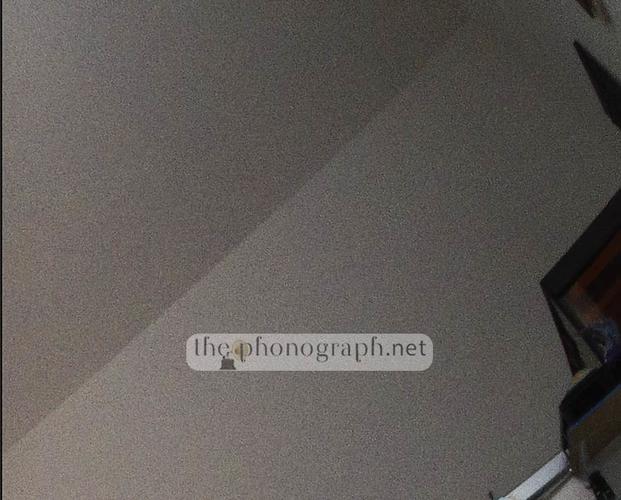
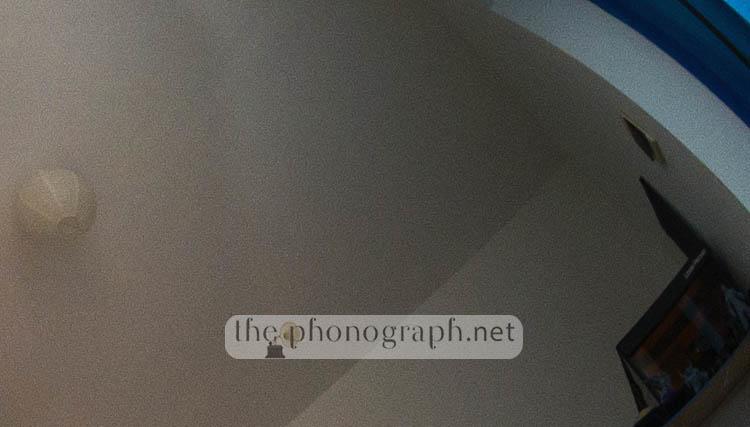
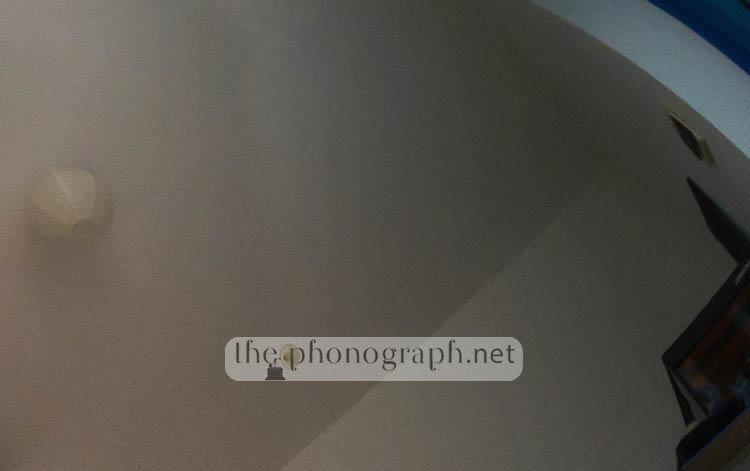
Do consider, though, that the samples that you are seeing are at relatively low ISO settings (ISO 360), so you should not expect the same performance at higher ISO and low light conditions.
As a suggestion according to our tests and results; unless you truly think that you need the 72mp of resolution, we strongly recommend using the camera set in 18mp resolution – even more for low light conditions.

4.5/5
PER
Performance
Of course, as the big chunk of the market is content creators or dreamers about becoming one and average consumers, the AKASO 360 is well targeted to this audience but the AKASO 360 can also be a smart choice for professionals that want to make a difference without needing to break the bank; for example:
– Real estate production of 360 videos of properties for sale/rent
– Engineering
– Construction work
– Filmmaking producers for “interactive”, more real to life location scouting and sharing
– Remote auditing
Fortunately, we were glad to find that the camera saves your dual lens videos (360 videos) as 3 separate files being:
– One video from the front lens
– One video from the back lens
– One low resolution video with both front and back lenses at the same time on a single video file
As the bitrate is hitting almost 60MB/s and the file size of each video is very large, you will have to plan ahead and buy some microSD cards with at least 128GB or 512GB; also keep in mind that the memory cards will have to have the necessary read/write speeds in order to keep up with the bitrates and transfer speeds or you will not be able to use the higher resolutions.
We welcomed the addition of both automatic and full-manual control of the parameters of the camera for both photo and video recording, allowing the user to fully override and control ISO, shutter speed, white balance, EV compensation and timer.
Another, even more surprising feature that we found was on-screen options to show live histograms, clipping warnings and composing-aiding grid lines; features that allow experienced users to finely tailor and adjust their parameters for perfect results.
Regarding connectivity performance, the AKASO 360 did not disappoint with stable connection with the mobile app and decent control of lag/delay between the camera and image displayed in the app – there is lag and delay though.
On the other hand, there is no lag nor delay at all when using the camera in standalone mode and watching at the built-in display.
Some details that we noticed were that the camera tends to get hot quite fast but the camera is equipped with an overheating sensor and protection design.
Furthermore, the camera turns on way too easily by a single press of the power button and even by a single press of the shutter button. This will for sure lead to accidental, unintentional powering on of the camera and undesired battery drainage, as users might not notice that they have turned on the camera unwantedly.
4.5/5
SW
Software
AKASO has covered the editing phase of the content created by the AKASO 360 by offering their own proprietary software, one created for computers (Windows and Mac) and another one for mobile devices (Android and iOS)
The AKASO 360 Studio allows users to have full control of the 360 videos recorded and accessing all the infinite creative potential options and editing styles that you can squeeze out of these versatile video recordings.
A note to remember is that the video files are huge and the editing of them will demand a relatively powerful and modern device. For PC editing, you will not have too much issues if you already have a 4K video editing capable computer but when entering the world of editing through mobile devices, then it is a whole different story.
Unless you own a flagship or high-tier iPad, you might struggle to edit fast and with ease your videos.
The video software is well-equipped with some automated editing settings like stitching modes and optimizations and the ability to view and edit the files as stitched panoramas or re-frameable images/videos.
3.75/5
BATT
Battery
Producing such large images and videos is a power-hungry task and this is clearly translated over the battery runtimes that you can get from a fully charged battery pack.
Despite the decent 1350mAh of the battery, this might be one of the weakest points, as you cannot get hours or video recording with one single battery. In our tests, we got around 1 hour per battery; but it is nice seeing that the brand bundles 2 batteries with the camera.
3.25/5
ScoresAKASO 360 Action Camera Scores
FIND ALL OUR: Earphones Reviews / In-Ear Headphones Reviews
MORE: Best Earphones Charts
SEE ALSO: Coupons – Discounts – Deals – Promo Codes – Sales Deals
RECOMMENDED FOR YOU: Headphones Frequency Response Curves
SEE ALSO: KZ Headphones Frequency Response Curves
AKASO 360 Action Camera Technical Specifications
Sensor
Dual 1/2″ 48MP CMOS
Aperture
f/2.25
360° Video Resolution
5.7K @ 30 / 25 / 24 fps
4K @ 60 / 50 / 30 / 25 / 24 fps
Single Lens:
2.8K @ 60 / 50 / 30 /25 / 24 fps
360° Photo Resolution
72MP / 18MP
Video Modes
Video (360° Video & Single-Lens Video) / Timelapse / Loop Recording
Photo Modes
Photo / Interval / DNG8 / TimeFusion / AEB
Video Format
MP4
Photo Format
JPG, JPG+DNG
Video Coding
H.264
Touchscreen
2.29″ (480×800)
Battery Capacity
1350 mAh
Runtime
60 minutes (5.7K @ 30 fps, tested in a lab environment)
Stabilization
· 360° Horizon Steady
· View Lock Steady
Audio Recording
· 2 microphones
· Windshield design
· Stereo capture
Supported SD Cards
Micro SD (up to 512GB)
Companion App
AKASO 360
(no registration required)
Wifi
2.4GHz / 5GHz dual Wifi band
Bluetooth
BLE 4.2
Gyroscope
6-axis gyroscope
Operating Temperature
0℃ ~ 40℃ (32°F ~ 104°F)
Weatherproof
Yes
Weight
180 g
Dimensions
109.8×46.9×30.8 mm
Mounting Point
1/4″
In the Box
Standard Combo: AKASO 360 x1 / Battery x2 / USB-C Cable x1 / Lens Cloth x1 / Protective Pouch x1 / Quick Start Guide x1
Creator Combo: AKASO 360 x1 / Battery x3 / Multifunctional Charging Case x1 / AKASO Invisible Selfie Stick x1 / Protective Pouch x1 / USB-C Cable x1 / Lens Cloth x1 / Quick Start Guide x1
YOU WILL ALSO LIKE: Amazon Coupons & Deals
MORE: Coupons – Discounts – Deals – Promo Codes – Sales Deals
SEE ALSO: Banggood Coupons – Discounts – Deals – Promo Codes – Sales Deals
SEE ALSO: Aliexpress Coupons – Discounts – Deals – Promo Codes – Sales Deals
MORE: Hybrid Earphones Reviews