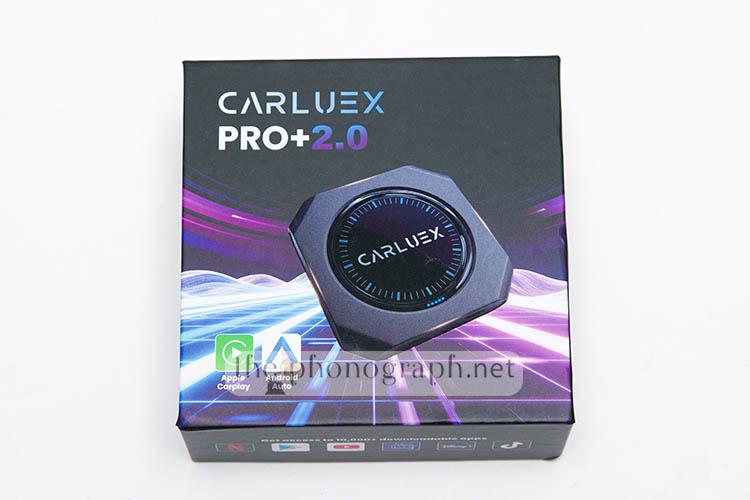
CARLUEX PRO+ 2.0
| 4K | Android 13 | WiFi | 4G LTE | GPS | Bluetooth |

If you want to upgrade your cars multimedia system and radio, the CARLUEX PRO+ 2.0 could be a feasible solution to most users not wanting to replace the whole radio unit of their car while benefiting from an unlocked Android OS multimedia center custom-tailored for cars.
FIND ALL: Headphones Scores Compared
CARLUEX PRO+ 2.0 Review
Tests & Scores
 Scores
CARLUEX PRO+ 2.0 Scores
MORE: Best Headphones Charts
A
ACCESSORIES & PACKAGING
4.5/5
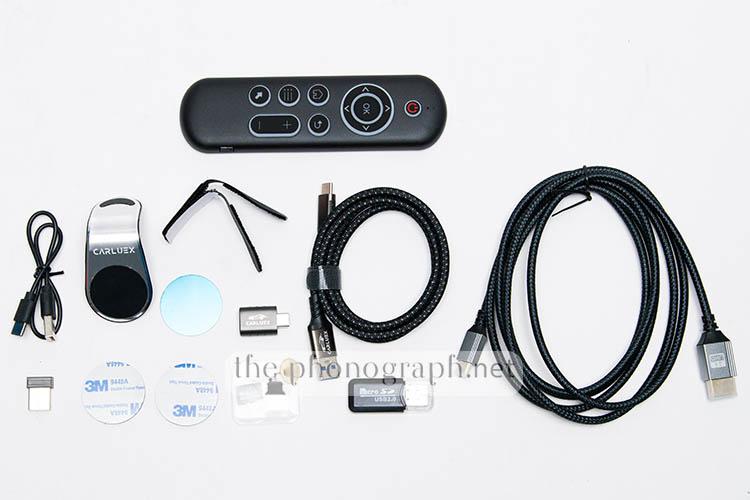
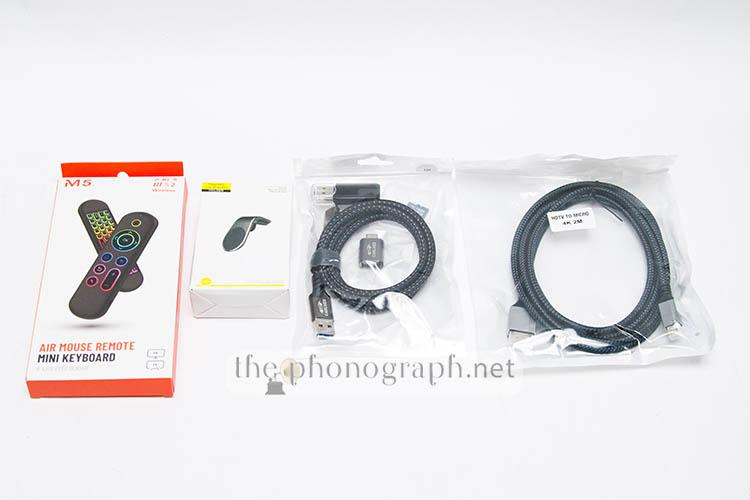
When buying the CARLUEX PRO+ 2.0 with the full accessories combo, you will get the following addons:
- 2x USB-C to USB-A cables
- HDMI micro to full-size cable
- 2x USB-C to USB-A adapter
- Wireless remote
- 32GB MicroSD card
- MicroSD card reader
- Magnetic phone holder
D
DESIGN
3.5/5
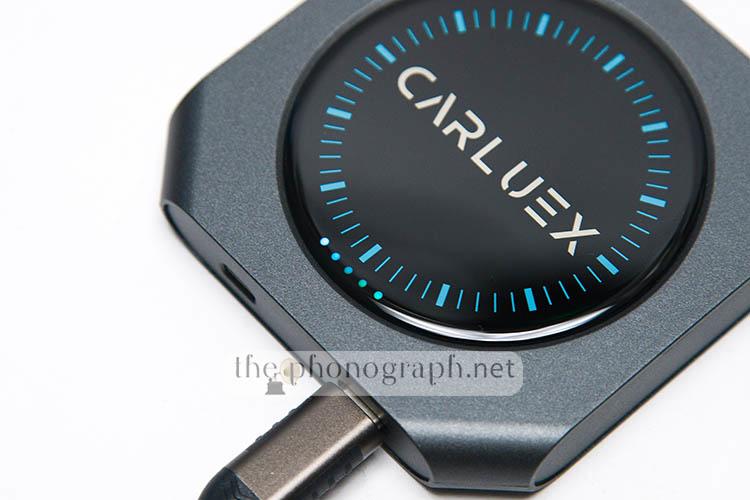
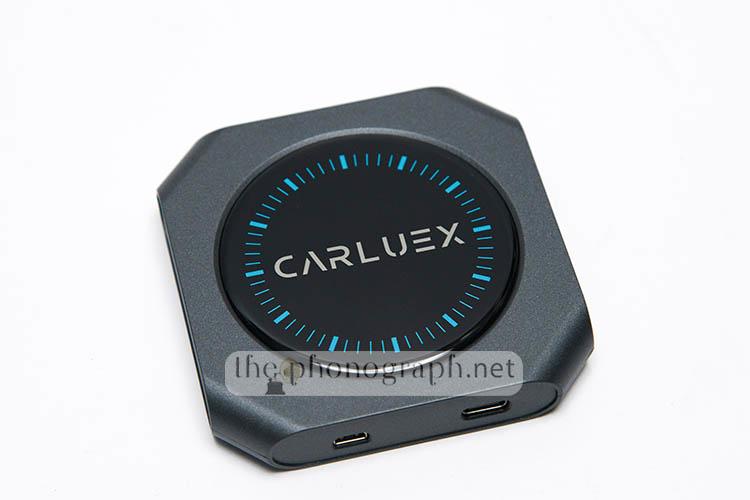
The CARLUEX PRO+ 2.0 is tiny and slim, which is a great thing as you will want to hide in your car or at least not have to redesign your car’s interior to fit a humongous addon device.
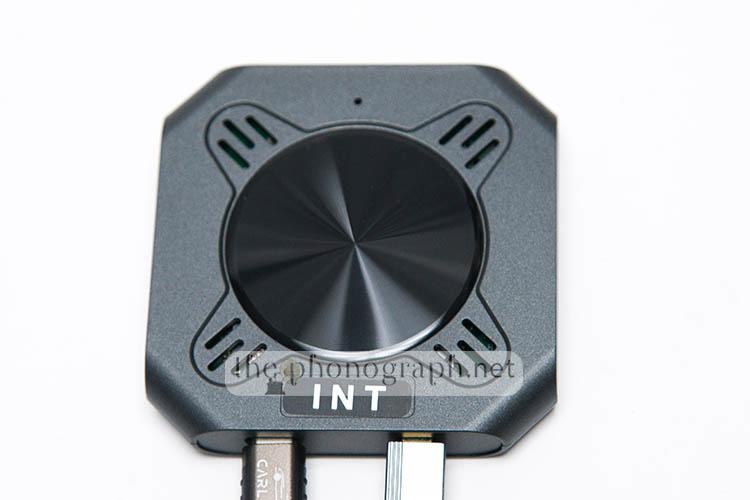
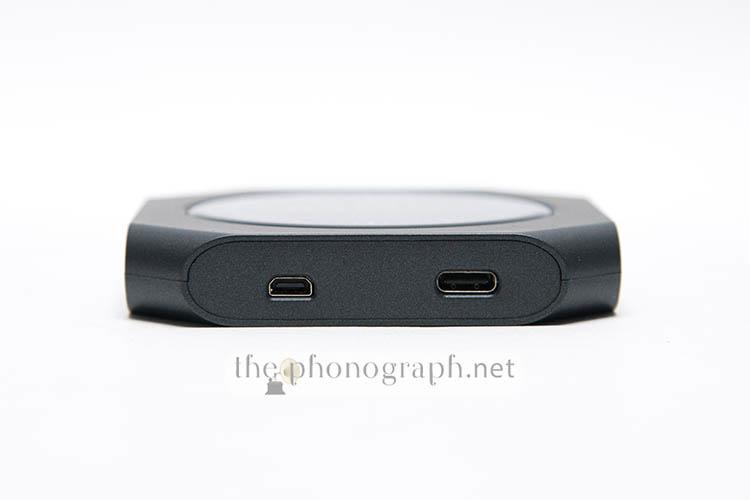
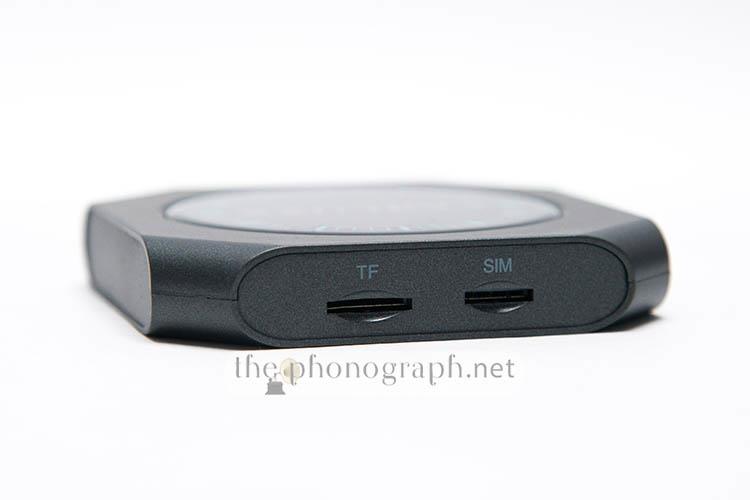
The top cover of the unit has a design that might seem like a sort of touch sensitive control interface or a LED illuminated section but it is none of them and it is just an embellishing detail – beside the small boot and status LED lights on the bottom top area. The front edge of the case holds the I/O connectors while on the back edge there is a memory card slot and a SIM card slot.
The bottom case has a 4-angle ventilation system with 3 grided cutouts on each of the edges and a metallic, main rounded center that works as a heatsink – you will also notice a tiny hole, this is the reset button.
CB
CONSTRUCTION & BUILD
3/5
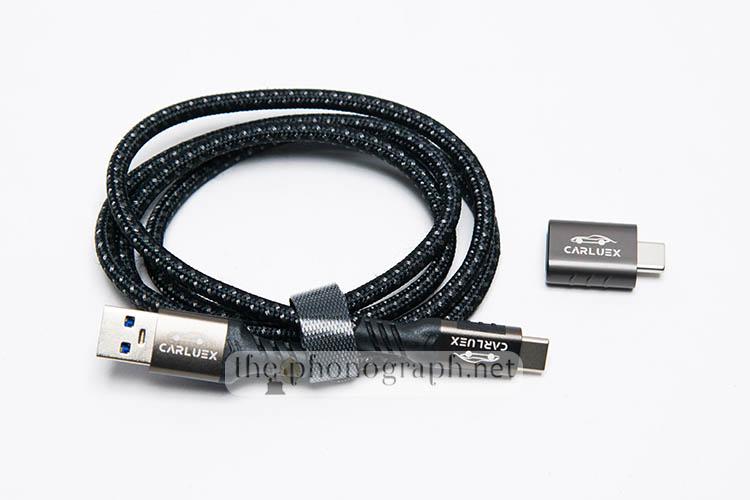
The cables included and adapters have rugged metal ends and superb shielding with a braided style.
Unlike the cable ends, the shell of the device is made of plastic instead of metal; probably it will be a better material for controlling the in-temperature of your car in summer days but it will not feel as premium as the cables or as the price might suggest.
The bottom cutouts on the case that act as ventilation holes are a smart decision as the unit tends to get hot quite easily and quickly while using it.
TS
TECH SPECS
4/5
Despite the plastic construction, internally the CARLUEX is equipped with a modern Snapdragon 6125 CPU, Qualcomm WCD9385 audio decoder, 8GB of RAM and 128GB of internal disk (ROM) that can be expanded through microSD cards.
The specs make it capable of running modern apps, 4K videos and benefit from entertainment apps such as Netflix, YouTube, streaming platforms, map/car navigation, local audio/video playback, lightweight gaming, etc.
I
INSTALLATION
4.5/5
The installation of the CARLUEX PRO+ 2.0 is straightforward (as long you are connecting it to a compatible unit); the steps involve plugin in the USB-C end to the CARLUEX and the USB-A end to the port of your CarPlay/Android Auto system compatible with this type of car boxes – if your car has a USB-C port, you can use the included adapters.
The USB-C port of the CARLUEX sends the I/O signal to the car but also power the CARLUEX, so you do not need to plug a separate cable for power.
Since the CARLUEX also has a dedicated video out port, you can also use it like a multimedia box with a compatible TV or allow it to cast the video to different monitors in your car rear seats.

CON
CONNECTIVITY
4.25/5
In total, the CARLUEX PRO+ 2.0 has 4 physical connectors, including:
- SIM card slot
- MicroSD card slot
- USB-C
- Micro HDMI
On top of that the unit also accepts wireless connectivity through:
- Dual-band WiFi
- Bluetooth
- 4G LTE through a SIM card
- GPS
Throughout all the tests with did not notice any abnormal connectivity issues or signal drops .
OC
OPERATION & CONTROL
4/5
The unit that does not have any physical buttons nor controls; of course all the operation is taken care through the touch screen of your car’s display and/or with the remote control (if you bought the full combo) but physical buttons and controls for most basic functions would had been a nice detail to see included.
A detail that we did not love seeing in the CARLUEX is that from factory the remote control does not come paired with the device and Bluetooth is not enabled on first boot – still, this is an insignificant cons that only implies 1 mini step added to the configuration of the device on arrival if you are using it with a car’s system. On the other hand, if you were planning to use it exclusively as a multimedia box or travel friendly TV system you might fall into nonsense loop where you will not be able to control the UI nor go through the pairing of the Bluetooth remote.
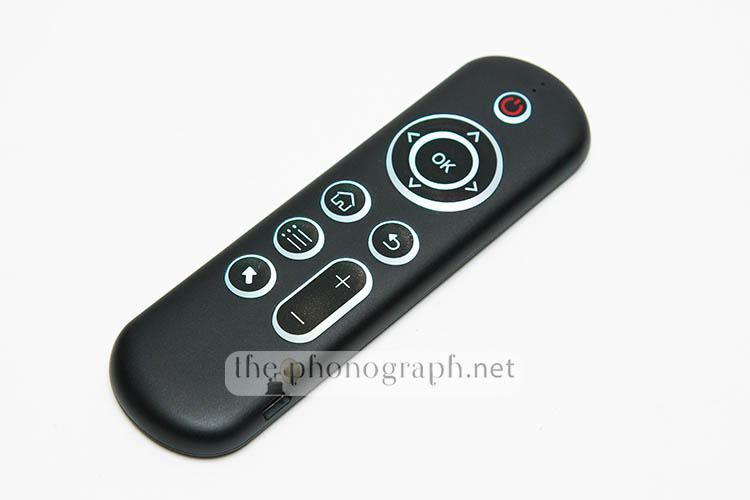
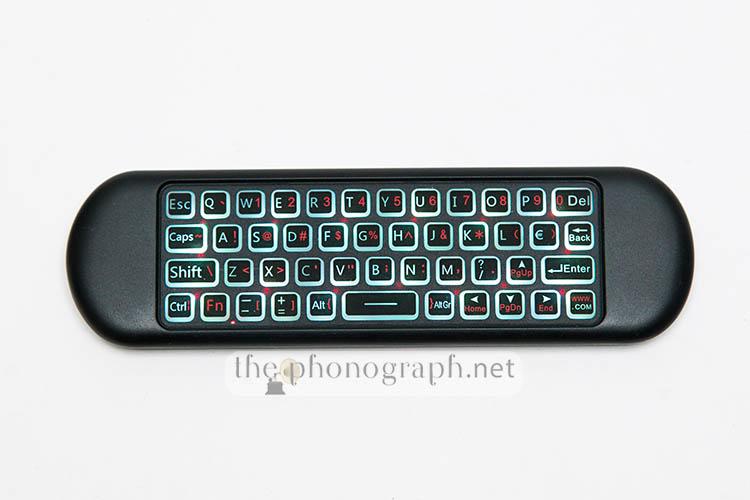
Once your wireless remote is paired, you can use it to navigate and fully operate the CARLUEX Android OS.
The remote has a dual control design that can navigate the UI with the D-pad and dedicated extra buttons or you can switch it to a pointer system (like a mouse).
If you flip around the remote you will be, probably, glad to discover that the remote includes a full keyboard to make typing and more complex key inputs way easier than the nerve wrecking input through a D-pad navigation of keyboard.
P
PERFORMANCE
4.75/5
Once you connect the CARLUEX PRO+ 2.0 to your car, the unit will automatically start the boot up process of the Android OS, after some seconds your will see the UI of the CARLUEX Android system and start operating it through the touch interface of your radio display. It is fair to mention that the boot-up time is not blazing fast and far from instant as throughout our tests we saw a typical total boot time of 20 to 30 seconds.
If you bought the wireless remote, you can use it also to fully operate the CARLUEX wirelessly by connecting it through a Bluetooth connection or using the 2.4G wireless system with the included dongle.
The Android OS is a customized one for AI boxes with a 3-section UI formed by a main larger menu occupying around 70% of the screen space and the remaining space aligned on the left, divided in a dynamic 1-section/2-section row.
The main UI has access to app shortcuts, apps navigation, assistant, apps menu and the main quick navigation buttons for home and work saved coordinates.
This main UI has dual style that can be chosen, either a classic apps grid (like on smartphones and tablets) or you can enable a cards-home screen mode where you can select you most used apps in an vertically elongated size and much more visually appealing aesthetic.
The top edge gives a quick access to the main control center toggles and connectivity shortcuts.
The left panel offers additional app shortcuts, time and date, a quick access to the Bluetooth phone connection setting and can be scrolled to access other UI menus that show also music controls, car info, etc.
Out of the box, the CARLUEX PRO+ 2.0 comes with many of the most used apps already pre-installed, so you can get it up and running with minimal effort.
From a net performance point of view, the CARLUEX PRO+ 2.0 responded fair well with minimal audio delay that was mostly unnoticeable and never showing a disturbing level of out of sync audio-video.
Pushing the playback capabilities of the CARLUEX, we were able to play 4K videos smoothly as long as they were not 4K60 or higher; for these upper fps 4K videos, the CARLUEX was simply unable to handle them.
Navigating through the UI and everyday tasks like opening apps, using apps, etc. was decent but if you are used to modern mid and upper tier smartphones and tablets, the CARLUEX can risk to feel laggy and not as blazingly responsive as your phone/tablet; depending on the app that is used. As brief summary example, the main UI navigation has some lag, Netflix catalog navigation was one of the most noticeable regarding lag but the use Google Maps, Spotify were very good and smoother.
A neat detail that we found out was that you can create a sort of quick profile access with a configurable split screen for 2 different apps that can be saved as a shortcut in your homescreen. Whenever you tap it you will get the exact apps and split screen settings that you configured.
SW
SOFTWARE
4.5/5
The unit runs on an Android 13 OS with Google Play Store available to install any compatible apps on the market.
The OS comes with a dedicated software upgrade/update function, so can have OTA access of any updated release.
SEE ALSO: Coupons – Discounts – Deals – Promo Codes – Sales Deals
YOU WILL ALSO LIKE: Amazon Coupons & Deals
SELECTED FOR YOU: Aliexpress 11.11 Shopping Festival Coupons

RELATED TO THIS PAGE: Aliexpress Anniversary Sale Coupons and Deals
SEE ALSO: Black Friday Coupons and Deals – Black Friday Aliexpress coupons
MORE: Cyber Monday Coupons and Discounts