Creality Sermoon S1 3D Scanner
| 3D Scanner | Infrared | Blue Laser |

The Creality Sermoon S1 is part of the newest 3D scanners from the brand, belonging to their flagship series.
The Sermoon S1 sits as the 2nd upper tier 3D scanner model, below the X1.
The complexity of 3D scanning is efficiently reduced by the Creality Sermoon S1, allowing new users and non-experts to reach very good 3D scanning results for everyday applications, 3D enthusiasts, 3D design, engineering, prototyping and even reverse engineering while retaining a gentler learning curve to master the art of 3D scanning in shorter time than what would had been needed with other commercial 3D scanners that have not ironed out difficulties and technicalities found in industrial 3D scanners.
Nonetheless, if this is your first time with a 3D scanner, you will need to learn the basics and take it with time and ease because preparation and proper scanning techniques are the key-factors to successful 3D scans.
FIND ALL: Headphones Scores Compared
Creality Sermoon S1 3D Scanner Review
Tests & Scores
 Scores
Creality Sermoon S1 3D Scanner Scores
MORE: Best Headphones Charts
A
ACCESSORIES & PACKAGING
 4.75/5
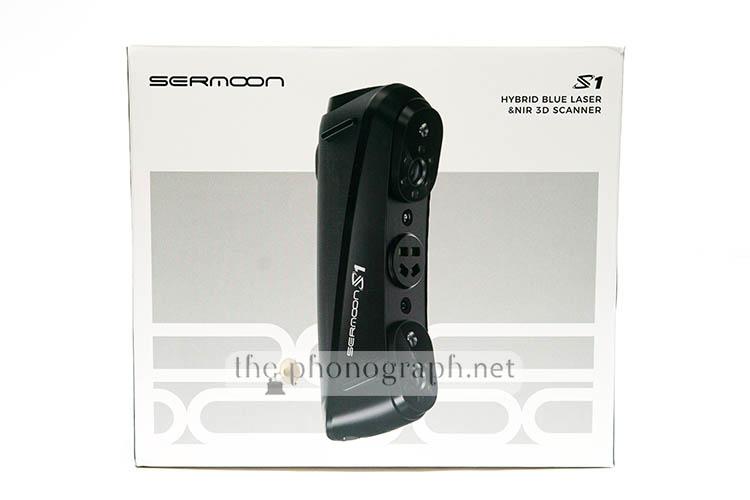
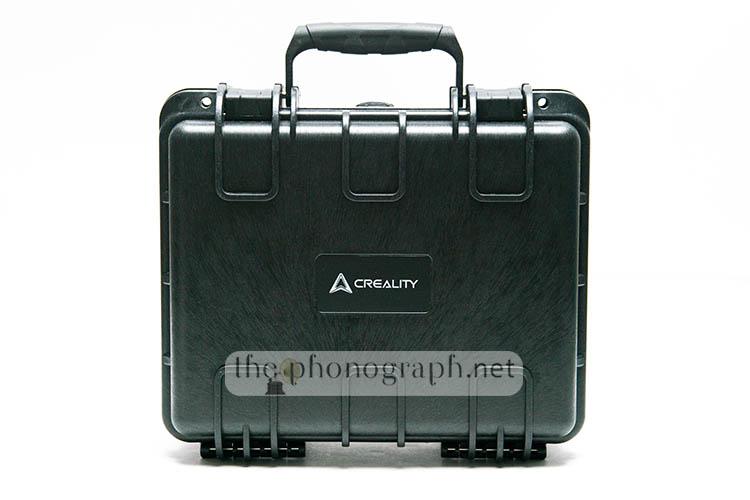
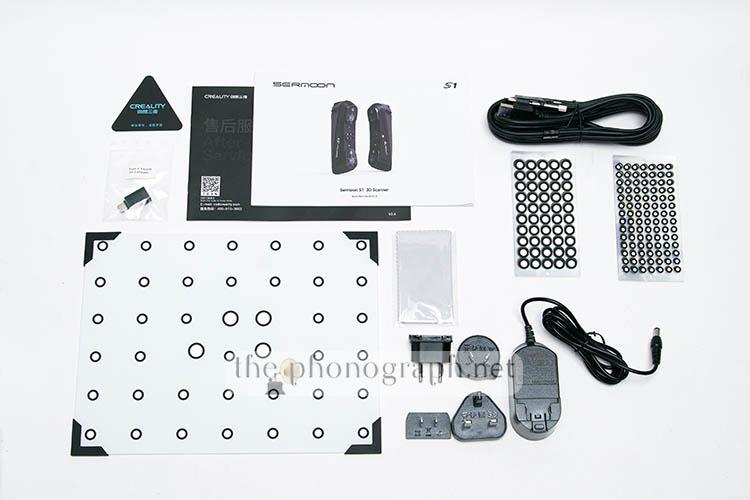
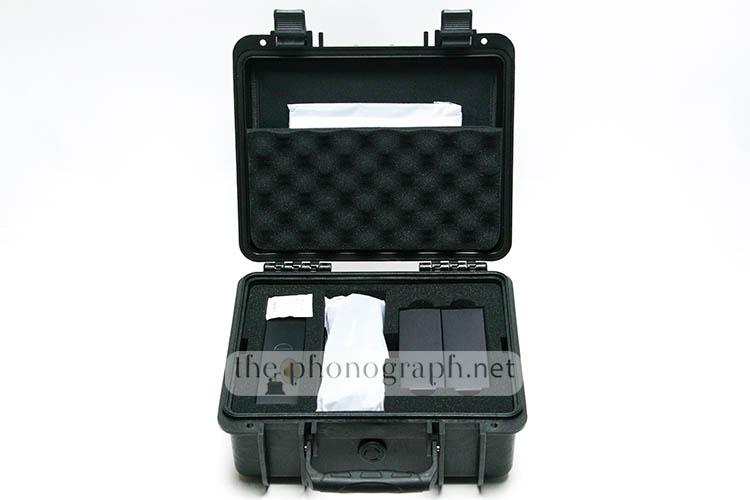
The Creality Sermoon S1 comes inside a relatively small packaging which contains inside the scanner and the following addons:
Excellent waterproof hard case with internal cutout protections
- 10x D6mm reflective markers sheets
- 10x D3mm reflective markers sheets
- Multi data, power cable
- USB-C adapter
- High-precision calibrating glass plate
- Lanyard
- Power supply
- Region adapter heads
- Cleaning cloth
AS
ASSEMBLY
 5/5
5/5
Regarding hardware assembly, there is little to none to be done as the unit comes fully assembled and simply needs to be plugged to your PC and power supply.
If wanted to be considered as part of the assembly process, the scanner needs to be configured and setup through it PC software (Creality Scan)
First of all, do not skip the calibration of the scanner; the process is not complex and is well-guided by the PC software calibration setup.
Basically, you need to use the included calibration board that is unique to your scanner (do not lose this board) and move the scanner in the different angle, positions and height that is instructed in each step by the calibration guide on screen. The calibration requires to be repeated as one is done for the infrared mode and the other one is for the blue laser mode.
After the calibration is completed, you are ready to start you first 3D scan – the scanner will disconnect and then reconnect when the calibration is finished.
D
DESIGN
4.25/5
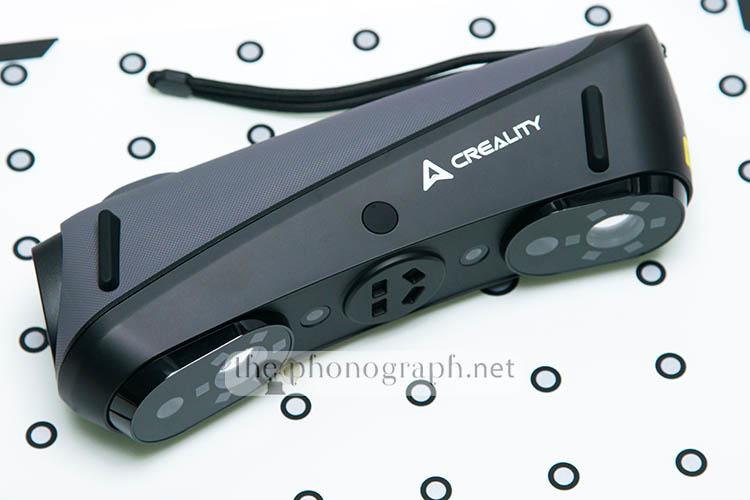
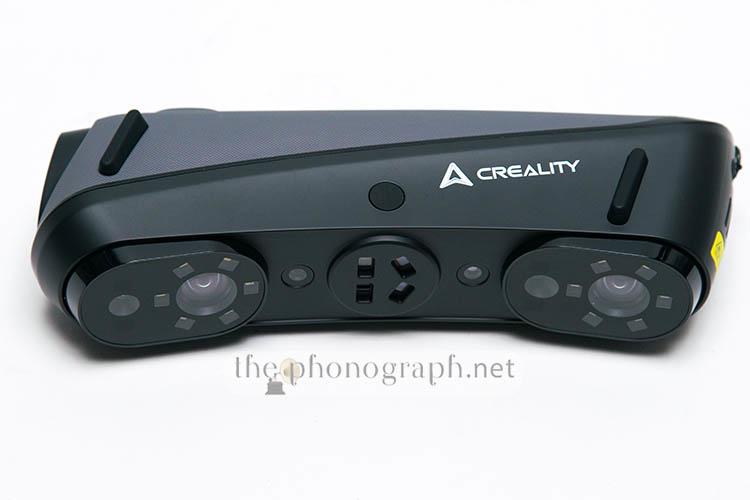
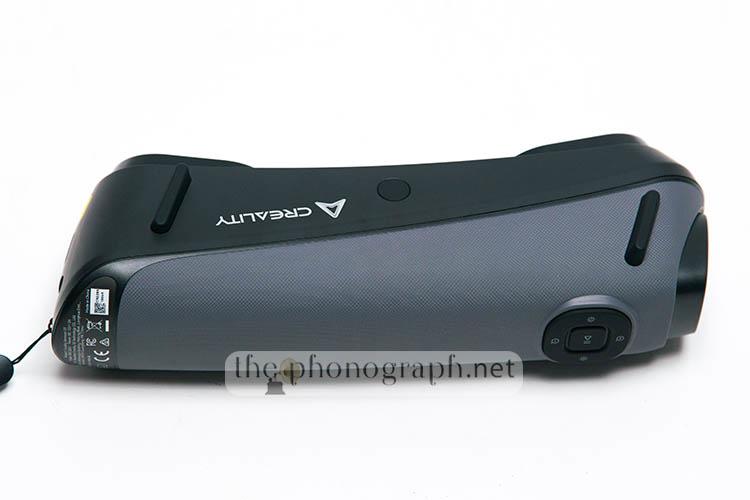
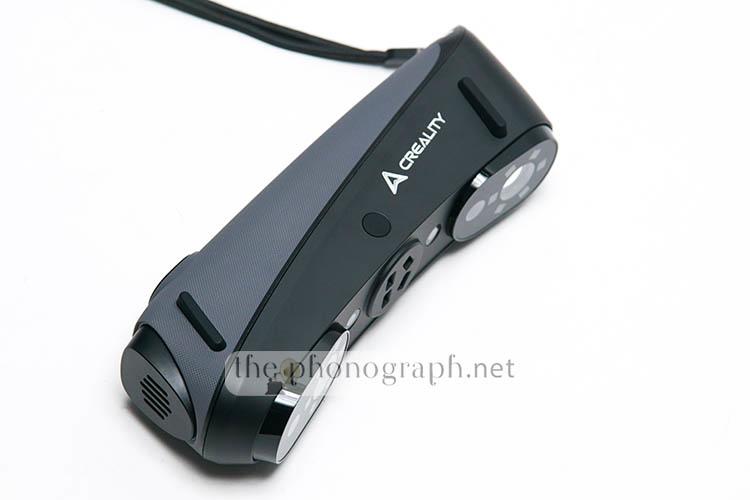
The scanner has an elongated form factor with its size being more or less similar to a 500ml water bottle.
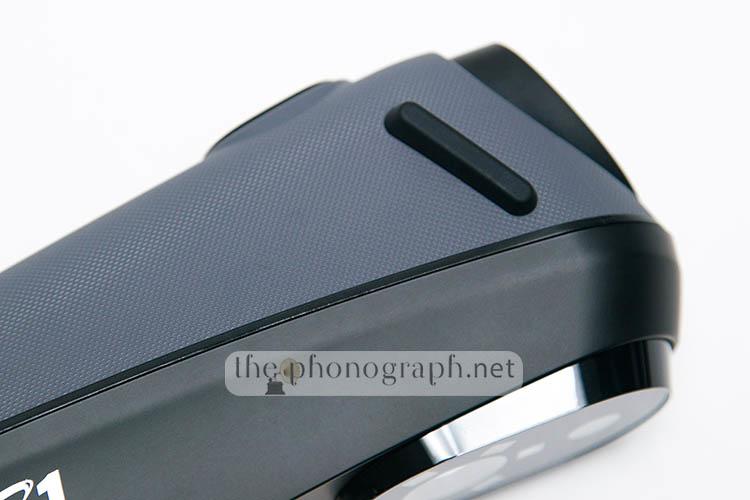
The back panel can be recognized by its grippy grey finish while the rest of the case is black-colored. The back panel holds all physical buttons while the front panel holds all the LEDs, lasers and sensors.
The Creality Sermoon S1 is way above the level of many other commercial 3D scanners available on the market, with more advanced tech, features and scanning capabilities.
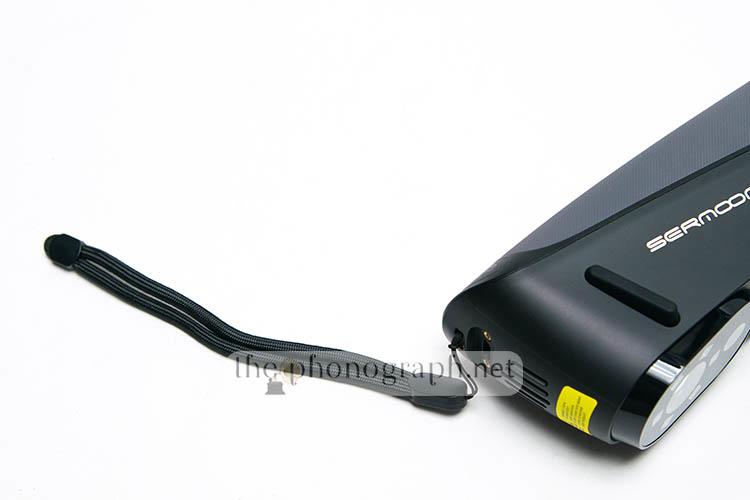
That been said, it is also bigger in size (225mm×53mm×76mm) than entry-level scanners (still, not too heavy at 508 grams); this might make it a bit less manageable by hand (using the lanyard is 100% recommended to avoid dropping it) – probably a more ergonomically optimized grip back section with some dedicated shapes for thumb and index fingers to lock in place could had helped securing the grip and improving the ergonomics for handheld 3D scanning.
Despite this, the Sermoon S1 has a fixed 1/4″ threaded hole on the bottom surface, allowing to attach it to either a tripod for more controlled 3D scanning combined with a rotating table or even upgrading its capabilities with the grip and Wi-Fi accessory that can be bought (not included by default with the Creality Sermoon S1)
OC
OPERATION & CONTROL
4.5/5
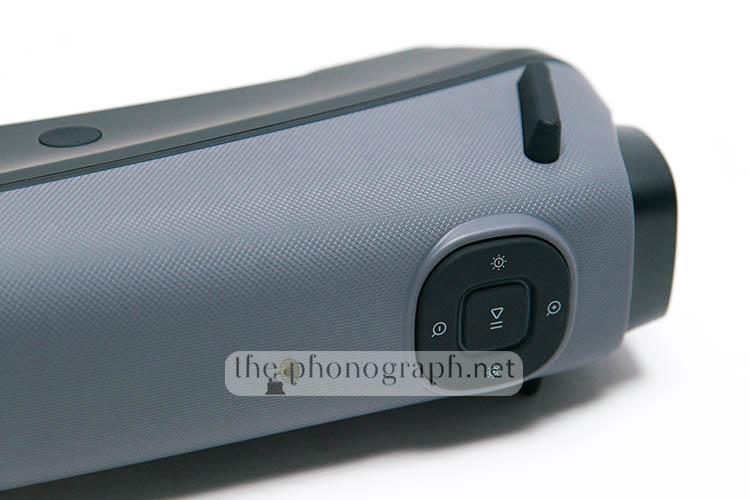
The Creality Sermoon S1 operates through a combination of its 5 multifunctional physical buttons and interacting with Creality Scan PC software’s functions, features, settings and menus.
The buttons offer the ability to control:
- Exposure/Brightness+ (to override auto exposure into manual control)
- Exposure/Brightness-
- Play/Pause scans (single press to start, press and hold to finish) / double pressing switches between single, 7, 34 lines laser modes
- Zoom in
- Zoom out
Scanning distance is part of the fundamental variables to keep insight while scanning but Creality Scan has a very visual, colored scale that reflects in real-time if your distance is far way, too near or optimal; do pay attention to this while scanning – the ring light around the Play/Pause button will also turn green if you are in the range of optimal distance and from orange to blue if you are too close or too far.
Also you need to keep an eye on the 2 upper right windows that indicate the exposure and detection of the IR and color camera.
A 3D scanner is not like a smartphone that you grab it and it just works alone, you need to acquire some knowledge of the scanning modes, scanning techniques, proper handling, usage of complimentary components/accessories, software and postprocessing.
Rushing into your first scans and trying to bypass the basics will result in failed scans (most probably), so you need to take it one step at a time; once you get familiar with the main aspects, you will start getting better and better 3D scans while allowing you to upscale the difficulty, complexity and variety of elements that you will successfully scan.
A personal recommendation: for smaller and mid-sized scans, you will significantly ease up the process if you build/buy a dedicated 3D scanning turntable with markers.
CB
CONSTRUCTION & BUILD
4.5/5
The scanner is well-built with a confident construction feel yet been relatively light-weighted thanks to the plastic case.
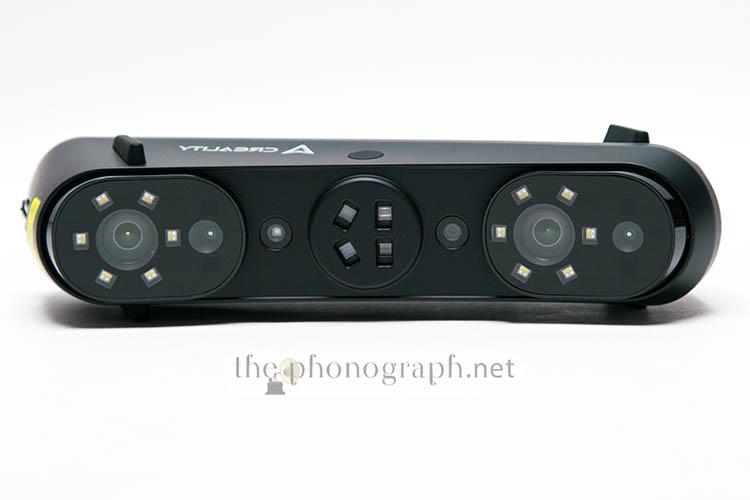
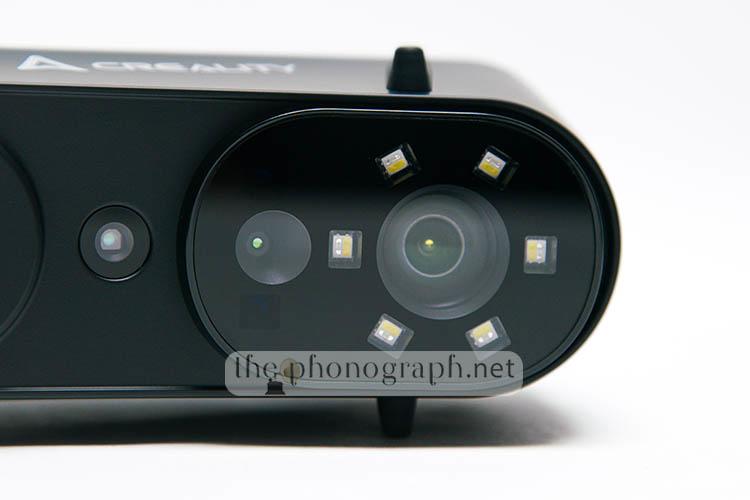
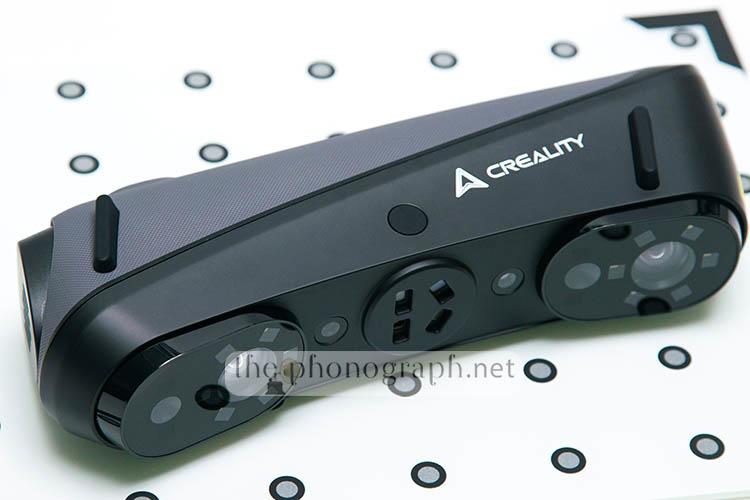
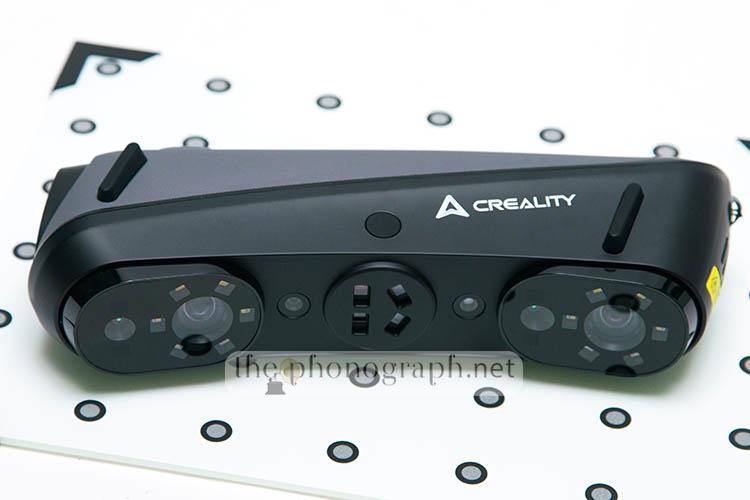
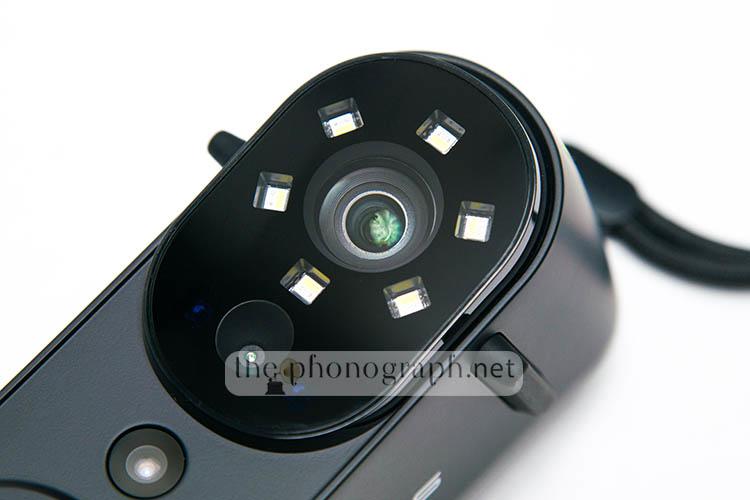
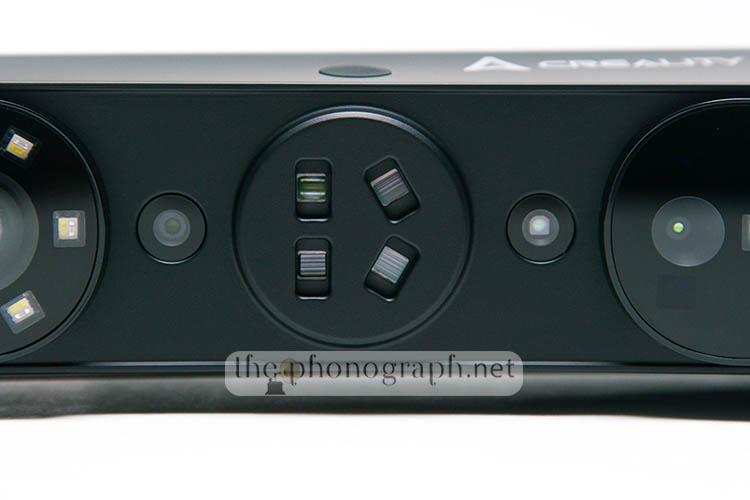
In total the Creality Sermoon S1 sports an impressive amount of sensors, LEDs and lasers that include (from left to right)
- 12x blue LED lights (6 LED lights on the left and right end)
- 12x white LED lights (6 LED lights on the left and right end)
- 2x High accuracy cameras (one of the left and one on the right)
- Wide angle camera
- NIR
- Single-line laser
- 7 parallel lasers
- 34 cross line lasers
- Color camera
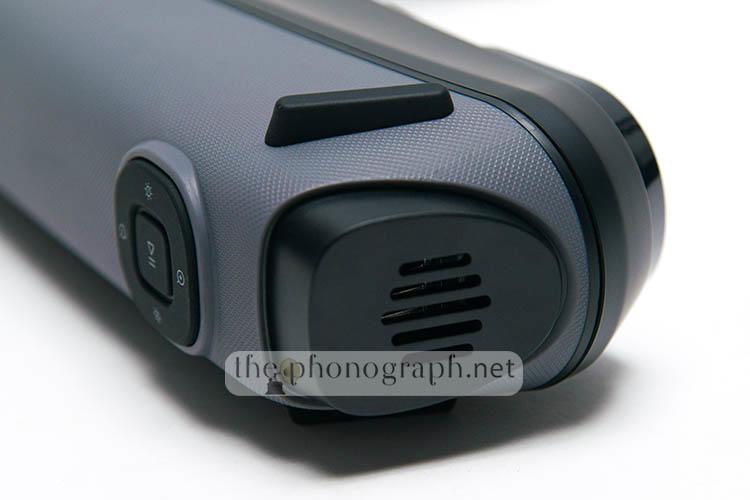
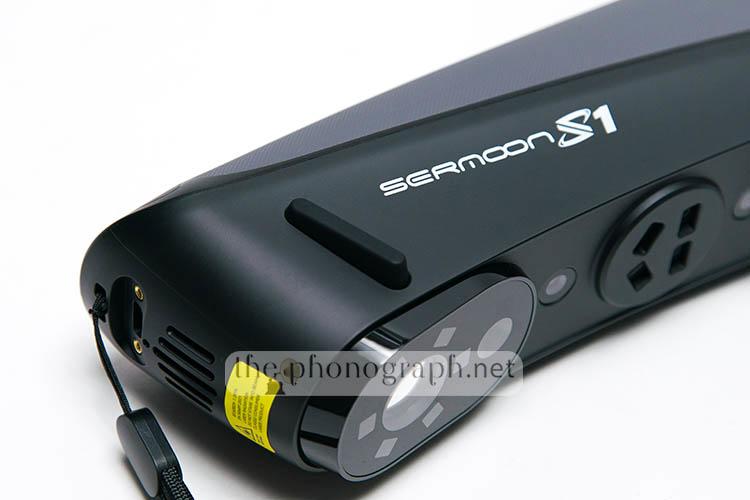
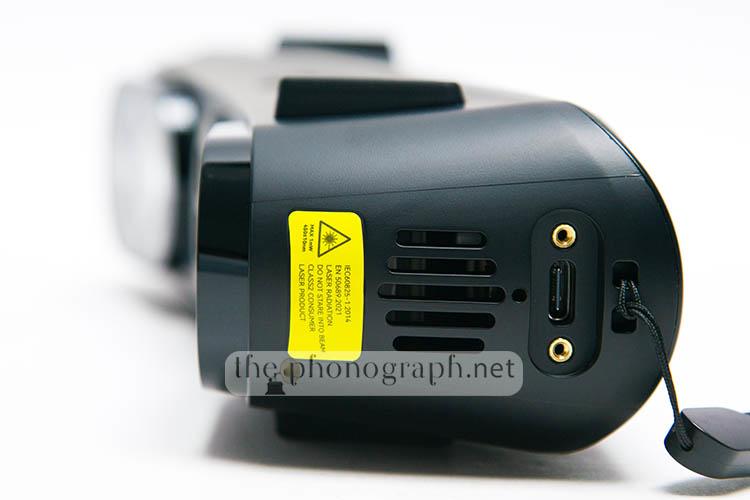
On the top section of the unit, sitting above the buttons, you will see a protruding black piece with some cutouts, these is a ventilation grid for the vents held beneath – which are responsible of keeping the thermals of the unit under control. A 2nd vent and grid is placed on the bottom of the unit, next to the USB port.
To avoid any undesired disconnections, the USB-C cable uses a dual locking-screws design which also ensures that the port does not flex and avoid getting it damaged over time.
A detail that we could point out is that the cable is thick and stiff, a more flexible cable with a braided design could had been more user-friendly.
On each side of the longer faces of the case you will see 2 thick and wide silicone pieces that are intended to give a feet support for the scanner when rested on a desk.
CON
CONNECTIVITY
4.25/5
As mentioned in the section above, the Creality Sermoon S1 has single USB-C connection that works as the unique port to transfer both power and signal to communicate with Creality Scan.
It worth mentioning that the connection is “sensitive” and can become picky if you do not use a fully capable connection port in your PC.
For example, we encountered initial connectivity issues if the cable was not connected to a direct USB 3.0 port that goes to the mainboard of the PC. You should avoid connecting it to any other port that works as a hub or any external hub.
The same USB-C port in the scanner is used to connect the wireless grip (if you buy one, as it is not included with the device)
SC
SCANNING EXAMPLES
As further examples, you can see below some additional scanning and practical uses that we carried out with the Creality Sermoon S1.
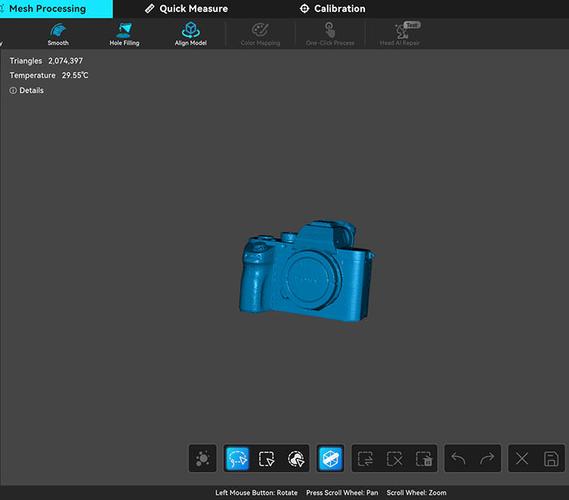
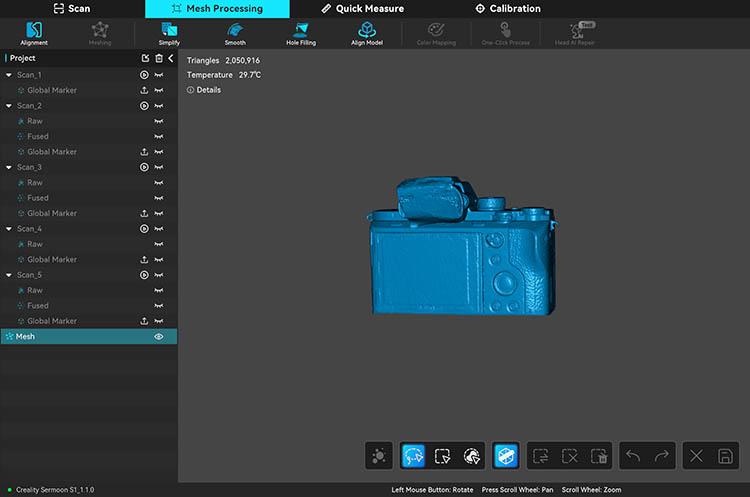
We used the Sermoon S1 to obtain a full scan of a professional Sony mirrorless camera with the objective of having a precise file with which we could develop a custom 3D design for a extension grip for the Sony camera – you might see a weird shape over the viewfinder area of the camera, this is because we placed a protective tape over the viewfinder when scanning the camera; just in case, to avoid any possible damage to the internals.
The scanned file generated with the Sermoon allowed us to produce a much more accurate and precise 3D model while, also, making the design process miles easier than it would had been to manually create the design from scratch (you can see the final 3D print below).
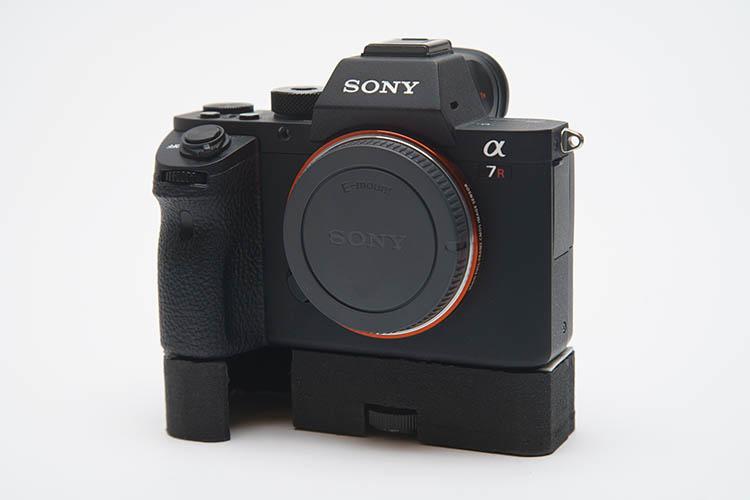
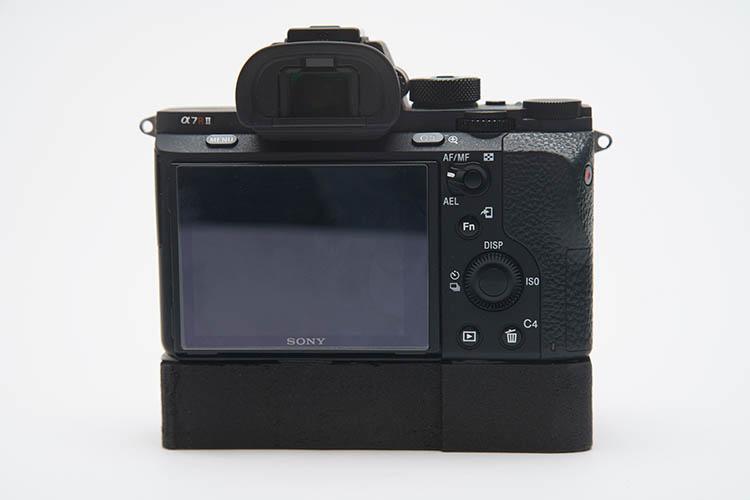
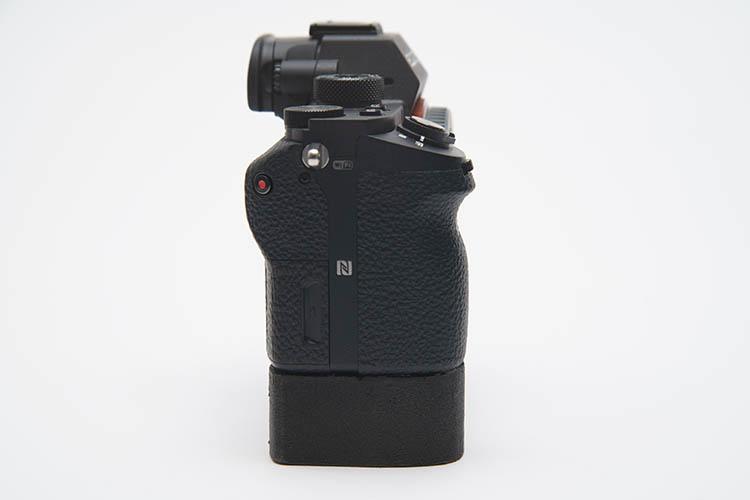
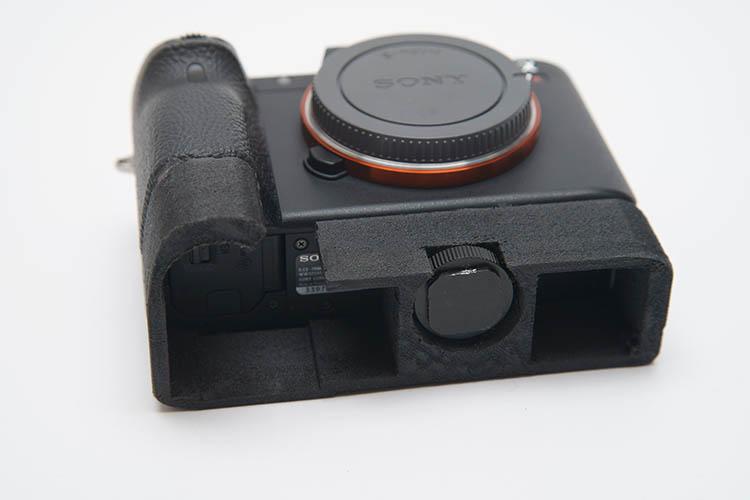
We did 2 different 3D designs for varied styled of grip types for the Sony mirrorless (you can see the final 3D print below).
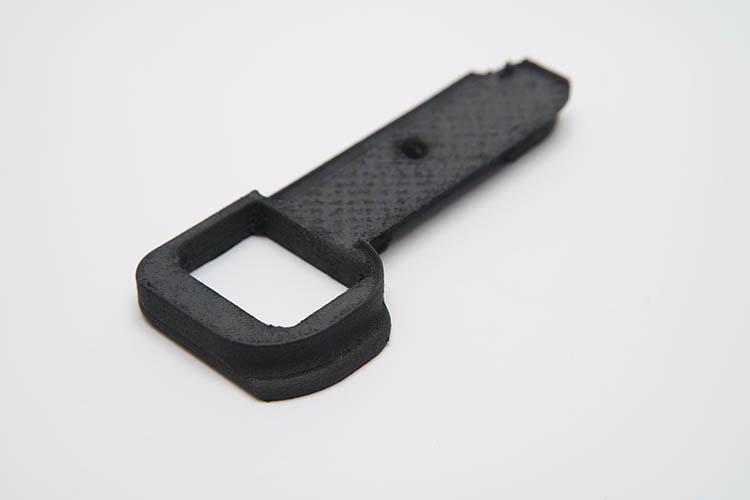
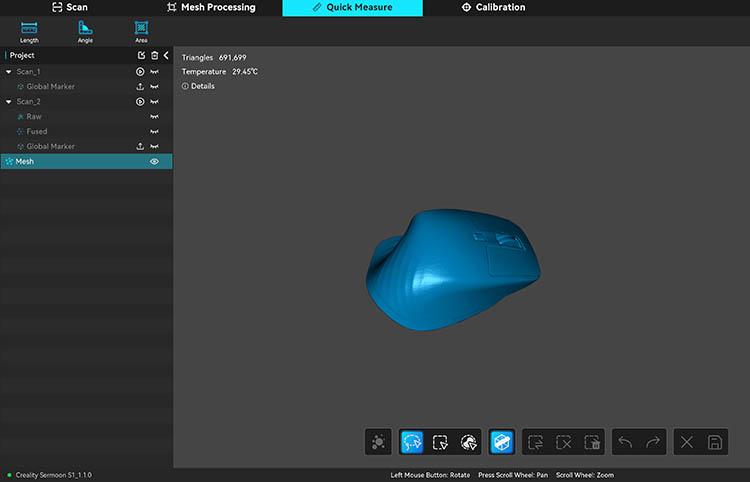
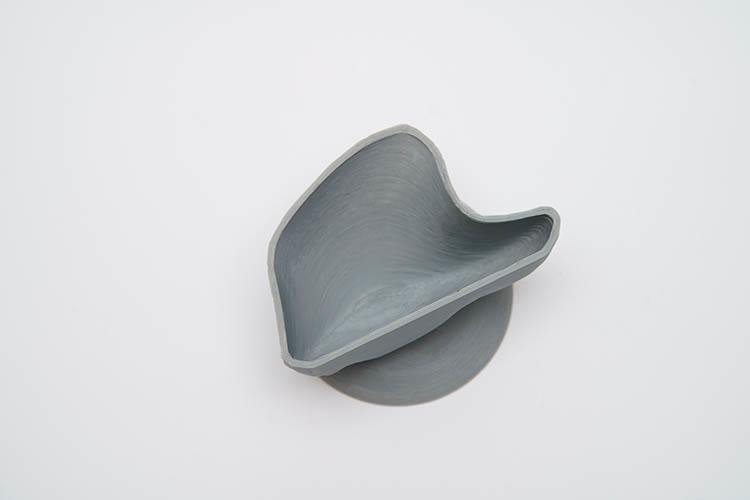
After this, we used the Sermoon to produce a detailed scan of a Logitech MX Master 3S mouse. Later on we used the 3D scan to create a custom design of a holder for the mouse (you can see the final 3D print below).
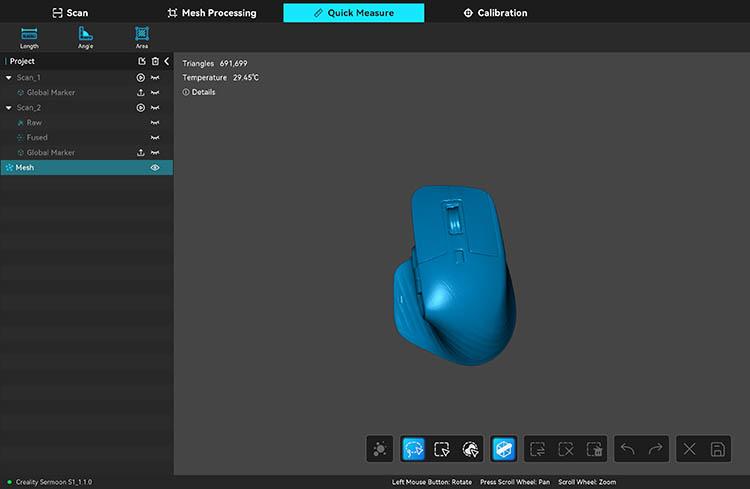
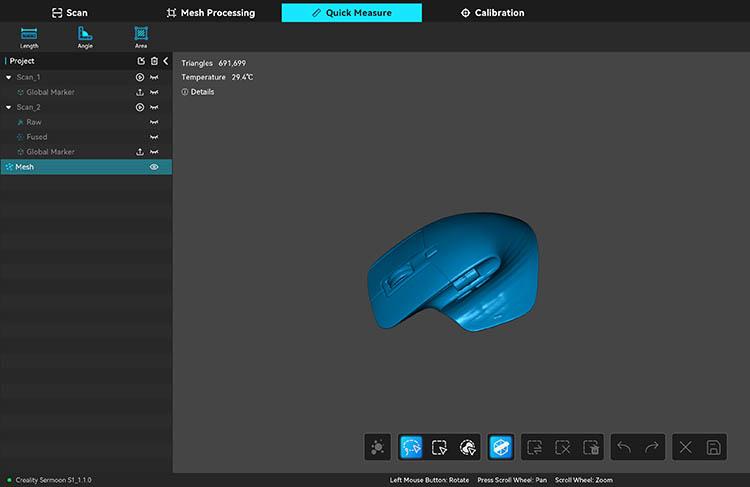
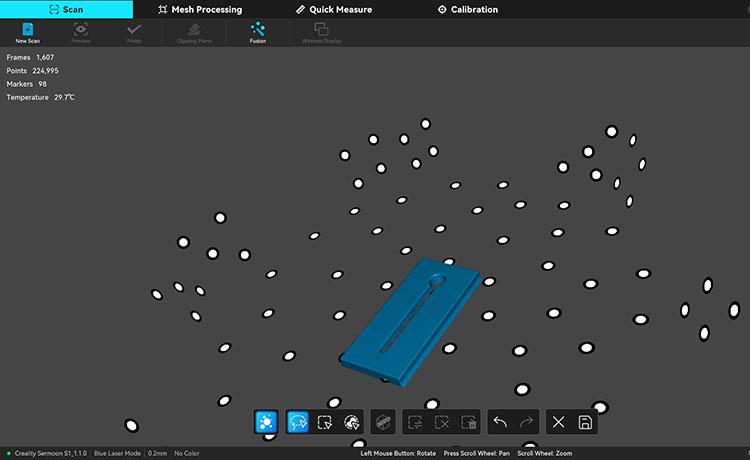
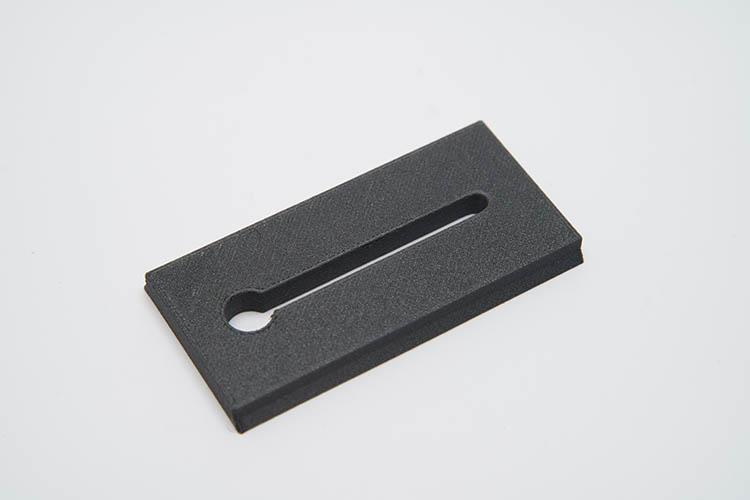
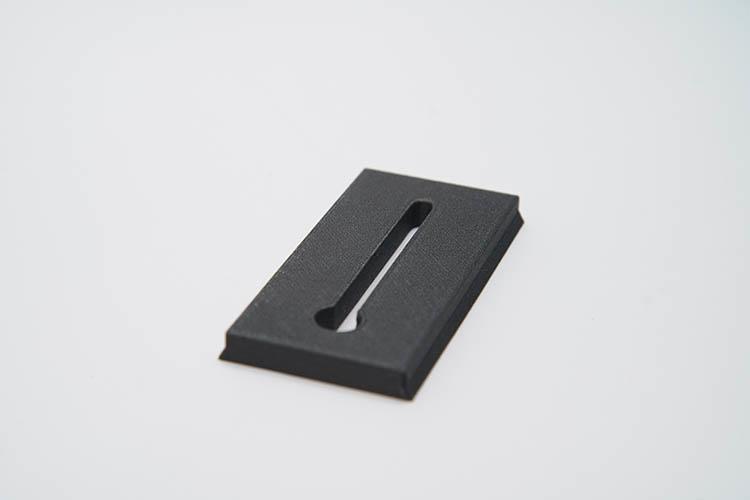
Next, we scanned a Manfrotto quick release plate to have a 3D file that allows the photo team to print as many plates as wanted, in-house (you can see the final 3D print below).
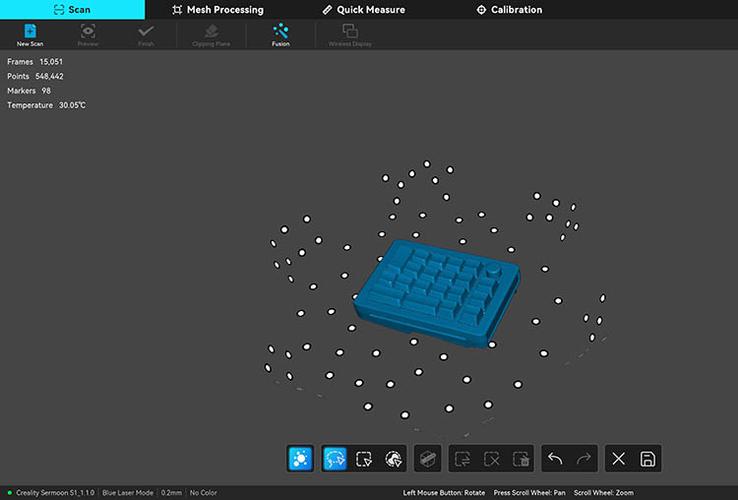
As another example, you can see a full scan of a numpad; you can see the markers in the Creality Scan screenshot.
P
PERFORMANCE
5/5
Be aware that the scanner needs a sufficiently powerful computer to handle the 3D scanner software (Creality Scan), yet to 2026 standards, the requirements are not too demanding.
We were surprised at how fast we were able scan with the Sermoon S1, moving the scanner around to complete a full 360 coverage of the element being scanned was smooth and did not slow down the workflow as the scanner was able to keep up with fast movements and picking up the scanning with prompt responsiveness. This alone was a massive advantage of the Sermoon over most other scanners available, which are slow and painful to use. If you are a techy guy or are interested in the tech specs that allow this performance; the Creality Sermoon S1 reaches a whopping scan rate of 4,600,000 measurements/s (Close-Range Infrared Structured Light) and a scanning speed of up to 90 fps (Single Blue Laser Line)
Moreover, the Sermoon S1 expands its versatility by being able to complete single scanning captures from 5 x 5 x 5mm³ up to as large as 4000x 4000 x 4000mm³ and 1245mm x 754mm.
On top of that, the scanning quality achieved is as surprising as the speeds and scanning coverage, offering 0.075mm accuracy and 0.05mm to 2mm 3D scanning resolution while, also, being able to handle both indoor and outdoor scanning (below 100000 lux)
One of the astonishing features of the Creality Sermoon S1 was the fact that it was able to cover large scans without forcing us to recur to the utilization of markers and black objects with no need of buying and applying 3D scanning sprays, which was a groundbreakingly straightforward way of scanning that will be welcomed by less-experienced users while also streamlining the usability for advanced users as well.
The combination of single, parallel, cross, 7x and 34x lines scanning modes proved to offer a miles better final 3D scanning with accurate results reflected not only in the overall scan but also in the Achilles’ heel of 3D scanners, which are pockets, gaps and holes. In fact, when testing the Creality Sermoon S1 with more technical and complex 3D scanning elements (3D printing spray was used for these), the team was impressed with the precision with which the Sermoon was able to scan deep holes, hard to reach pockets, internals and partially blocked curved shapes.
In addition to this, these challenging parts were scanned and replicated faithfully without “faking” empty scan information with weird meshes.
We also loved the 4-lens stereo NIR design that was a superb empoweree for other type of small to larger scaled scanning like people, monuments, cars; the wide field of view coverage allowed a faster scanning process and the color scanning and auto mapping of colors directly over the final scans was yet another highly usable scanning feature.
SW
SOFTWARE
4.25/5
As of v4 of Creality Scan, the software has grown up and enriched with plenty of user-friendly features – the software is available for Windows, Mac, Android and iOS.
With a more approachable and intuitive UI that is guided through all main steps and processes and the inclusion of AI features like AI repair and hair switching.
A convenient aspect of Creality Scan is that it does not uses a proprietary file exporting, so you can export all the scan data to any of the most popular 3D software on the market without tedious file conversions or loss of data.
SEE ALSO: Coupons – Discounts – Deals – Promo Codes – Sales Deals
Creality Sermoon S1 3D Scanner Technical Specifications
|
Scanning Mode |
Single Blue Laser Line |
7 Parallel Blue Laser Lines |
34 Cross Blue Laser Lines |
Close-Range Infrared Structured Light |
Long-Range Infrared Structured Light |
|
Accuracy |
Up to 0.02mm[1] |
|
|
Up to 0.075mm |
|
|
Volumetric Accuracy |
0.02mm+0.08mm/m |
|
|
0.075mm+0.1mm/m |
|
|
Scanning rate |
108,000 measurements/s |
756,000 measurements/s |
1,428,000 measurements/s |
4,600,000 measurements/s |
|
|
3D Resolution |
0.05-2mm |
|
|
0.1-2mm |
|
|
Scanning Speed |
Up to 90fps |
|
|
Up to 30fps |
|
|
Min. scan volume |
5mm x 5mm x 5mm |
|
|
150mm x 150mm x 150mm |
|
|
Single Capture Range |
205mm x 147mm@200mm 293mm x 217mm@300mm 355mm x 289mm@400mm 417mm x 361mm@500mm 506mm x 433mm@600mm |
|
|
293mm x 217mm @300mm 417mm x 361mm @500mm |
689mm x 375mm @500mm 1245mm x 754mm @1000mm |
|
Working distance |
200mm-600mm |
150mm-400mm |
200-600mm |
170mm-500mm |
200mm-1200mm |
|
Color Mapping |
Yes |
|
|
|
|
|
Alignment mode |
Marker / Global Marker |
|
|
Marker / Global / Geometry / Texture |
|
|
Color Supplemental Light |
12 White LEDs |
|
|
|
|
|
Outdoor Scanning |
Below 100,000 lux |
Below 50,000 lux |
Below 100,000 lux |
Below 30,000 lux |
|
|
Marker Recognition Enhancement |
12 Blue LEDs / 12 White LEDs |
|
|
|
|
|
Laser Safety |
Class II (eye safe) |
Class I (eye safe) |
Class II (eye safe) |
Class I (eye safe) |
|
|
Device Weight |
508g |
|
|
|
|
|
Size |
225mm×53mm×76mm |
|
|
|
|
|
Calibration board |
High-precision glass calibration board |
|
|
|
|
|
Wireless Scanning |
Supported in Conjunction with Wireless Scanning Accessories |
|
|
|
|
|
System Support |
Windows/macOS Android/iOS (Requires Wireless Scanning Accessories) |
|
|
|
|
|
Computer Configuration Requirements |
Windows: The following or higher configurations are recommended: i7-Gen10 CPU, Nvidia GPU (8GB VRAM), 32GB RAM, Windows 10/11 (64-bit) Minimum configuration: i7-Gen7 CPU, Nvidia GPU (6GB VRAM), 16GB RAM, Windows 10/11 (64-bit) macOS: M1/M2/M3/M4 series, 16GB RAM |
|
|
|
|
|
Operating temperature |
-10°C to 40°C |
|
|
|
|
|
Operating humidity |
10-90%RH |
|
|
|
|
YOU WILL ALSO LIKE: Amazon Coupons & Deals
SELECTED FOR YOU: Aliexpress 11.11 Shopping Festival Coupons
RELATED TO THIS PAGE: Aliexpress Anniversary Sale Coupons and Deals
SEE ALSO: Black Friday Coupons and Deals – Black Friday Aliexpress coupons
MORE: Cyber Monday Coupons and Discounts