Reolink Video Doorbell WiFi
|Smart Doorbell | 2K | Chime | Local Storage | Dual-Band WiFi | IP65 Weatherproof |
We are reviewing the Reolink Video Doorbell WiFi, a feature-rich doorbell with an honest price.
In the past we reviewed a flagship security camera from Reolink, which performed remarkably well so we have high hopes for this Reolink Video Doorbell WiFi.
The brand has a larger catalog of security cams but they also offer 3 models of video doorbells:
- Reolink Video Doorbell WiFi
- Reolink Video Doorbell Wired
- Reolink Video Doorbell Battery
The specific model that we are reviewing is the Reolink Video Doorbell WiFi.
Some of the features that set this Reolink doorbell apart from other cheap products include:
- Video recording with 2K resolution
- 180° coverage
- 5 megapixel photos
- Ai functions
- Auto sensors
- Day and night vision
- Chime included
FIND ALL: Earphones Scores Compared
MORE: In-Ear Headphones Reviews

Reolink Video Doorbell WiFi Review
Tests & Scores
A
Accessories & Packaging
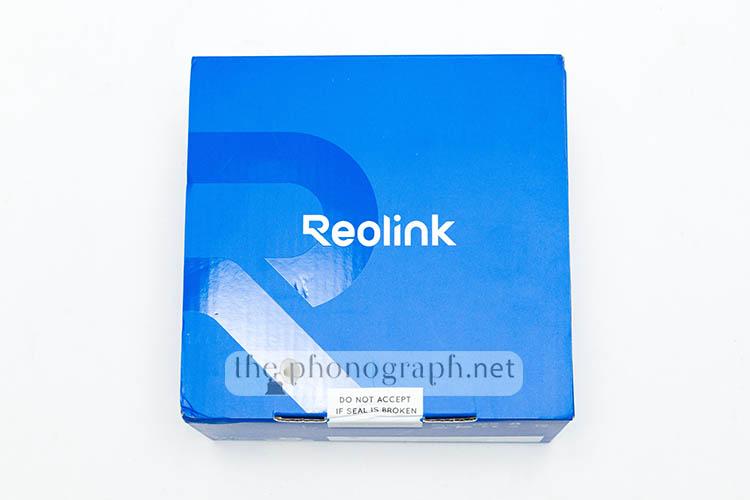
The doorbell is shipped in a nice and well-protected packaging; it is very hard that a courier could damage the product while delivering it to your front door.
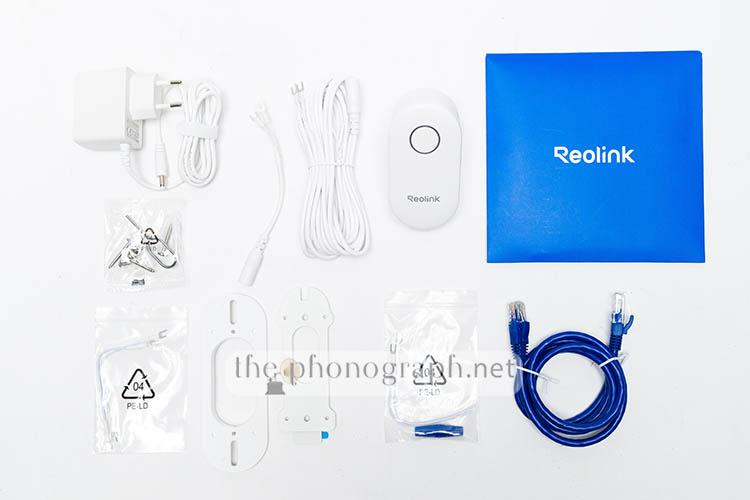
With the Reolink Video Doorbell WiFi you also get:
- Reolink Chime
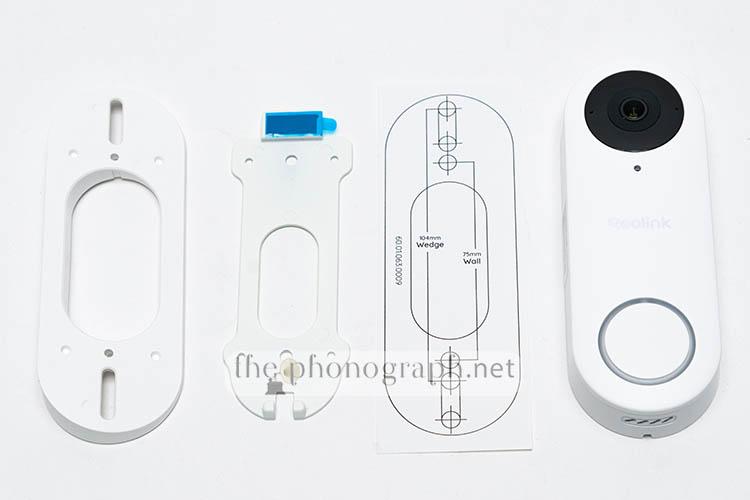
- Mounting plate
- Wedge
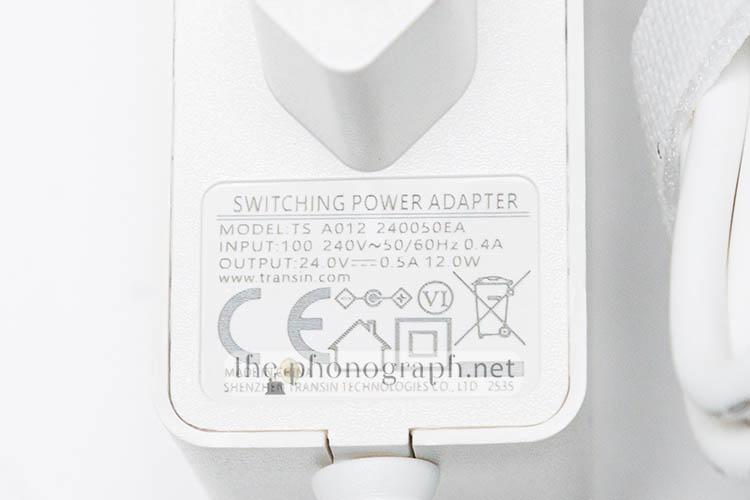
- PSU
- 2x power cables (4.5m and 0.1m)
- Jumper cables
- Extension cable
- Ethernet cable
- Installation accessories
- Removing pin

 4.5/5
4.5/5
D
Design
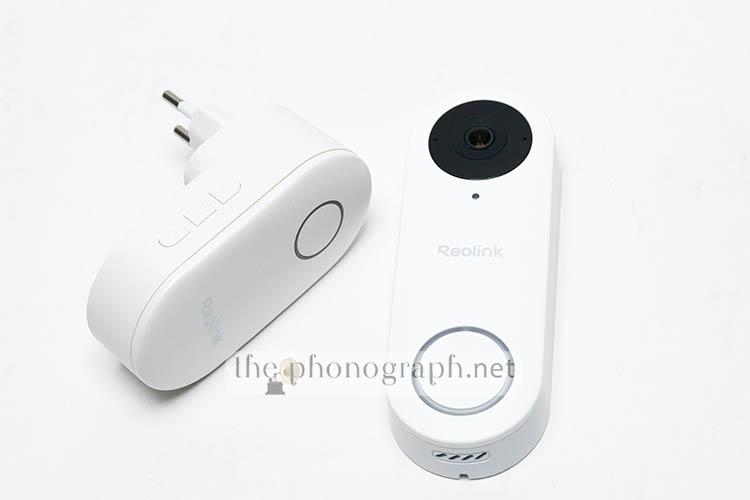
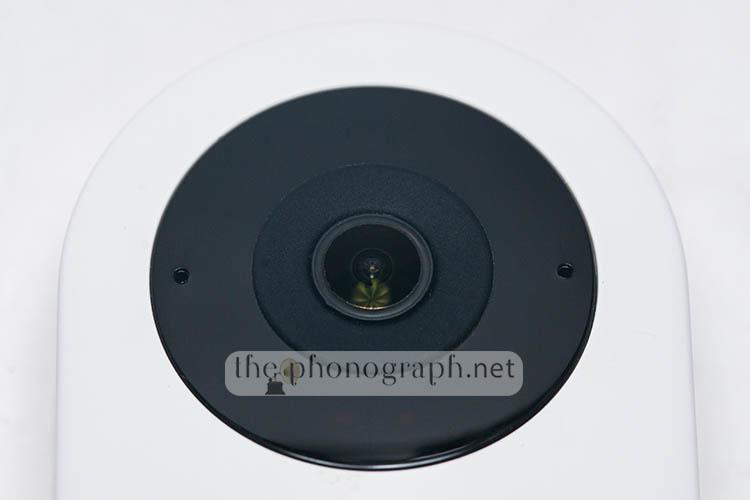
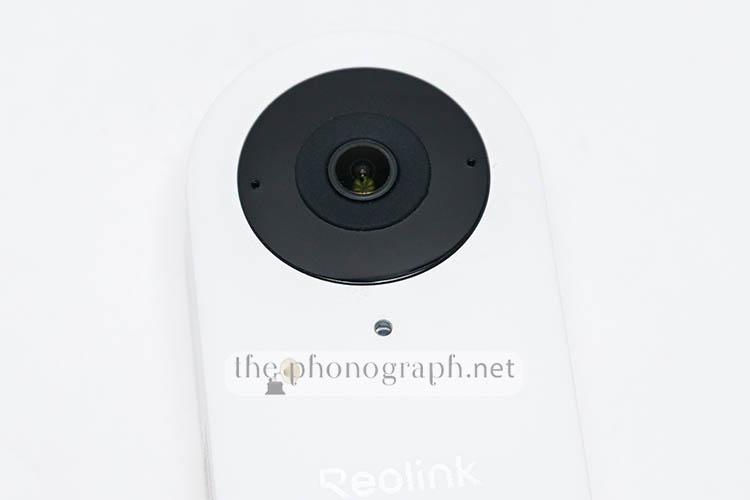
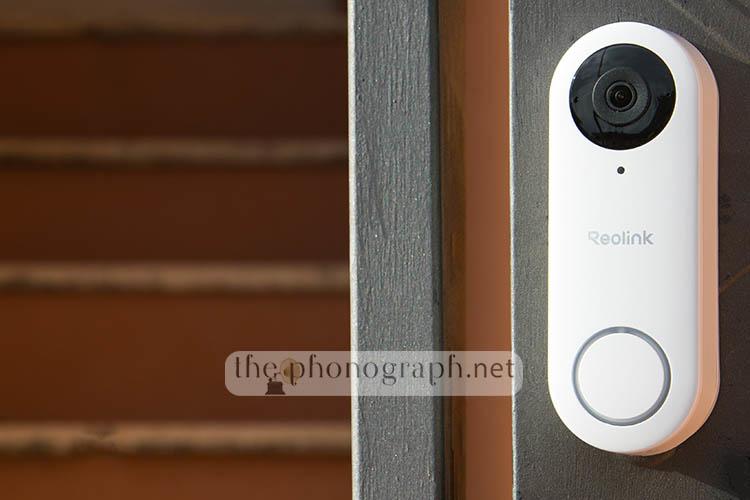
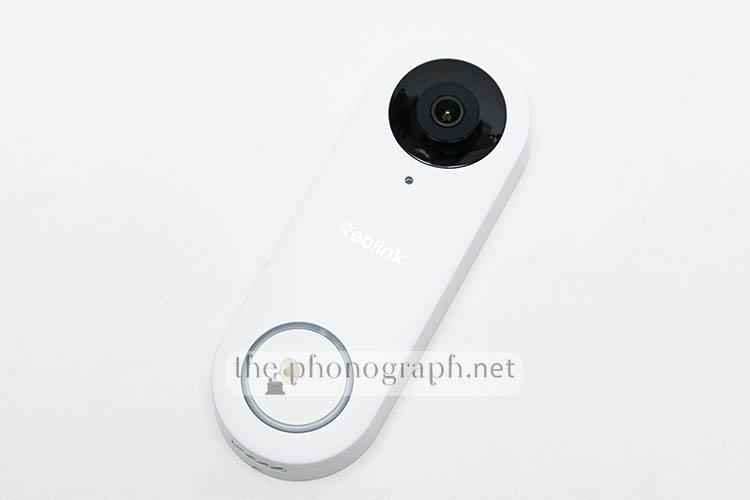
The Reolink Video Doorbell WiFi has a clean and polished aesthetic with rounded curves and a front panel divided in 2 main sections; the large doorbell button on the bottom which also has a ring light all around it and a black rounded section on the top area (as big as the button) where it resides the lens, sensors, IR LED, microphone and daylight sensor.
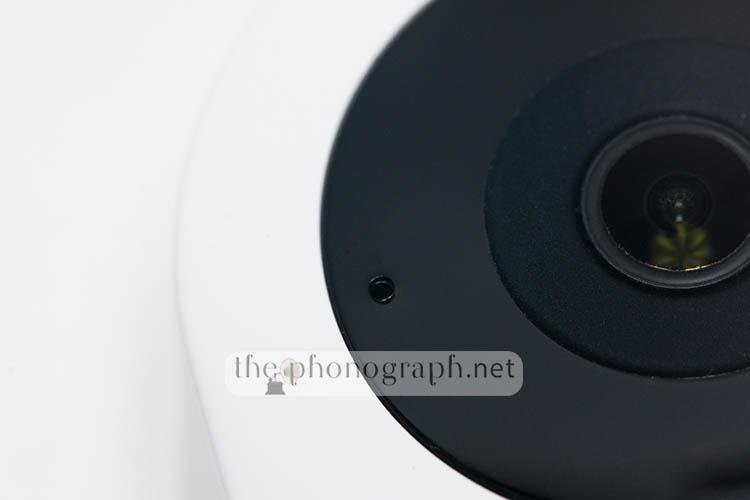
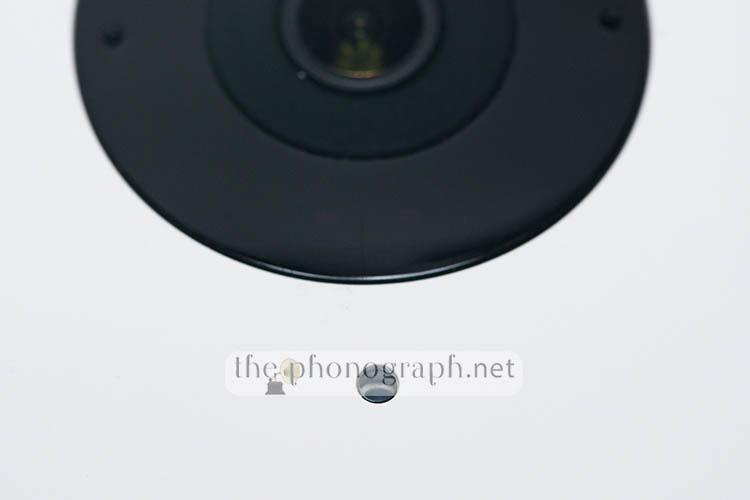
If you’re curious about the placement and details of the upper components: the small black ‘hole’ to the left of the lens is the microphone. Beneath the lens, there are two IR LEDs housed under a translucent protective cover. A few millimeters below the rounded black section, you’ll find another small opening, which contains the daylight sensor.
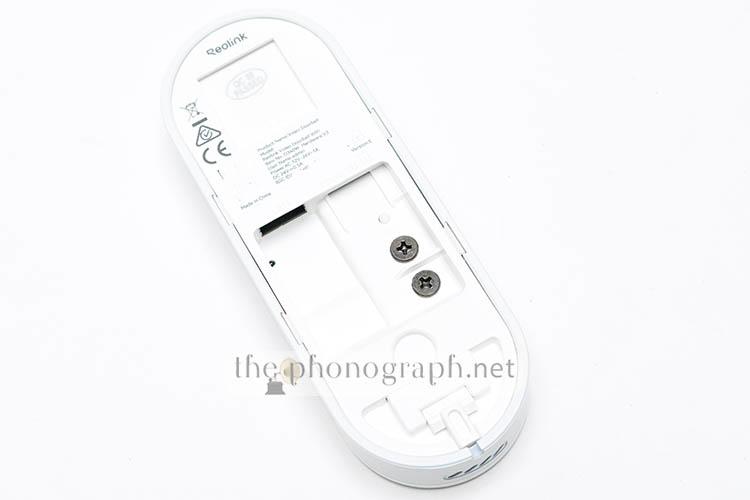
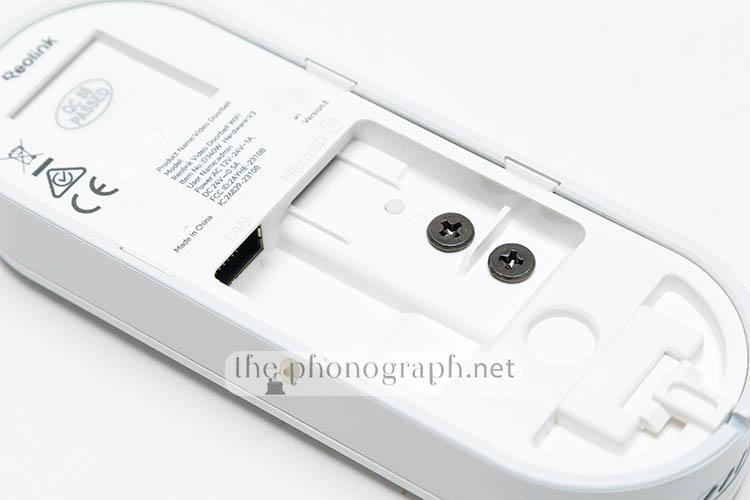
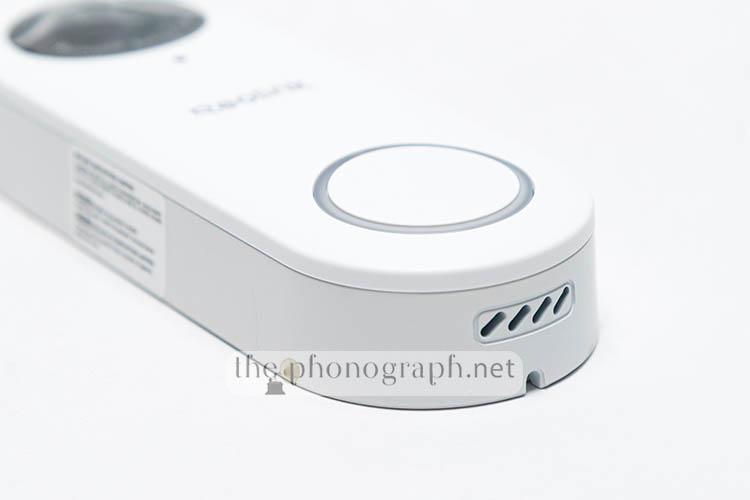
The bottom edge of the unit has 4 holes that are for the output sound of the speaker underneath and the rear section is dedicated to all the connectors and installation parts – a hard reset, recessed button is also hidden there.
The ring light around the doorbell button can be chosen to be always on, always off, always on only at night or automatically turning on when a person is detected, the button is pressed and the two-way audio is in use.
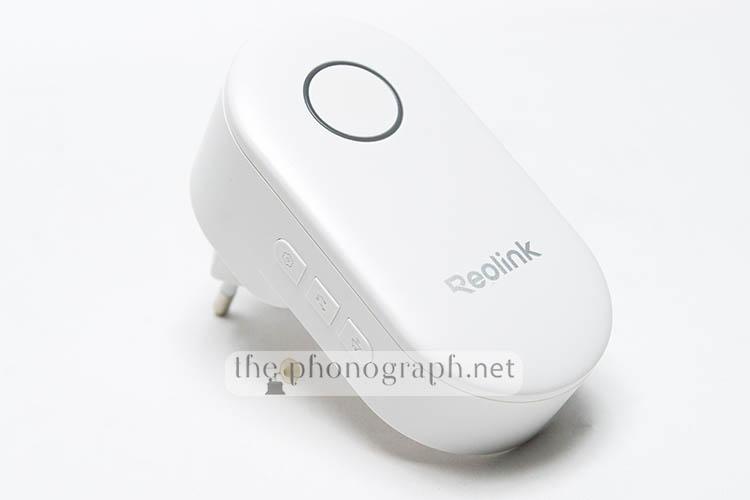
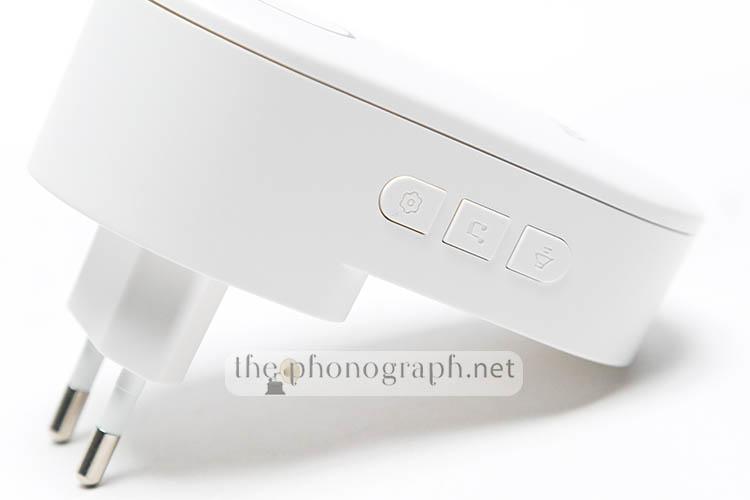
The design of the (included) chime follows the same aesthetics as the doorbell with a minimal style and a rounded button-alike part on the top case – this is not a button and acts as a status light.
We find important to highlight that the doorbell comes in 2 different colors (black or white) but the colors are not simply another aesthetic finish; instead, each color should be chosen wisely according to your needs related to the aspect ratio of the captured video/photo. To make it more concise and clear:
- Reolink Video Doorbell WiFi White: 3:4 aspect ratio with field of view being 97°x134° (HxV), 180° diagonal
- Reolink Video Doorbell WiFi Black: 4:3 aspect ratio with field of view being 134°x97° (HxV), 180° diagonal
If you are having difficulty understanding what this means in a real-world application; the white version will record a “vertically longer” image while the black one will have an horizontally wider recording.
Regarding dimensions, the Reolink Video Doorbell WiFi measures 133mm(H) x 48mm(W) x 23mm(T) and weighs less than 100 grams (96g).
4.25/5
SEC
Security
Being that Reolink is highly specialized in security cameras, we were pleased to discover that their doorbell is equipped with plenty of the advanced features seen in flagship cams from them; turning the device, also, into a surveillance camera.
In addition to two-way talk and incoming video when the doorbell button is pressed; the brand unlocks the access to smart alarms with auto detection of person, package (only white model), vehicle, animal and general motion. For each detection type you can individually set 3 parameters to trigger the detection: Object size, Sensitivity (in a range adjustable from 0 to 100) and alarm delay to trigger the detection (settable from 0 seconds to up to 8 seconds) – you can even set schedule programs with different sensitivities throughout the day.
On top of that, the Reolink Video Doorbell WiFi includes settable privacy zones by masking areas of the coverage where you do not want to be recorded and even draw zones that you want to be disable the detection but still be recorded.
Any detection can be set up to send instant alerts to your smartphone and compatible devices (including and/or excluding specific alert types and detection types)
The doorbell will automatically record (with audio too) each event and detection for future access through the “playback” function and can, as well, be set to record 24/7 (not only on motion triggered events) or put in time-lapse recording mode.
As with other security cams from the company, the doorbell can be enhanced with pre-recording and post-motion recording; which means that you can see a recording of each event and some seconds before and after it happened. The post-recording can be changed from 15 seconds to 30 seconds or 1 minute while the pre-recording can be turned on or off (the time of the pre-recording is hard set to 6 seconds)
A further layer of security is the possibility to fire up a siren alert when a configured motion event is triggered, enable two-way audio at any time independently even if the doorbell button has not been pressed and manually trigger sound alarms, take snapshots or record videos while live-viewing a stream.
 5/5
5/5
RELATED TO THIS: Active Noise Cancelling Headphones Reviews
MORE: Most Comfortable In-Ear Headphones
C
Connectivity
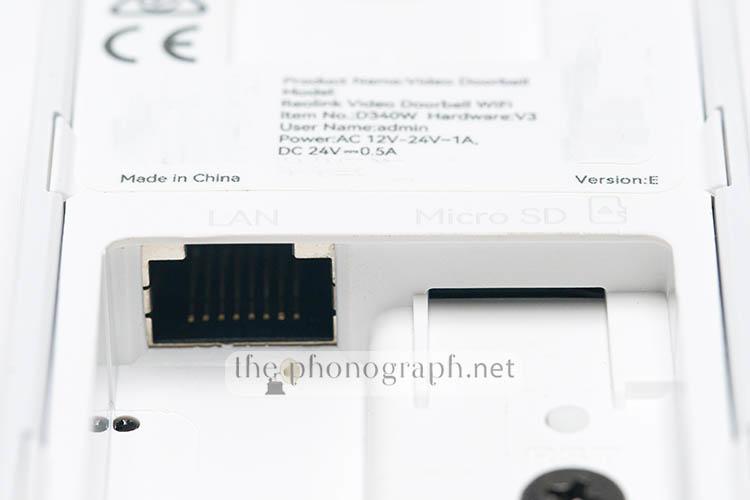
The Reolink Video Doorbell WiFi (only this model) can connect to your network either wirelessly through a dual-band 2.4GHz and 5GHz WiFi connection (IEEE 802.11 /a/b/g/n) or can be opted to be connected with its RJ45 ethernet port (10M/100Mbps) to benefit from PoE features (Power over Ethernet)
A Bluetooth module is also inside the unit but serves for the sole purpose of pairing and first configuration.
4.5/5
INS
Installation
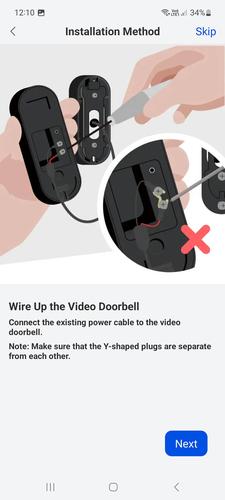
Reolink gives plenty of options to install the doorbell in the best possible way and as compatible as it can get; not only because of the WiFi and PoE connectivity but also due to the simple cabling, included variety of extension cables, jumpers and a friendly mounting plate and wedge system.
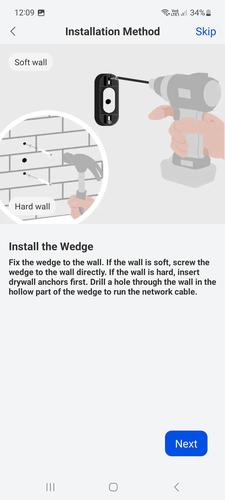
The installation is as basic as making 3 holes and putting 4 screws; and can be completed with just a drill and a screwdriver.
Moreover, the doorbell can be installed and powered with the included 24V power supply, PoE or can be connected to a preexisting doorbell wiring.
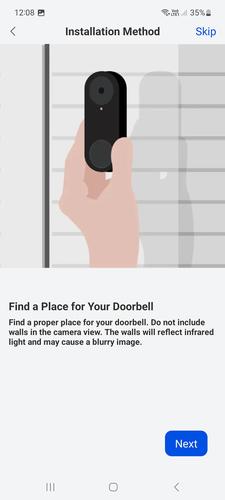
While going through the first configuration process with the mobile app, the installation process is very well-detailed with each step described with easy to understand descriptions and graphics.
In our specific case, the included wedge was a highly welcomed addon as it allowed our doorbell to point better the lens towards the entrance, as our doorbell was installed to the side of the entrance and not on the door itself.
4.75/5
IQ
Image Quality
In order to provide a sharp and detailed image/video and good night/low-light capabilities, the Reolink Video Doorbell WiFi is equipped with a 1/2.7″ CMOS image sensor and a f/2.0 (IR cut) 2.26mm lens that can output 2K+ resolution (2560×1920) and 5MP photos.
The video of this Reolink doorbell uses an efficient h264 encoding format and gives users access to 3 image quality presets: Low/Fluent, Balanced and High/Clear. The presets can be overridden with different bitrate and FPS from what it comes by default from factory, so you can fine tune the image quality and smoothness of the videos.
The High/Clear preset records at 1920×2560 and can be decided to use frame rates from 20 to 2 FPS (10 different options) and boost or reduce the default bitrate (4096 Kbps) from 6144 Kbps to 1024 Kbps (7 different options)
The Low/Fluent video resolution is 480×640 with the preset being adjustable from 15 to 4 FPS (4 options) and bitrate from 512 to 64 Kbps (7 options).
As the doorbell is equipped with 2 infrared LEDs, you can switch from a day or night mode according to the lighting conditions outdoor, the device has a sensor to determine the light level and switch automatically to the night IR mode when on low-light but you can also decide to force the stream and mode to day or night as desired and at any given moment.
Day-mode corresponds to a full color video streaming/recording, while Night-mode switches the camera to a black and white recording and turns on the IR LEDs.
The device adjusts the exposure of the streaming/recording videos automatically but you can change it to a manually set exposure if you are not satisfied by the automatic exposure. In both day and nights modes you can adjust 2 independent sliders: Highlights and Shadows – each one can be tuned from 0 to 255.
Further image tuning options are accessible through the PC software with which you can also adjust Brightness, Contrast, Saturation, adjust the threshold when the device decides to switch from day mode to night mode and control the auto or force HDR option.
Throughout the time that we have been testing the doorbell we have seen very good image quality coming out of the 2K+ files with efficient control and balance of sharpness, detail, low-light noise, day and night IR overall quality zooming capability to see in detail smaller sections of the wide coverage.
Of course, as a normal characteristic of low-light night recordings, the fine detail when heavily cropping will not be as sharp or detailed as during daytime. In spite of this, as soon as you switch to IR B&W night mode, the night recordings look significantly sharper, more detailed and with no ISO noise.
Moreover, the auto exposure was always spot on and we never found necessary to override neither the parameters through the manual exposure controls.
4.5/5
Photos unedited:
(the big white piece on the upper left corner is part of a custom roof protection that we created for the doorbell)
Note: Consider that the examples here have been heavily compressed for faster page loading and the real quality is fairly better.
Daytime High/Clear Max Resolution and Max Bitrate
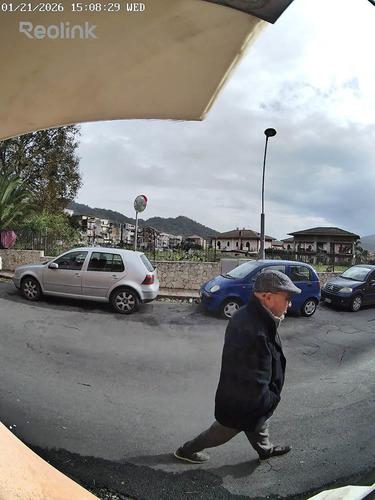
Daytime 100% Crop – High/Clear Max Resolution and Max Bitrate

Nightfall – Bell Ringing on Package Delivery
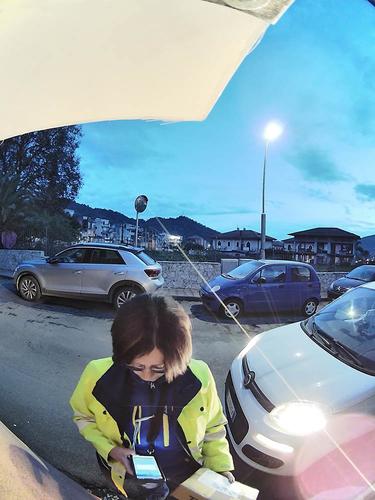
Nightfall – Bell Ringing on Package Delivery 100% Crop

Nighttime Color Mode
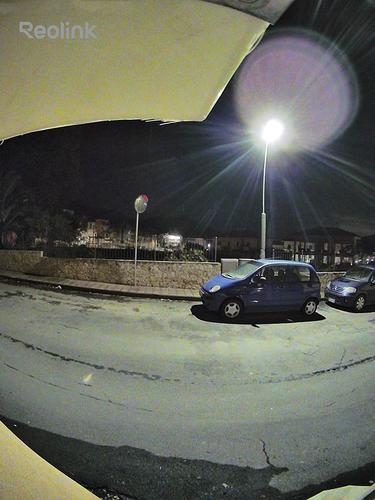
Nighttime Color Mode 100% Crop

Nighttime B&W Infrared Mode
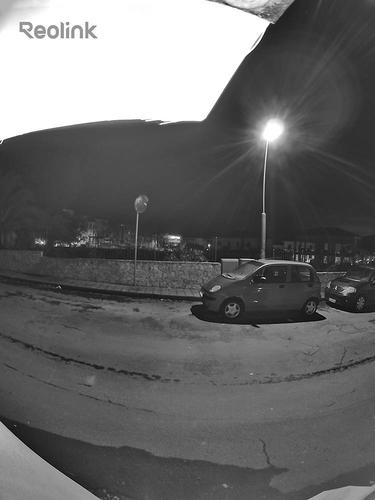
Nighttime B&W Infrared Mode 100% Crop

P
Performance
When someone presses the doorbell button, you will receive a sound alert on the chime and notifications to your phone that can be set to resemble a video call of a chatting app where you will have the option to “accept” or “decline” the call.
Once you “accept” the call, you will receive a real-time video and two-way audio “call” from the person that pressed the doorbell button on your front door.
The doorbell is reachable from either your own WiFi network while at home or remotely when not at home and connected to your mobile internet connection on your smartphone, so you can answer the door, see alerts and alarms, etc. even while out of home.
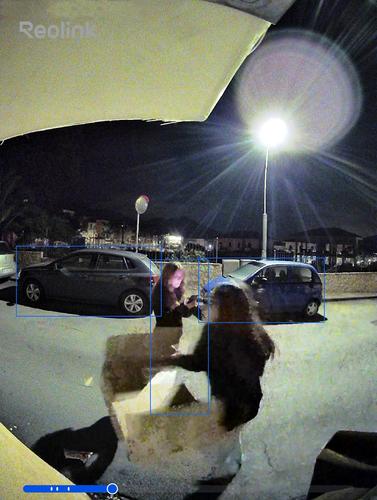
Our unit was installed in a back entrance in our HQ that is mainly used for the receipt of packages and positioned to cover from side to side and bottom to top the from entrance door up to the street. The wide angle of view was perfect to fully detect a postman ringing at the doorbell and also to surveil the surroundings of the back alley.
As a matter of fact, in the very first days of installing the doorbell we even captured some bad-intentioned people messing around with some packages left nearby the entrance and served to immediately stop the vandalizing action (you can see the event in the screen captures below)
Interestingly, the company incorporated a highly usable “quick reply” and customizable voice-message auto-replies that can be triggered automatically or manually – you can even set specific “quick replies” according to different schedules.
While carrying out the tests for the doorbell, the reaction times of the chime alerts were completely instant with zero delay while the “video call” alert to our phone showed a slight delay from the moment that the button was pressed but this will also be directly dependable on the speed of your local network, signal strength of your WiFi (or performance of your wired ethernet if you installed it through the PoE method) and signal on both the doorbell and your smartphone, smart TV, tablet, Echo device, Alexa device and/or computer – in fact, the reach of our router to the zone of placement for the doorbell was not 100% the strongest; a WiFi extender would make the signal stronger and could possibly annihilate all the delay seen during the tests.
Whether you are on a slower network, you want to use less bandwidth or swap on-the-fly, the Reolink Video Doorbell WiFi permits you to change the quality of the live video under a Fluent, Balanced or Clear quality presets that can be personalized through the settings to decide the streaming quality with their corresponding bitrate, frames per seconds (the Balanced preset is not customizable)
A nice detail is that you can decide to enable or disable each of the push notification types and decide to limit the incoming alerts to only the smart device or chime.
As seen on their flagship security cameras, the Reolink Video Doorbell WiFi does not force you to pay a subscription to use the rich features of the device as you can receive the push notifications, email notifications, FTP notifications and save all recordings without paying a dime. Recordings are completely free thanks to the standalone storage option enabled by the microSD card slot in the doorbell itself, NAS/FTP server unlocked with no paywall and/or through the NVR system from Reolink.
4.5/5
S
Sound
The doorbell has an internal speaker that is used for the siren alarm and also serves for the two-way audio, in combination with 2 internal microphones with noise reduction and echo suppression.
We found the quality and clarity of the two-way audio of the mics and speaker to be excellent and perfectly usable without interfering with a fluent communication.
The chime has an internal speaker too to ring when the doorbell button is pressed. The chime can be adjusted in intensity and style by selection from a list of various different ringtones.
We preferred the strongest ringtone intensity to be well aware when someone has pressed the doorbell button and was easy to be heard in 2 of the floors of our HQ – the maximum output reaches 107dB.
4.5/5
ScoresReolink Video Doorbell WiFi Scores
FIND ALL OUR: Earphones Reviews / In-Ear Headphones Reviews
MORE: Best Earphones Charts
SEE ALSO: Coupons – Discounts – Deals – Promo Codes – Sales Deals
RECOMMENDED FOR YOU: Headphones Frequency Response Curves
SEE ALSO: KZ Headphones Frequency Response Curves
Reolink Video Doorbell WiFi Technical Specifications
Image Sensor
1/2.7″ CMOS Sensor
Video Resolution
Default: 2560×1920 (5 megapixels) @20FPS
Lens
f=2.26mm F=2.0, with IR cut
Videoformat
H.264
Field of View
Horizontal: 135°
Vertical: 100°
Diagonal: 180°
Pre-Motion Recording
YES
Audio
Two-way audio, noise reduction, echo suppression
Quick Replies
YES
Power
Hardwired
12 24VAC 50/60Hz, DC 24V
Interfaces
Power
Power port
System
Reset button
Ethernet
One 10M/100Mbps RJ45
Storage
microSD card slot (Max. 256GB), works with Reolink NVR
Audio
Built-in two microphones & one speaker
Wi-Fi
Wireless Standard
IEEE 802.11a/b/g/n
Operating Frequency
2.4GHz/5GHz
Wireless Security
WPA-PSK/WPA2-PSK
Software
Frame Rate
Mainstream: 2fps – 20fps (default: 20fps)
Substream: 4fps – 15fps (default: 10fps)
Code Rate
Mainstream: 1024Kbps – 6144Kbps (default: 4096Kbps)
Substream: 64Kbps – 512Kbps (default: 256Kbps)
Browsers Supported
Edge, Chrome, Firefox, Safari
OS Supported
PC: Windows, Mac OS; Smartphone: iOS, Android
Smart Alarm
Motion detection/person detection/package detection; visitor notification
Recording Modes
Motion recording (default); 24/7 recording; scheduled recording
Protocols & Standards
HTTPS, IPv4, UPNP, RTSP, RTMP, ONVIF, SMTP, NTP, DHCP, DNS, DDNS, FTP, P2P
Work with
Google Assistant
Rich Notification
YES
Working Environment
Temperature
Operating temperature: -10°C – +50°C (14°F – 122°F)
Humidity
Operating humidity: 10% – 90%
Weatherproof
IP65
Size & Weight
Dimension
133mm (H) ×48mm (W) ×23mm (T)
Weight
96g
YOU WILL ALSO LIKE: Amazon Coupons & Deals
MORE: Coupons – Discounts – Deals – Promo Codes – Sales Deals
SEE ALSO: Banggood Coupons – Discounts – Deals – Promo Codes – Sales Deals
SEE ALSO: Aliexpress Coupons – Discounts – Deals – Promo Codes – Sales Deals
MORE: Hybrid Earphones Reviews