Reolink Elite Floodlight WiFi Camera
| Security Camera | 4K | Dual-Lens | 180° | Local Storage | WiFi 6 | Weatherproof |
We are reviewing the Reolink Elite Floodlight WiFi, one of the newest security cameras from Reolink capable of recording 180 degree 4K videos.
Reolink is one of the most popular, mainstream manufacturers of security cameras and smart doorbells on the market with a huge catalog of products that can cover the needs of home and business users while preserving an excellent value for money.
The Reolink Elite Floodlight is part of the Elite series of security cameras with WiFi connectivity, sitting as the flagship model of the line.
We will test and analyze this new security cam throughout our review but as a brief insight of some of the advanced features of the Reolink, you will find:
• 2x lenses
• 180-degrees
• 2x adjustable Floodlights
• Infrared
• Two-way audio
• AI features
• Smart sensors
• WiFi6
• Mobile/PC App
FIND ALL: Earphones Scores Compared
MORE: In-Ear Headphones Reviews

Reolink Elite Floodlight WiFi Camera Review
Tests & Scores
A
Accessories & Packaging
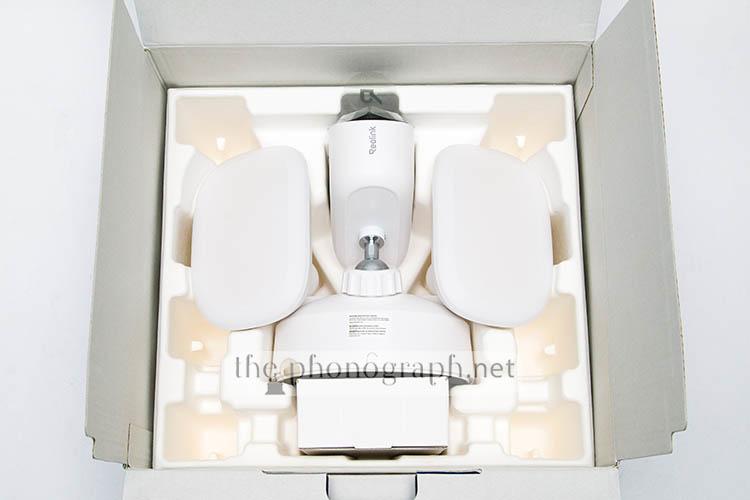
The device comes inside a fairly large packaging with plenty of protective material.
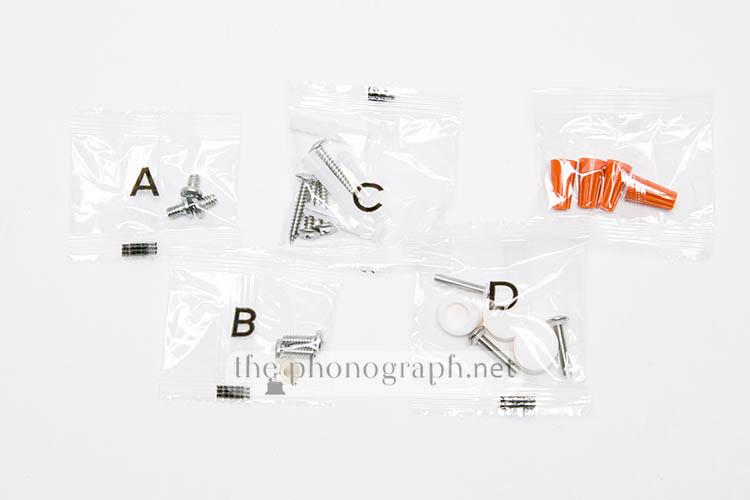
After unboxing the Reolink Elite Floodlight WiFi Camera, you will also get:
• 1x mounting bracket
• 1x mounting bar
• 1x USB-C cable
• 1x installation wrench tool
• Assembly screws
• 5x adhesive stickers in English, Spanish, French, German, Italian.
Unfortunately, by default, no memory card is included with the device but there are variants that can be purchased with Reolink MicroSD cards included.
 3.25
3.25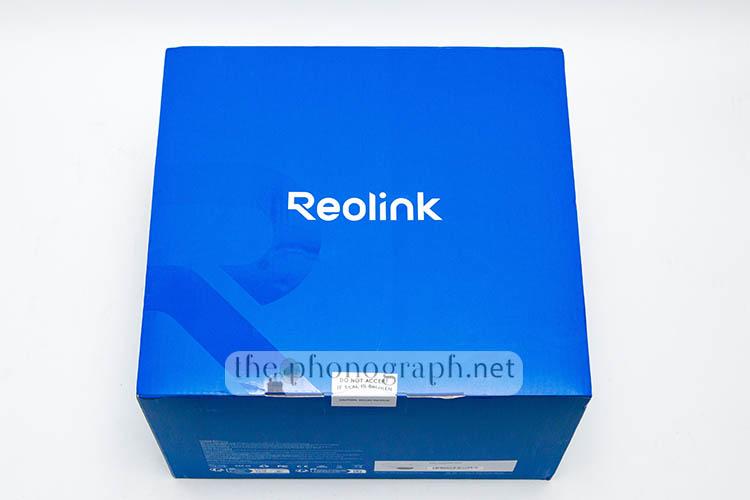

D
Design
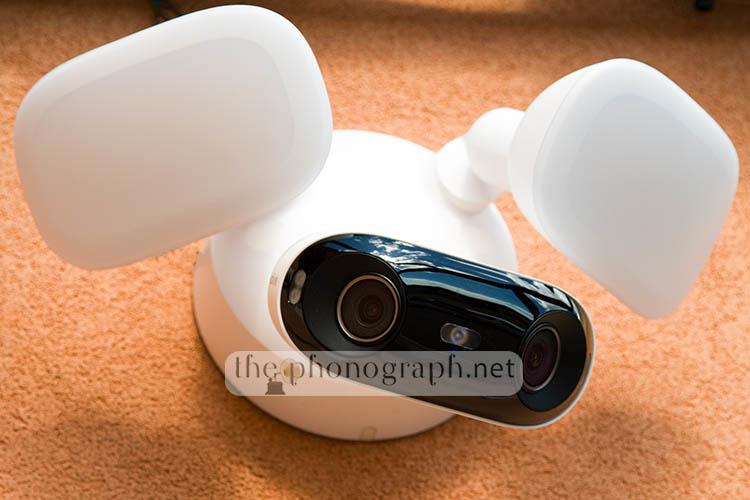
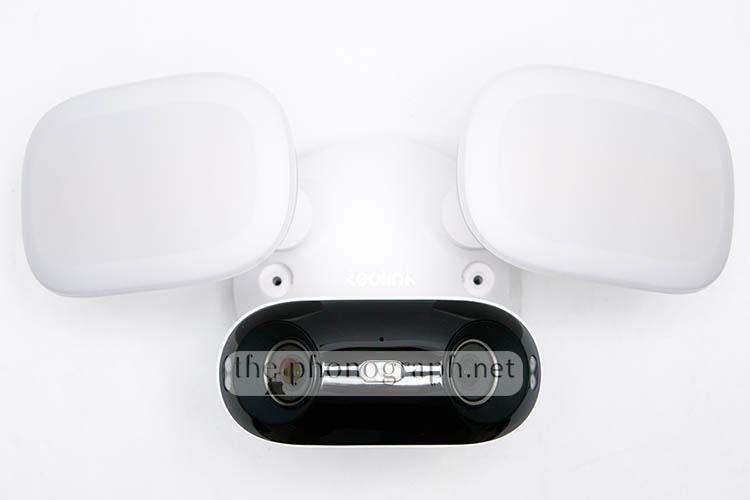
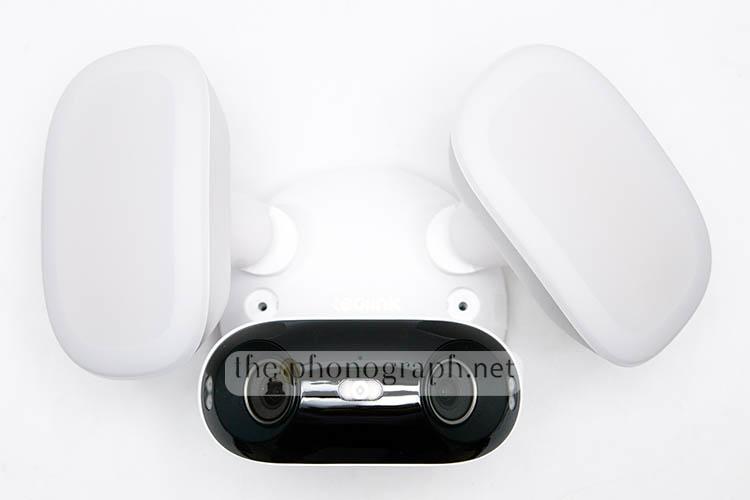
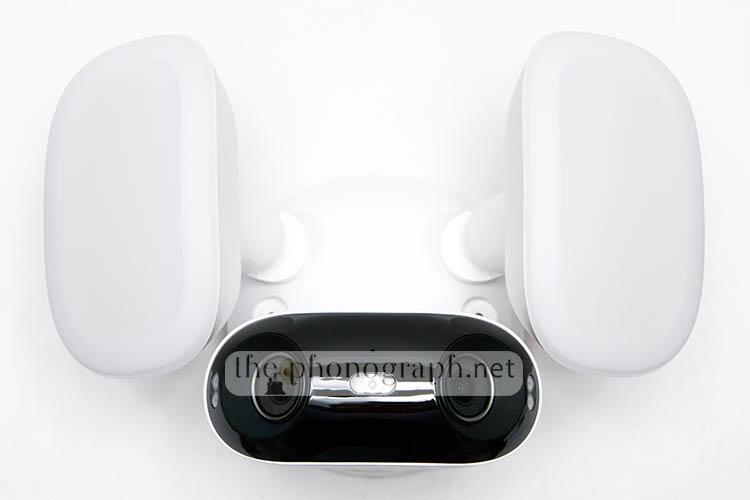
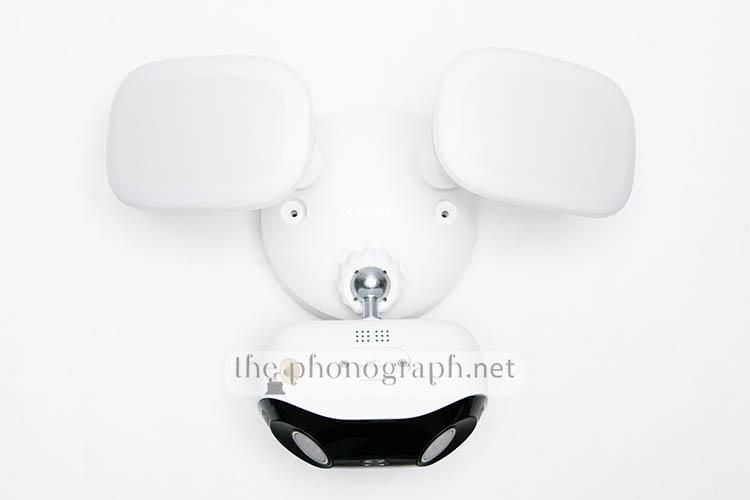
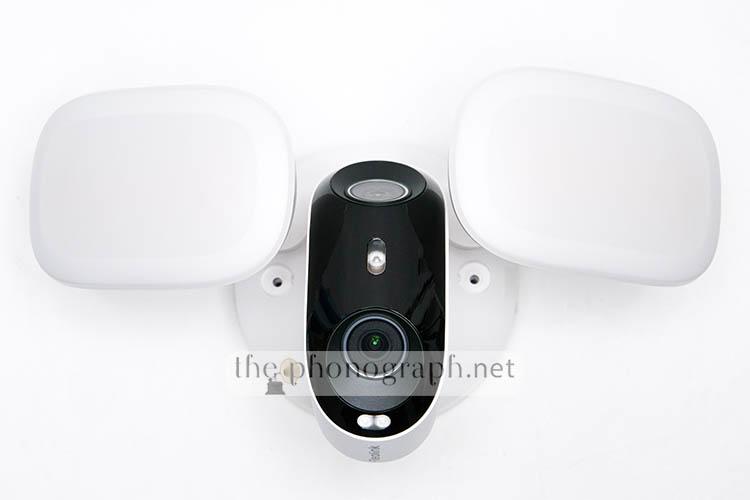
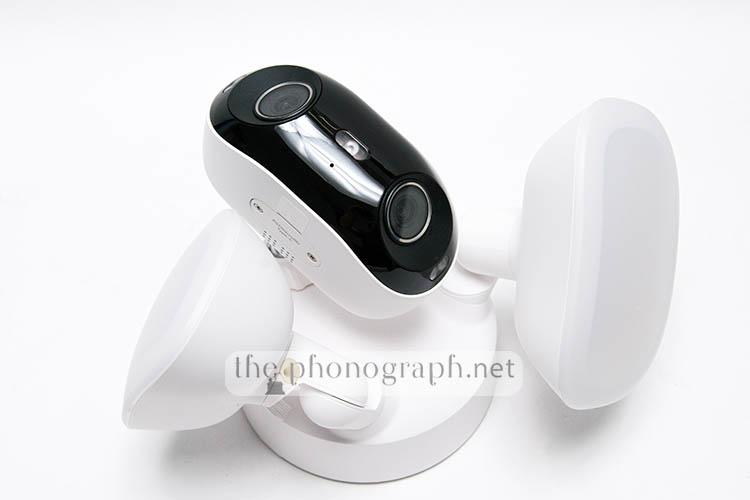
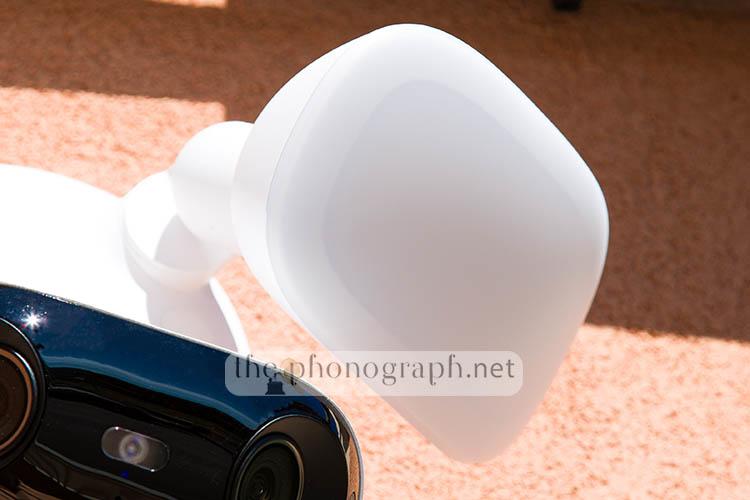
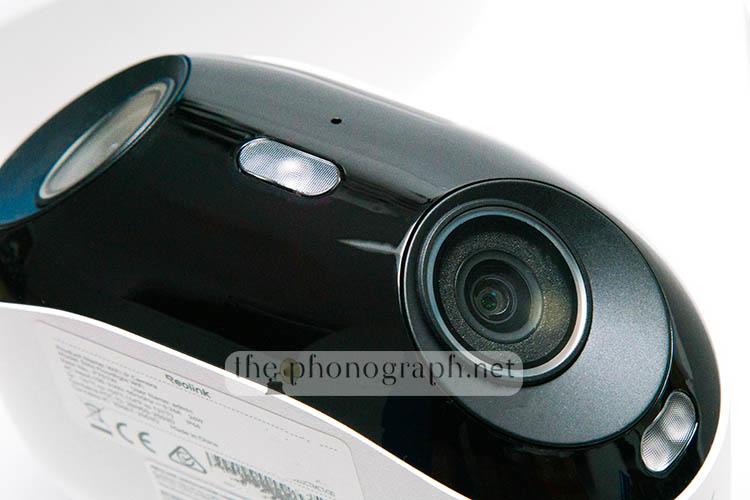
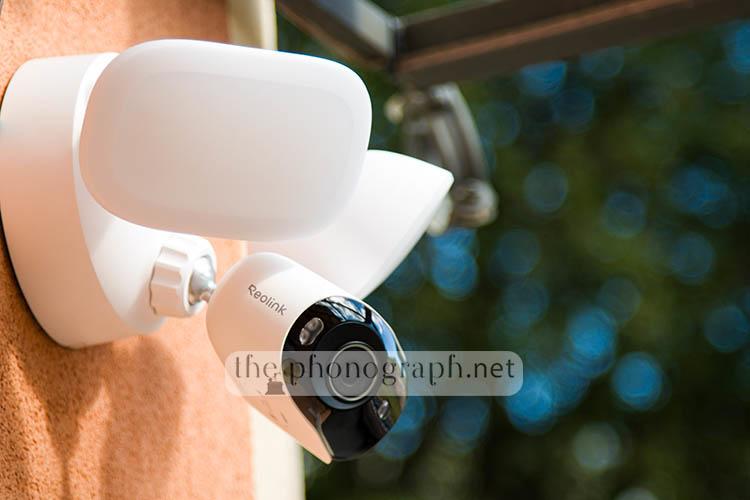
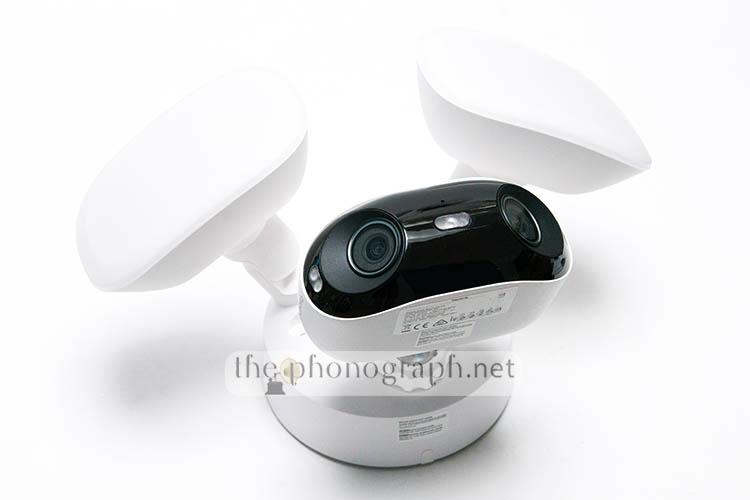
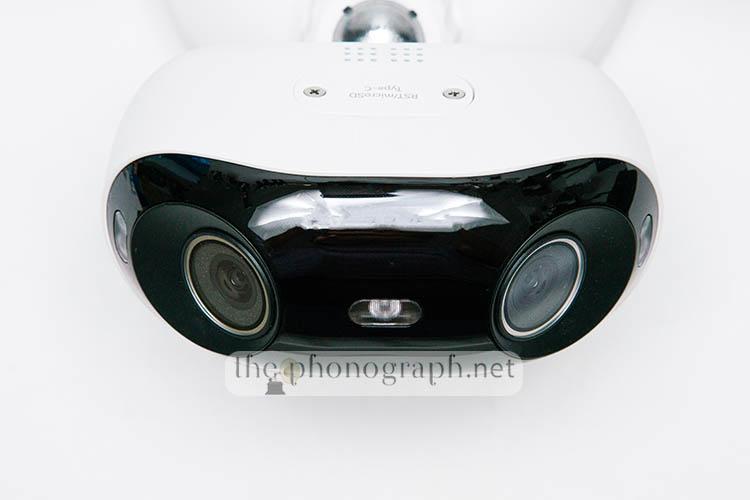
The Reolink Elite Floodlight WiFi Camera is formed by 3 individual parts; on the top right and left you have 2 independent floodlights with an oval shape and white diffusion panels on the front of each one. Centered below the floodlights, you will see the main camera body with a wide curved form factor that holds the lenses, sensors and all other internals of the device. With the exception of the black front piece of the main body, the Reolink has an all-white shell.
Due to the dual-lens, dual-floodlight design, the Reolink Elite Floodlight WiFi Camera does not look like the typical security cam. In fact, the 2 large lenses and huge floodlights make it seem like a rounded cousin from Johnny 5 (the robot from Short Circuit) is looking at you – if you prefer a less 80’s reference; a robot face from Wall-E.
This is by no means a bad aesthetic look, we actually liked the futuristic and more prominent vibe of the Reolink.
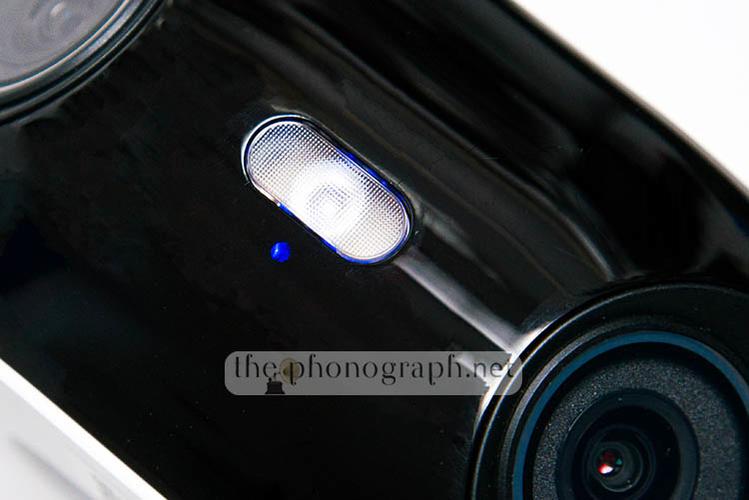
On the front main section of the device you will notice that each lens is angled to the side while the left and right edges of the main black front are equipped with 2x IR LED per side; also further 5x IR LED + 1x status light sit centered between the 2 lenses – the status light can be turned on or off in the settings menu.
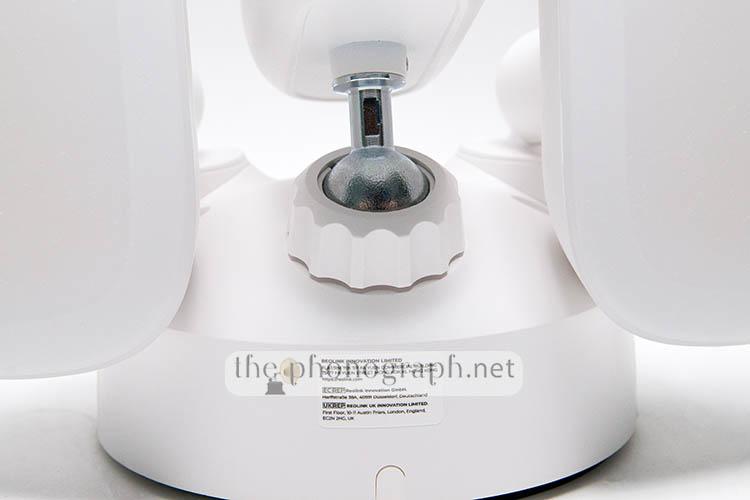
The floodlights and main camera pieces can be rotated, tilted, pivoted in any direction to customize the aiming and coverage of the cameras as well as each floodlight independently. To adjust the main head, you need to move it to the desired position and then adjust the tightening ring on the base of the ballhead; the floodlights, instead, can be adjusted by simply moving them without needing to untighten/tighten any section.
The main lenses have a right and left orientation in an horizontal placement but you can decide to place it with the floodlights on top or below the main camera piece. Also, if you really want to, you can rotate it in a vertical alignment – do consider that the camera was not intended to be used rotated vertically so its functionality and weatherproof rating might not be fully granted if you do so.

The Reolink Elite Floodlight WiFi Camera measures 174x184x295mm and weights 1.32kg.

 4.5/5
4.5/5
SEC
Security
The Reolink Elite Floodlight WiFi is without doubt a superior camera regarding security and features related to this.
Among the features that set it apart from other security cams is the plethora of sensors, modes, alarms and customizations that can be configured with this model.
The camera can be set to record 24/7, by schedule, on-command or whenever a motion event is triggered.
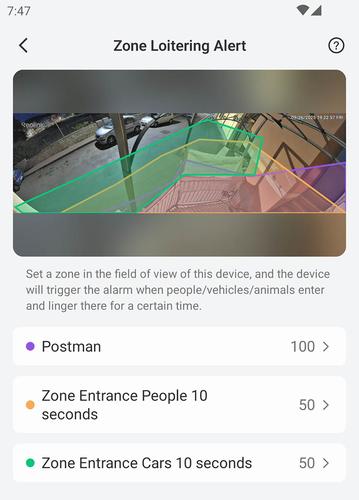
What’s more, through the app you can set and customize Zone Loitering Alert zones including:
• Line Crossing – triggered if anything crosses the set line limit
• Zone intrusion – triggered when entering the delimited zone
• Zone Loitering – activated when anything remains in the set zone for a determined amount of seconds
Whenever a zone loitering alert is triggered, the camera will automatically record the event and you will receive a push notification (if activated) on your phone and you can also turn on email notifications.
As you can see from the screenshot examples below in this section, we created 3 independent Zone Loitering Alert zones with different parameters.
Automated recordings of events can be adjusted to pre-record and post-record before and after the triggered event, thus providing a longer video to analyze the pre and post-event situation – you can adjust how many seconds you want to be recorded.
Further automated smart alarms that are related with motion include AI detection of:
• Person detection
• Vehicle detection
• Animal detection
Each of the 3 are recognized and tagged independently, while all motion sensing and alerts can be adjusted for higher or lower sensitivity detection and can be deactivated as well or fine-tuned according to configurable object dimensions.
For all events, you can decide to activate the floodlights and/or siren when an alert is triggered, and you can set the floodlight to turn on for some seconds or to flash for some seconds.
To make matters better, the Reolink Elite Floodlight WiFi camera also allows other recording modes and options like:
• Infrared auto and manual modes
• Timelapse recording – settable in hours, days
• 4x privacy blocking recording zones
• Non-alert detecting zones
• Audio recording
• Floodlight auto or manual controls
• WPA3 encryption
• File encryption
• Admin and users profiles
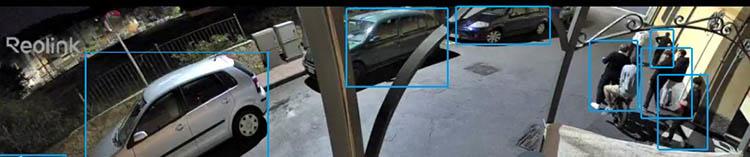
On one of the photos below you can see how the camera automatically recognizes cars and people, following them with a blue box around them.
 5/5
5/5
RELATED TO THIS: Active Noise Cancelling Headphones Reviews
MORE: Most Comfortable In-Ear Headphones
CB
Construction & Build
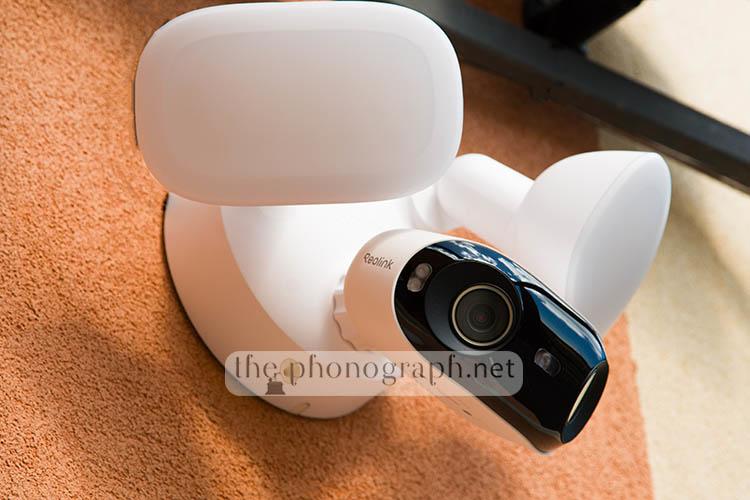
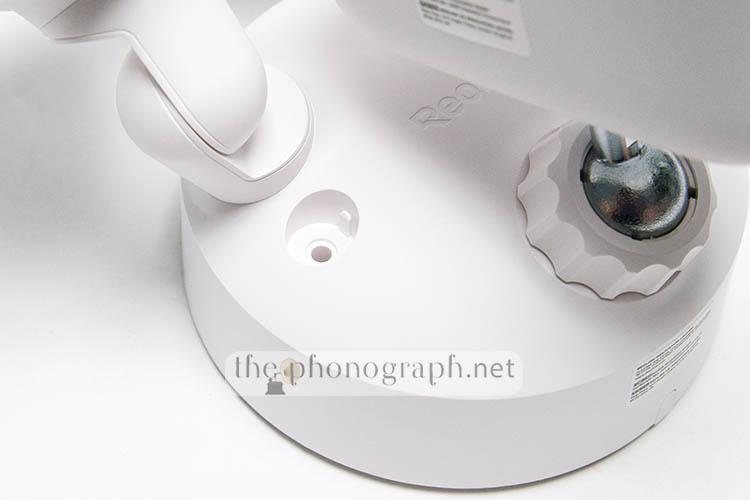
The main unit where the lenses and sensors are equipped has a hefty metal case with the mount bracket and ballhead made also entirely of metal.
The top mount cover and the floodlight’s shells are, instead, made of some kind of polymer that seems to be PC or ABS but do not feel flimsy at all.
All around the base of the mounting bracket you will find a rubberized ring/gasket that helps to seal the contact between your wall’s surface and the bracket; also the bottom and main screws holes have silicone caps to cover them.

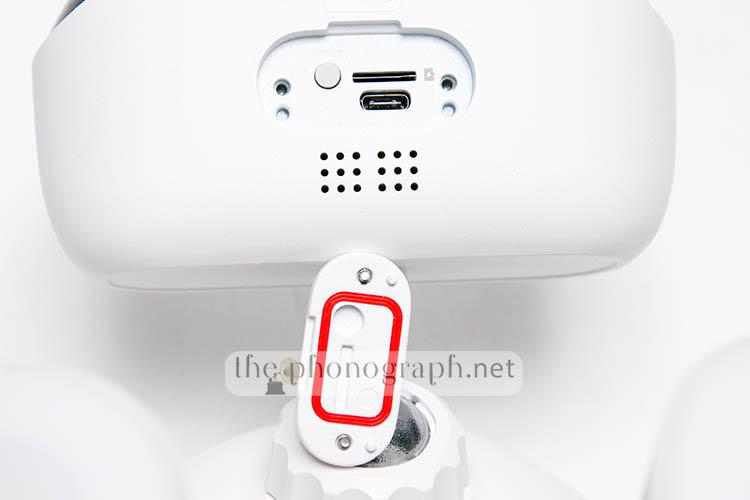
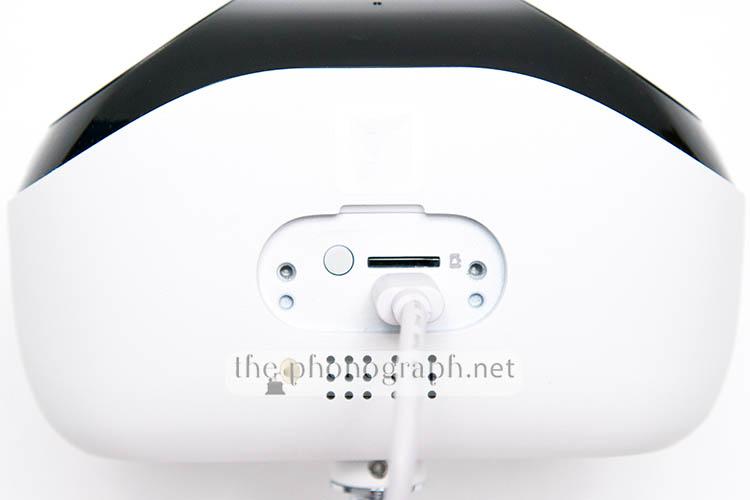
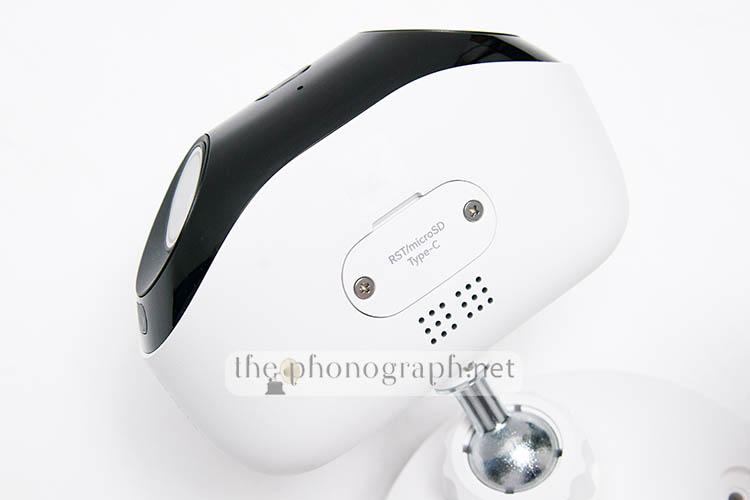
On the bottom of the main head, you will see a perforated grid that holds beneath the speaker of the cam while next to it there is a cover with 2 screws; this lid gives access and protects the microSD card reader, an USB-C connector and a reset button. The lid is fully sealed by a rubberized gasket, so no water nor dust leaks inside.
What’s more, as the camera was constructed to be used outdoors, the brand ensures a high water and weatherproof rating of IP66 – rating used in outdoor electrical enclosures, industrial machinery and some marine and automotive components.
4.5/5
C
Connectivity
This Reolink security camera is capable of benefiting from modern and faster wireless connectivity thanks to the internal WiFi module with dual-band WiFi 6 compatibility.
The wireless connection supports 2.4GHz and 5GHz frequency and IEEE 802.11 ac/ax/a/b/g/n standards for extended range and/or faster connectivity.
In addition to the WiFi module, the device also carries a Bluetooth module but this is exclusively used for the setup process of the camera and initial pairing/configuration with the mobile app.
Transmitting live, real-time videos to the mobile and PC app never showed hiccups in either 2.4GHz and 5GHz networks and with both Fluent and Clear quality videos.
Sudden, unexpected disconnections, also, did not happen ever during all the period testing the camera.
5/5
INS
Installation
The installation of the camera is fairly simple for users that feel comfortable with the use of a drill and electrical connections – if you are unsure of how to deal with electrical connections, you are recommended to seek the help of a professional.
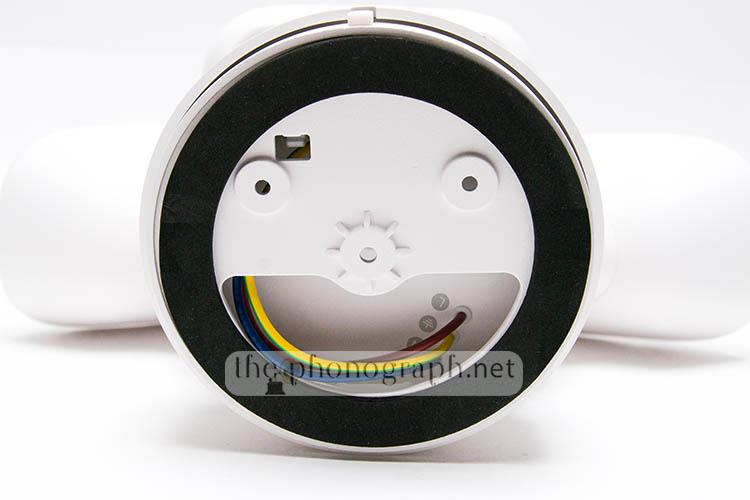
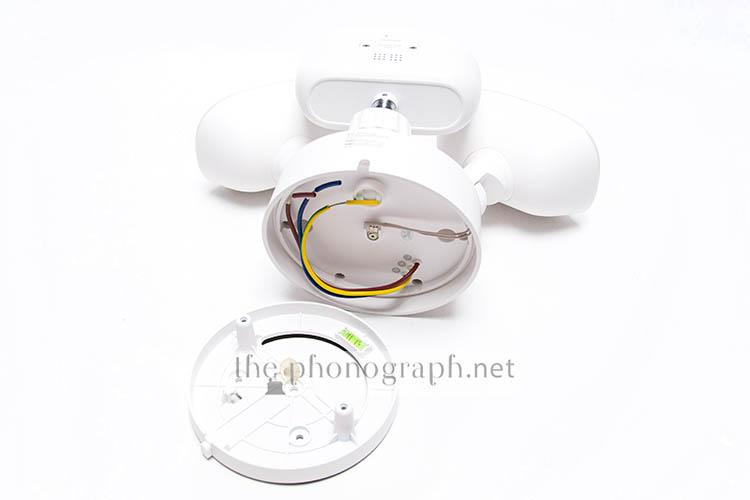
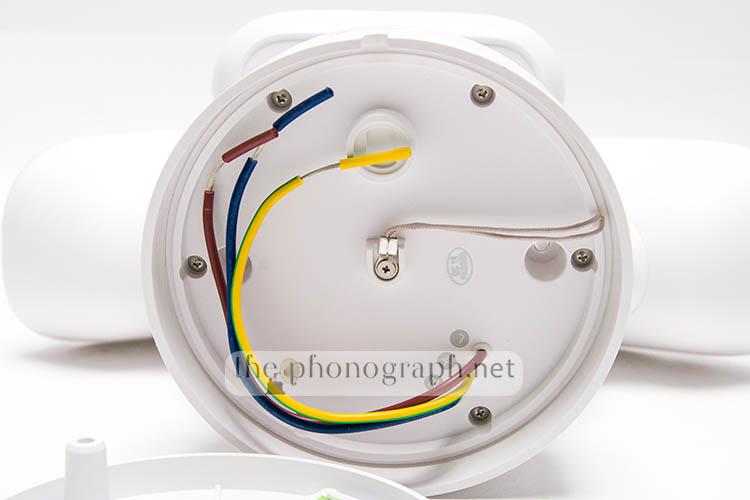
Basically you will need to drill 2 holes to your wall/ceiling or alternatively use a junction box and then proceed to connect the 3 cables needed to power the camera (ground, neutral, live).
The cables are well labeled with both standardized color coding and symbols to avoid any confusion – the wire ends come already prep with the insulation already stripped.
While you are connecting the cables you can use the hook to keep the main unit hanging while you handle the cable connections.
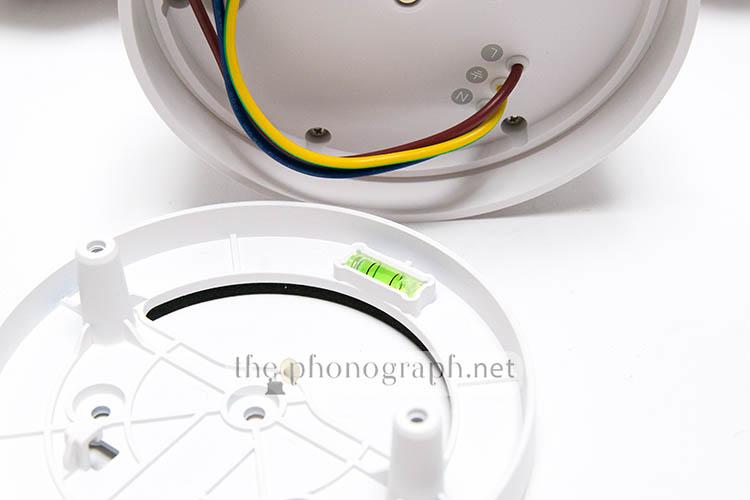
In order to facilitate the installation of the base and camera, the mounting bracket comes with a built-in bubble level, ensuring that your camera will be placed perfectly leveled.
It is important to highlight that first of all, some pre-installation steps need to be completed. These steps involve the temporary connection of the camera to an USB power supply and following the configuration process with the mobile app.
4.5/5
IQ
Image Quality
The Reolink Elite Floodlight WiFi Camera comes equipped with a 8 megapixel, 1/2.7″ CMOS sensor capable of recording videos with audio in a max. resolution of 5120×1552 pixels at 20fps – this is a true resolution and not artificially-interpolated, like found on many competitors.
Combined with the wide 2.8mm of focal length and large f/1.6 aperture, the videos recorded by the Reolink are able to cover 180 degrees of angle of view (59° vertical) and, also, handle night, dark environments without struggling to gather up light.
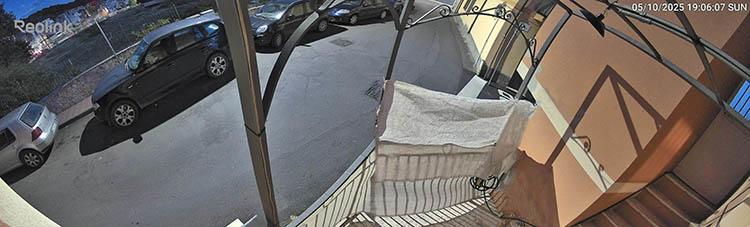
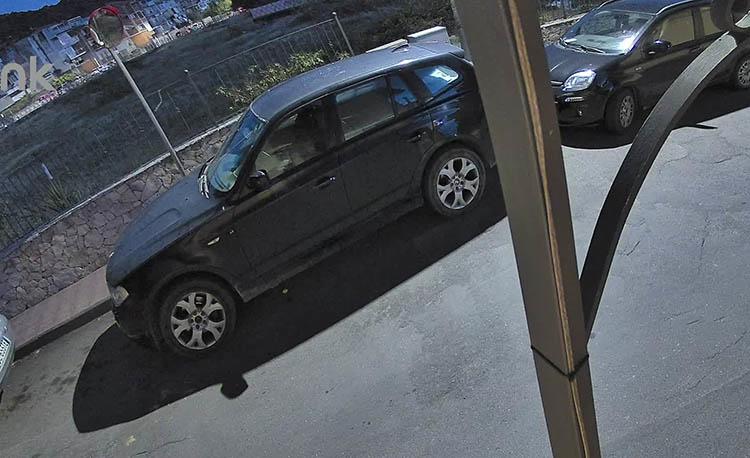
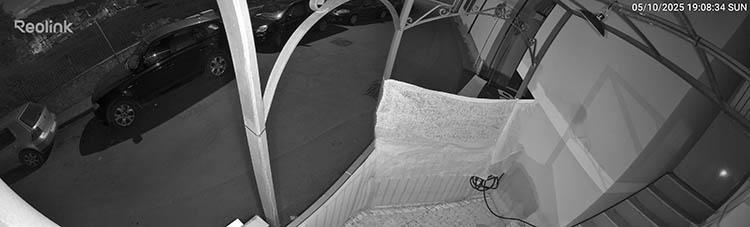
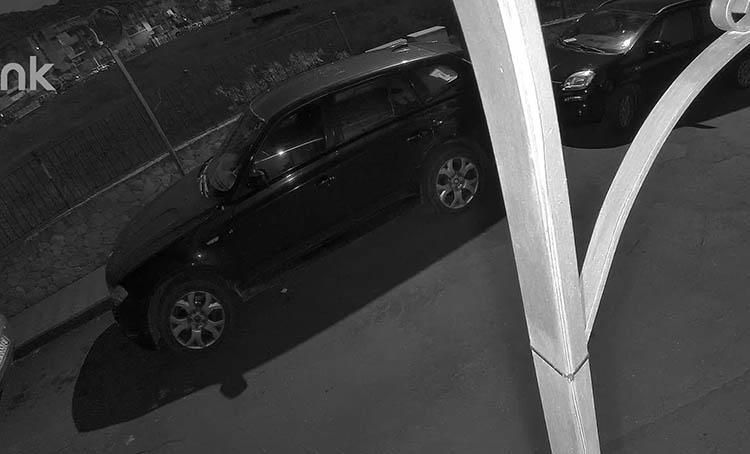
After analyzing our recorded files done during the tests, we found that the videos coming out of the camera were surprisingly pristine in regard to sharpness, resolution and also high ISO noise; which consequently allows to record all the tiniest details in each video/photo and even zoom and crop massively while retaining readable car plates and recognizable faces – you can see frame captures from some of our video recordings and you will also find 100% zoom crops of the images.

The image quality of the lens and sensor extends also further with excellent contrast, saturation and nailing every time an accurate exposure that was never neither over nor under-exposed. If you want you can override the auto-exposure with manual control over “brightness” and “shadows” sliders.
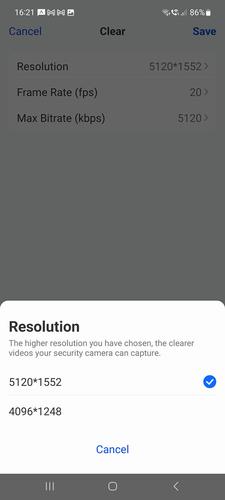
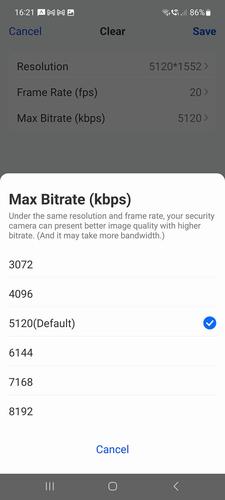
The video recordings have 2 image quality presets: Low/Fluent and High/Clear. By default, each quality preset comes pre-configured from factory but you can personalize both to produce higher/lower resolution videos by refining:
• Pixel density (resolution)
• Bitrate
• Bitrate mode (variable, constant)
• Frames per second
• Frame rate mode (auto, constant)
• Anti-flicker Hz frequency
The High/Clear preset can be adjusted in a range from 4096×1248 to 5120×1552 (resolution), 3072Kbps to 8192Kpbs (bitrate) and 2fps to 20fps (frames per second)
On Low/Fluent, you can decide to use a bitrate from 256Kbps to 2048Kbps and 4fps to 20fps; the resolution is fixed at 1920×576.
Of course, the higher the resolution, fps and bitrate; the better the image quality will be but also you will need a faster WiFi connection and a bigger memory card.
The Reolink camera is also stocked with 850nm infrared LEDs (nine in total), sensor and dedicated modes to benefit from them for low-light conditions without the need to turn on the floodlights; the camera will decide automatically if it needs to swap to the IR mode or not according to the amount of light in each situation but you can also decide to manually force the IR or normal mode.
5/5
Photos (unedited) taken from frames of original videos of the Reolink Elite Floodlight WiFi Camera:
Daytime High/Clear Max Resolution and Max Bitrate
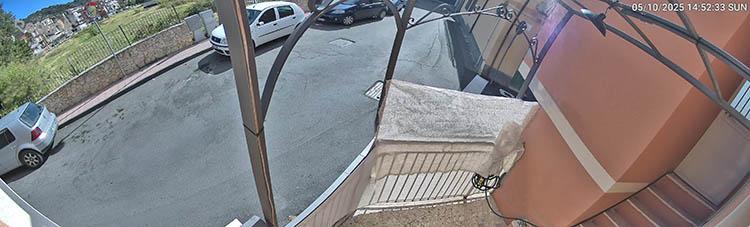
Daytime 100% Crop – High/Clear Max Resolution and Max Bitrate
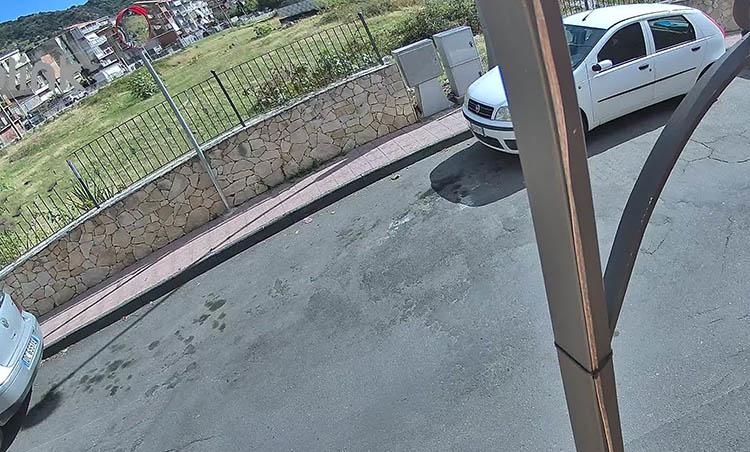
Daytime Low/Fluent Resolution default
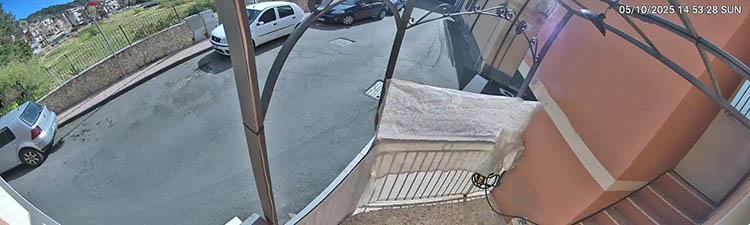
Nighttime Color Mode
Nighttime Color Mode 100% Crop
Nighttime B&W Infrared Mode
Nighttime B&W Infrared Mode 100% Crop
Nighttime with Floodlight Alert
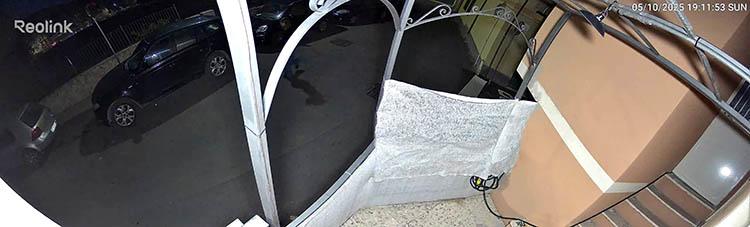
Nighttime with Floodlight Alert 100% Crop
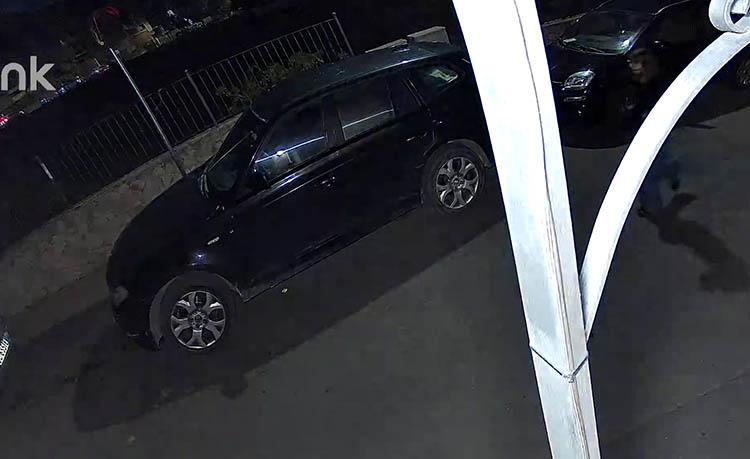
P
Performance
The first detail that we think is essential to highlight is that the Reolink Elite Floodlight WiFi Camera works with internal storage (microSD card), Reolink NVR/home hubs or FTP/NAS servers and does not force you to pay a subscription to view, access videos or receive rich notifications of your alerts – in fact, this is not a security cam crippled by a paywall.
The full directional adjustability of the lights and camera parts, without much restriction, was fantastic and fundamental to fine-tune the perfect coverage of the surveilled area and illumination from the floodlights; roll, yaw, pitch and pivot movements where easy to adjust in a wide range of motion.
On top of that, the floodlights were remarkably bright (rated at 19W, 3000 lumens), the light coming out of them was truly powerful and far-reaching; as a comparative reference, the light output was almost as strong as the headlights of some cars. While the stepless adjustable temperature that ranged from warm (3000K) to whiter/colder (6000K) colors was a welcomed feature to adjust to the optimal color according to the street light’s color cast to either blend in or strongly pop up.
Alerts and notifications
Throughout the long time that we tested the Reolink camera, the device never missed an alert or notification.
The rich notifications were instantly sent to the smartphone paired with the Reolink app, without delay nor skipping any of them despite having the smartphone locked and idle for hours – this is a common situation where many security cams and doorbells fail to send instant notifications.
Furthermore, the camera was flawless at sending and recording every triggered Perimeter Protection zones that we created (Line Crossing, Zone Intrusion and Zone Loitering) and also recording all motion detections with different labeling and identification of vehicles, person and animals.
In order to optimize the performance of the camera and the wireless transmission of the live videos to your mobile device, the Reolink Elite Floodlight WiFi Camera can be changed on-the-fly to either the Low/Fluent or High/Clear quality presets. By offering this dual quality system, users can benefit from a level of customization to meet the speeds of their WiFi network, administrate the bandwidth consumption and also custom-tailor the footprint of the recordings.
If your Reolink Elite camera will be pointing or installed in a zone with very active daily alerts and recording you will fill-up quite fast larger cards, even if they are above 128GB.
Nonetheless, with these or larger sized cards you can obtain more than a couple of days before it is full. On top of that, the Reolink camera has a smart storage administrating system that is fully automated, which will overstep older recordings and timelapse videos when the card reaches its full capacity; therefore, you never risk to have a full card that is unable to keep recording newer events and alerts.
The customization and programmability freedom available with the Reolink is impressive, yet if we would be nitpicky we would add the following:
• Adjustable time trigger ranges not limited to a maximum of 10 seconds for Perimeter Protection functions – and longer than 8 seconds for Alarm Delay
• Schedule profiles with the ability to add different alarm trigger notifications with different independent schedules
• Force floodlight turn on with events also in daylight and/or brighter environments
• Bigger icons on top right corner on the mobile app UI for Siren and Floodlight activation, as they can be too small and close to each other and result in pressing one instead of the other – the Windows and Mac software does not have this UI problem
5/5
S
Sound
The device sports a speaker inside that can be used in combination with the internal microphone for two-way audio to alert/talk with anyone in the premises zone but it is also used for the thunderous siren alert that can be activated automatically when an intrusion event is detected or it can be triggered manually through the app/software.
For communication, the speaker was loud and clear and, in fact, we used it several times to dialogue with postmen on deliveries to our offices.
4.5/5
SW
Software
Unlike many other security cameras, the Reolink Elite Floodlight WiFi Camera has a dedicated software/apps for iOS, Android, Windows and Mac; this makes a huge difference as most competitors limit their software to only mobile devices.
Instead, with the Reolink you can control and monitor your security camera from your computer as well, without the need to install and run a virtual machine or emulator on your computer.
It is worth mentioning that many but not all of the settings, customizations and alerts of the camera are possible to be adjusted through the PC software.
Additionally, the cam is compatible with smart home assistants like Google Assistant and allows AI smart search functions over the recorded video events.
4.5/5
ScoresReolink Elite Floodlight WiFi Camera Scores
FIND ALL OUR: Earphones Reviews / In-Ear Headphones Reviews
MORE: Best Earphones Charts
SEE ALSO: Coupons – Discounts – Deals – Promo Codes – Sales Deals
RECOMMENDED FOR YOU: Headphones Frequency Response Curves
SEE ALSO: KZ Headphones Frequency Response Curves
Reolink Elite Floodlight WiFi Camera Technical Specifications
YOU WILL ALSO LIKE: Amazon Coupons & Deals
MORE: Coupons – Discounts – Deals – Promo Codes – Sales Deals
SEE ALSO: Banggood Coupons – Discounts – Deals – Promo Codes – Sales Deals
SEE ALSO: Aliexpress Coupons – Discounts – Deals – Promo Codes – Sales Deals
MORE: Hybrid Earphones Reviews