GAOMON Pro 19 / Gaomon PD1900
| Graphics Drawing Tablet / Pen Display | 4K | 18.4″ | 16K pressure sensitivity |

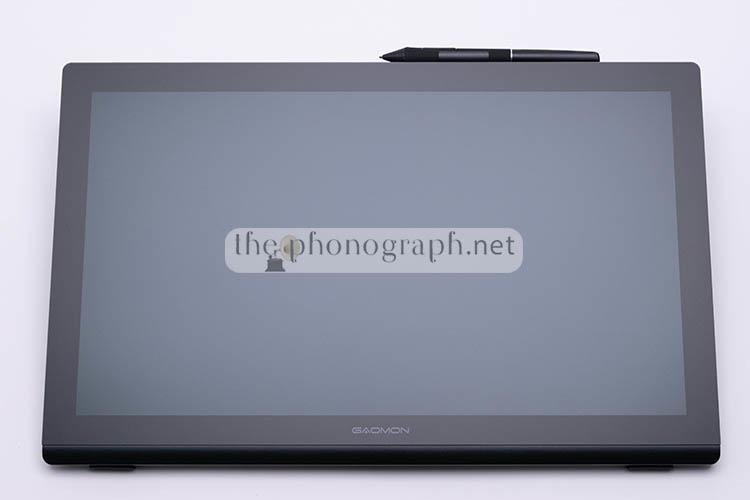
GAOMON Pro 19 / Gaomon PD1900, the very first mid-sized 4K pen display from GAOMON.
The GAOMON PD1900 features a 18.4‑inch display with a 3840×2160 resolution (60 Hz) and a 16:9 aspect ratio.
A sidenote that we find important to highlight right away is that this pen display is found with 2 different names:
- Gaomon PD1900
- Gaomon Pro 19
Despite the significantly different naming, both of them are exactly the same product and we might refer to it with either model name throughout the review.
We are glad seeing Gaomon starting to enter and compete on a higher level of pen displays market and we would love seeing this to continue and expand on upcoming, larger 22″, 24″ and 27″ 4K models being released in the future.
FIND ALL: Headphones Scores Compared
GAOMON Pro 19 / Gaomon PD1900 Review
Tests & Scores
 Scores
GAOMON Pro 19 / Gaomon PD1900 Scores
MORE: Best Headphones Charts
A
ACCESSORIES & PACKAGING
 5/5
5/5
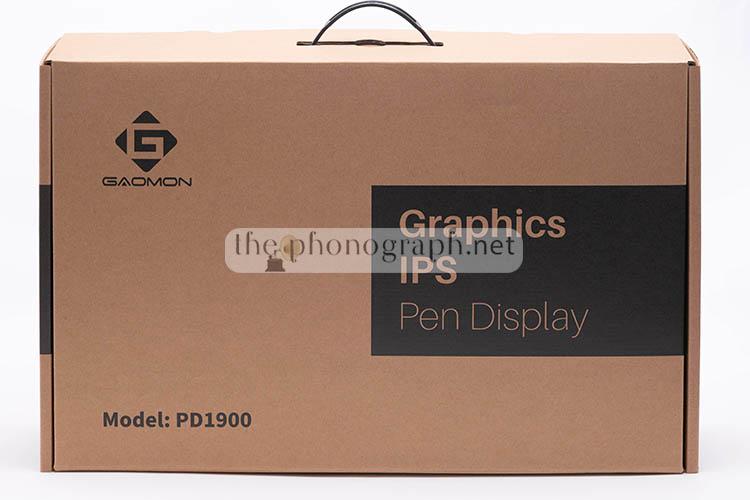
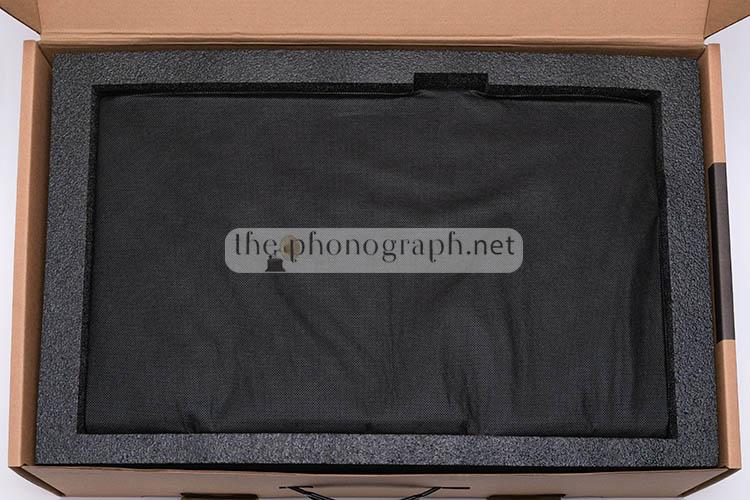
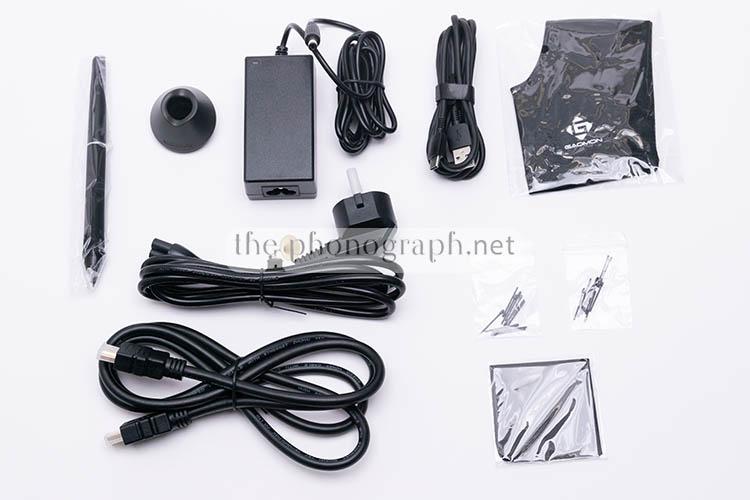
The GAOMON Pro 19 / Gaomon PD1900 has a dual box packaging, fully ensuring that you receive your purchase without any damage.
With the pen display you will receive several freebies and addons, such as:
• Superb stand
• Pen
• 10x Felt replacement nibs
• 10x Standard replacement nibs
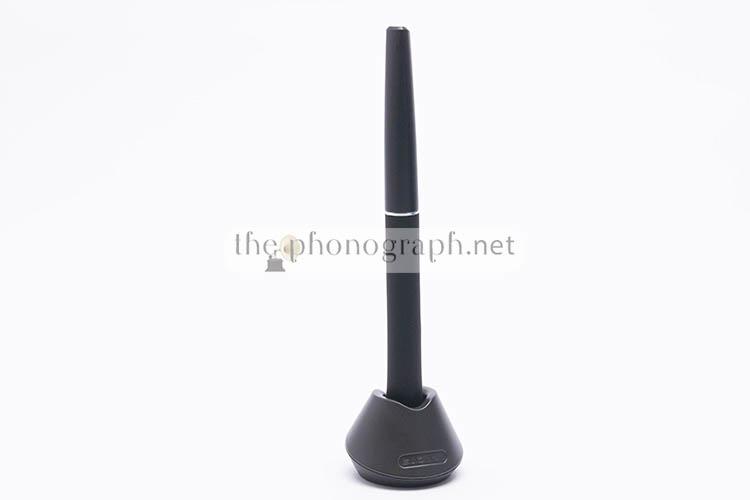
• Pen holder (with extra nibs) & nib extractor
• Glove
• HDMI cable
• USB-A to USB-C cable
• Pen slot addon
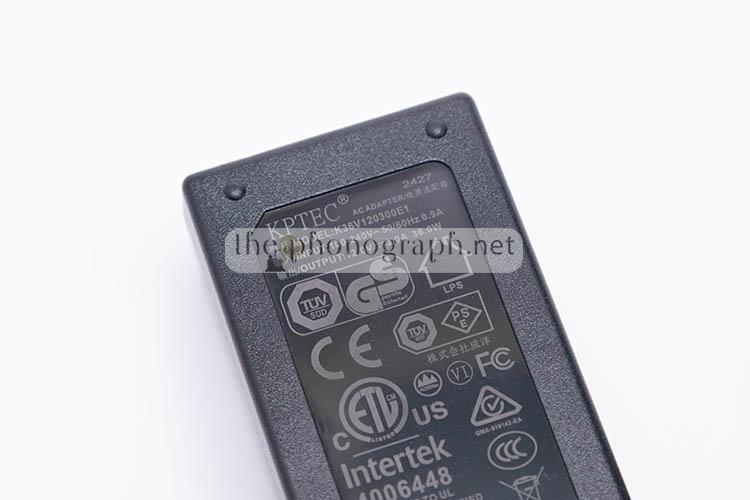
• Power supply
D
DESIGN
 4.5/5
4.5/5
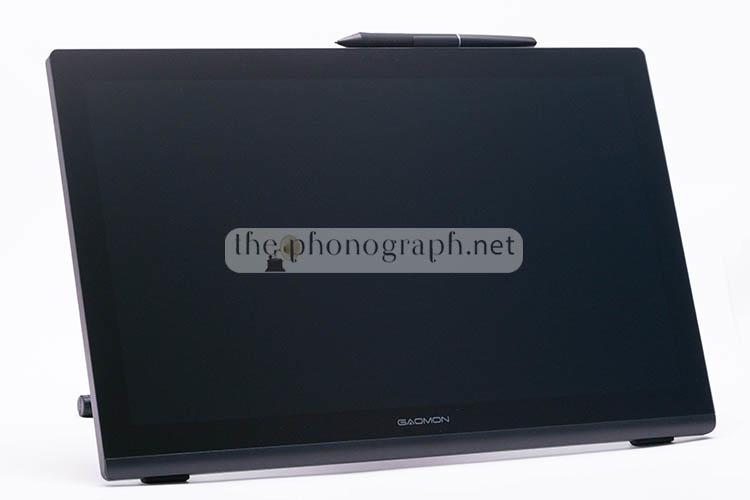
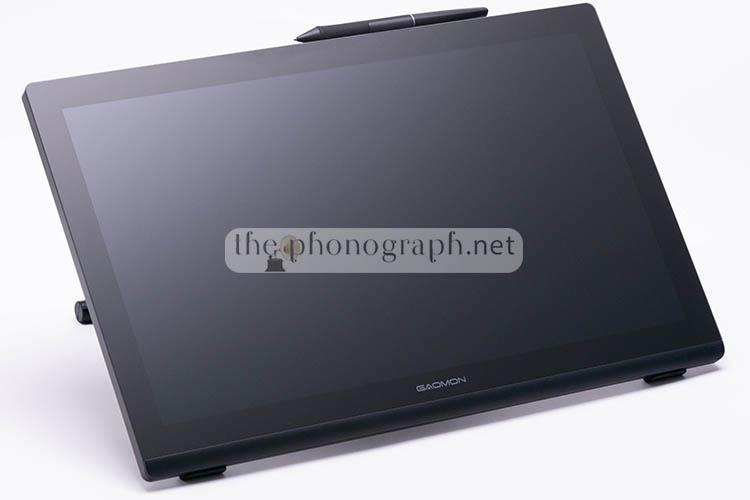
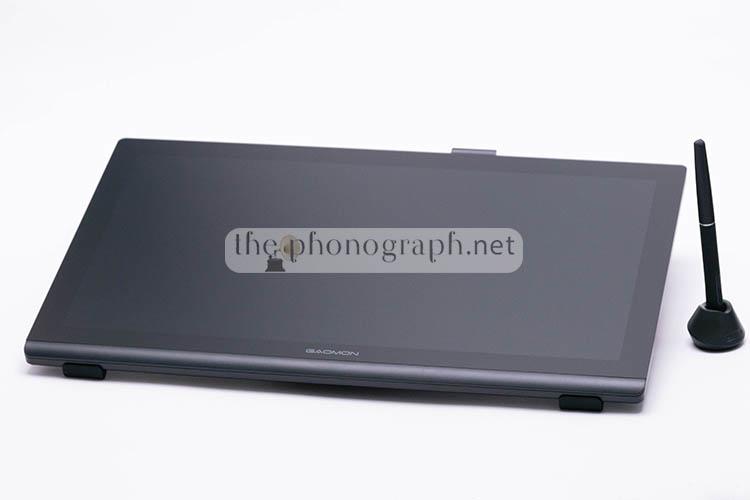
Following a coherent aesthetic with the rest of the pen display and pen tablet line of the brand, the Gaomon 19 Pro has a fully black-colored theme. From the front and back shell up to the accessories and stand, the whole unit relies on a classic black color.
Shape-wise, the pen display has curved edges that improve the ergonomics and gives a more modern feel than straight square edges.
Bezels are mid-wide (practically identical to the ones of the PD2200), they could had perfectly hold express keys in any of the 4 bezel’s edges – in fact, the PD2200 has 13 touch buttons on the bezels. Maybe even some buttons, express keys or wheel on the lateral edges would not had been bad to found around. Yet, to be fair, most of similar competing products from other brands at a similar price point, have the same lack of buttons and express keys.
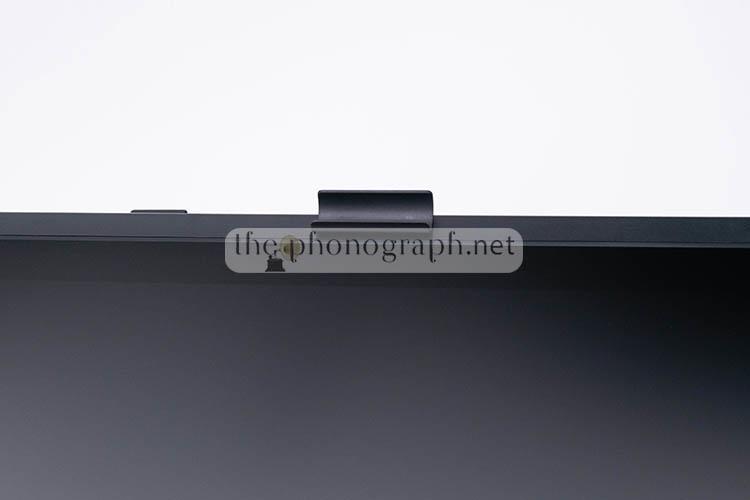
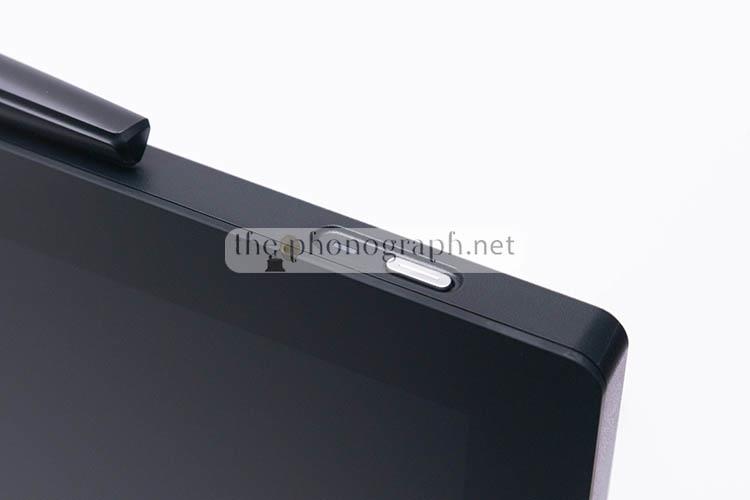
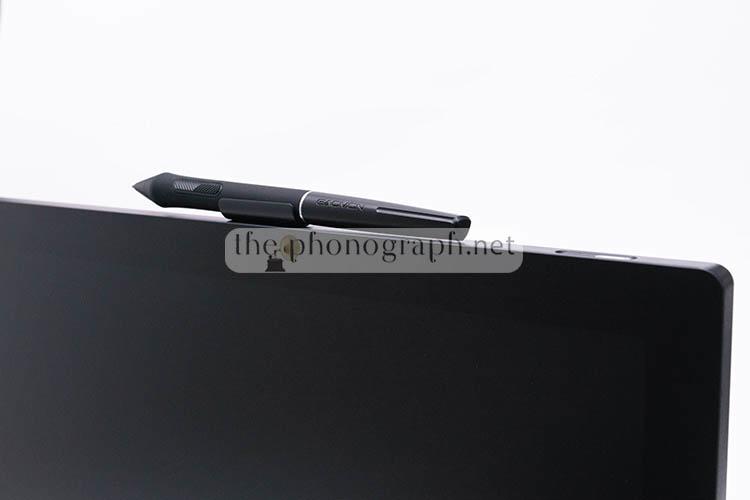
On the top edge you will see a pen holder attached to the housing. The pen holder is a nice addition to the product but we are almost sure that many owners might think that this is fixed/non-detachable as it comes pre-installed from factory. As some users might not want the protruding piece on top, they can remove the complete pen holder piece by pulling it out with mid-force.
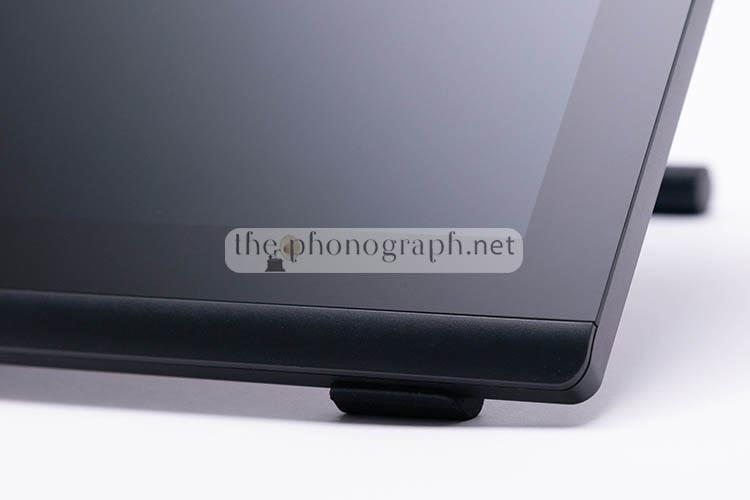
On the lower bezel you will notice that there is a sort of plastic addon “glued” to the unit; this is a purposedly intended additional element to improve your wrist resting area and has a curved bottom end to fit more comfortably.
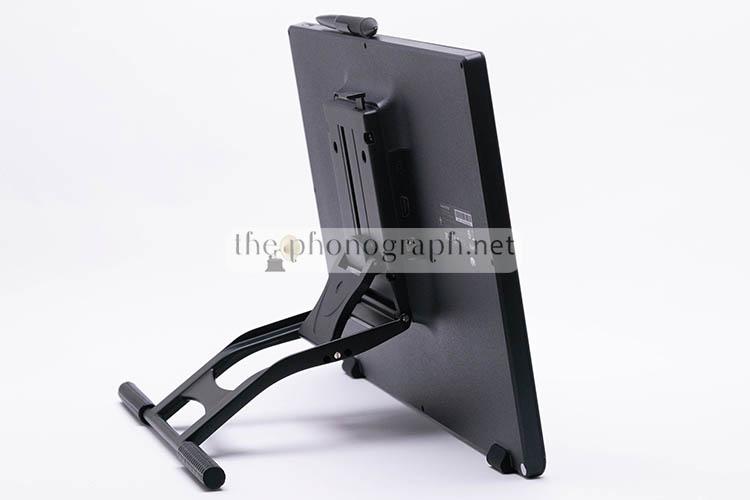
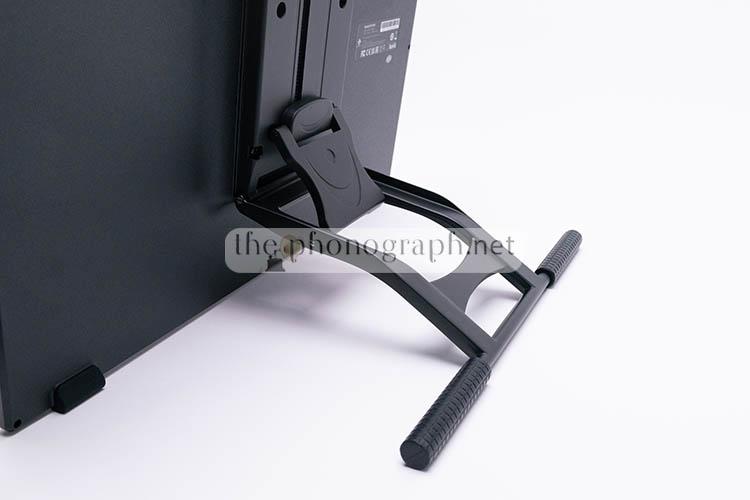
The back case is equipped with an excellent adjustable stand that is rugged with many structural parts made of metal and allows plenty of different angles to adjust the working position. Unlike on other pen displays, the stand is screwed to the case and comes already pre-assembled; yet you can remove it if you want to and you will gain access to the VESA support.
The excellent (included) stand supports continuous angle adjustment from 15° to 85°, making it easy to set a precise and comfortable working position. While the rubberized feet and hefty build ensures that the pen display stays firmly in place without zero slippery issues.

CB
CONSTRUCTION & BUILD
4.5/5
The PD1900 avoids the soft, scratch‑prone plastic surfaces common on many entry‑level pen displays. Its screen is made of solid glass, which gives the device far better resistance to wear while also providing a more stable drawing surface during daily use.
The upgraded anti‑glare etched glass surface instead of fragile plastic surface that could get easily scratched is a massive advantage over cheaper pen displays.
Build Materials and Handling
The chassis is primarily plastic, yet the unit feels sturdy rather than fragile. Using lighter materials keeps the display easier to manage or even to handle if being supported by a VESA support.
The exact weight of the Gaomon Pro 19 is 2.5kg; which is almost half the weight of some 20″ pen displays.
Reinforced Stand Design
Because the display relies heavily on its stand for support, GAOMON strengthened the stand’s internal structure with metal components. This reinforcement improves stability when drawing at steeper angles and helps the device stay firmly in place during more forceful strokes.
DC
DISPLAY SCREEN
4.75/5
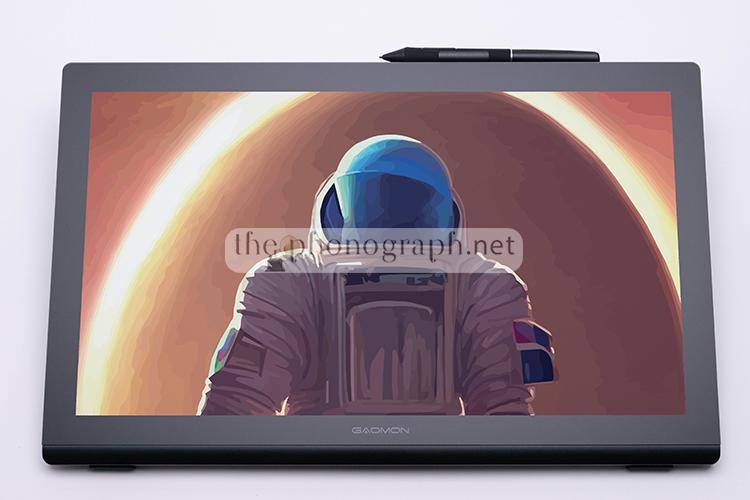
Of course, the first difference with a 1080p panel is that the new 4K panel on the Pro 19 is able to resolve much more detail and this can be instantly appreciated on every single UI element from the OS and all software that you use. This translates also into the 4x times the resolution of a standard 1080p over the images that you editing, canvas and detail of your sketches and can be an exponentially more convenient ally for video editing for 4K content – a coverage that you will not be able to achieve with a Full HD 1080p pen display/panel/monitor.
Even as a main monitor the Pro 19 can be a delight to use due to the 4K sharpness and smoothness of the whole visuals that you get out of it – if you are ok with the sub-20″ size.
On top of that, there is a massive difference in the angle of view coverage with this new generation of pen displays. For example, there are no signs of color negativization at extreme angles. Even more noticeable from older models, blacks do not turn into washed-blacks or greys, remaining truly black even when looking at the display at steep angles.
The top layer on front of the display has much smoother and less gritty finish than on the PD2200; the difference is significant and can be seen at plain sight without the typical disturbing sparkle of other pen displays. Moreover, this gives a less-textured feel at touch and allows the pen to provide 2 different styles according to the nib being installed in your pen – a paper-like style or a smooth and more fluid with less resistance (and no rough paper-feel)
If you are interested in the technical details; this new display has a coverage of 99% sRGB, 96% Adobe, RGB 98% DCI-P3 with 1.07 billion colors and 8-bit.
First, we thought that there was no built-in menus, settings nor calibration options for the GAOMON Pro 19 but, actually, by pressing and holding the power button you gain access to the OSD with options to set. It might not be the most in-depth OSD menu but the settings enabled to fine-tune are fair enough:
- Color space: Native, sRGB, Adobe RGB, DCI-P3
- Input signal
- Brightness & Contrast
- Presets for Main, B&W, Movie or Custom
- Temperature and calibration: 6500K, 9300K, LBL and custom calibration in RGB
A note on this OSD is that the navigation and control of the menu is not done with the button on the case but instead is managed with the pen.
P
PEN
4.5/5
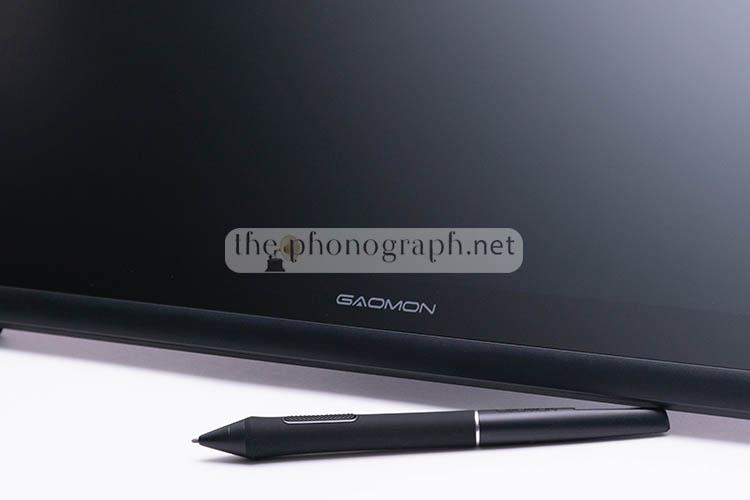
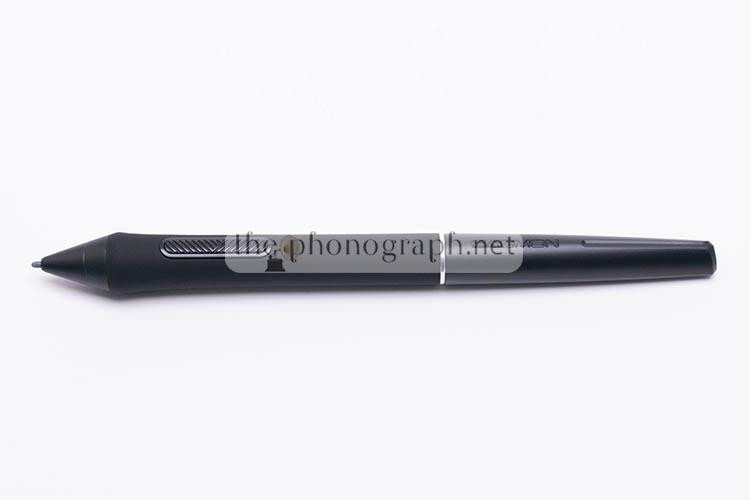
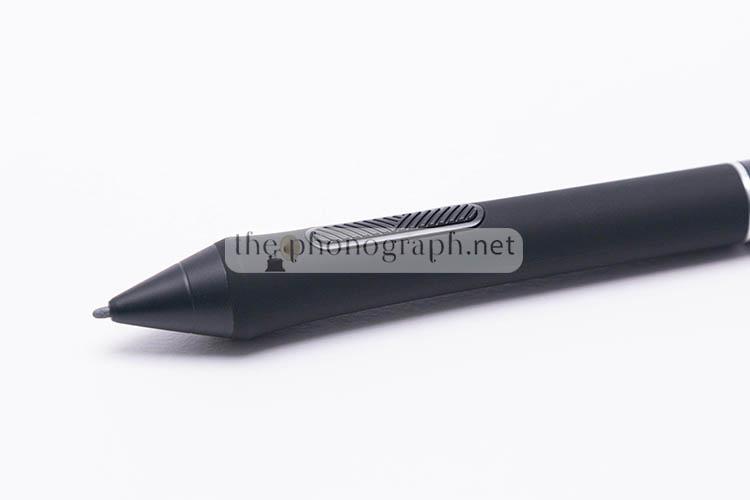
The pen on the Gaomon PD1900 / Pro 19 has been totally remade with a brand new design that incorporates a significantly more ergonomic form factor, a rubberized grip that extends over 60% of the pen and a textured pattern on the buttons.
In fact, the pen has its own new name too: G-Pro Pen. The pen, though, still includes just 2 buttons and no back/”eraser” nor added 3rd button – yet, both buttons are programmable.
Probably what you would be most of your interest is that the new pen still supports tilt and pressure but now has a 16K pressure levels sensitivity, 5080 LPI and 60° tilt. In real life during our tests we could instantly see and feel that the pen was noticeably more sensitive and was able to pick up even subtle and repeated mini pen inputs; that we found on older pen display models needing to apply a stronger pressure. In fact, the latter is achieved by the retuned activation force that now is just 2g.
A detail that is very important to highlight is that, despite using EMR (battery-less) tech, the pen is not compatible with older models like the PD2200.
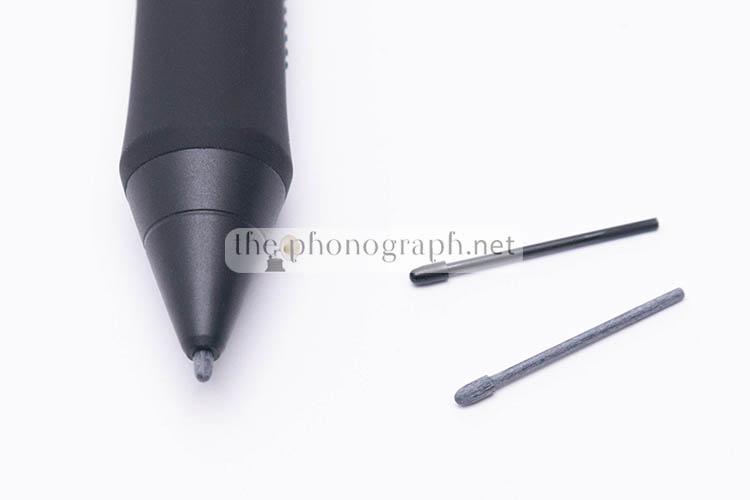
As expected, the nibs of the pen are swappable to replace them when consumed or if you prefer the feel of the felt nibs or the standard nibs.
C
CONNECTIVITY
 4/5
4/5
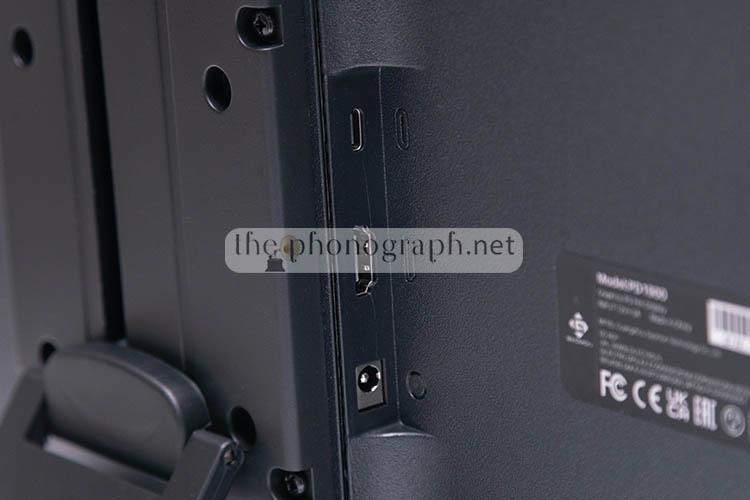
The Gaomon has 3 I/O ports: 1x HDMI, 1x Power connector and 1x USB-C.
To use the PD1900 you can opt to plug it through the HDMI (video) + USB-C (input) + PSU or simply by the use of the full-featured USB-C connection that can carry I/O and video signal – for compatible computers.
On the other hand, the full-featured USB-C connection is unable to power the pen display. Therefore, even when using it through the full-featured USB-C connection, you will need to use and plug the power supply to the Gaomon – also, well worth mentioning that this cable does not come included with the default accessories.

Unfortunately, the GAOMON Pro 19 does not have any type of express keys (neither physical nor touch buttons)
C
CUSTOMIZATION
4/5
Orientation and Ergonomics
The PD1900 supports full rotation at 0°, 90°, 180°, and 270°, enabling both landscape and portrait setups.
Customization and Workflow Optimization
The driver software expands the PD1900’s versatility with deep customization options. Users can:
– Build personalized profiles for individual applications
– Adjust pen pressure curves globally or per software
These features ensure that each creative tool—whether for drawing, photo editing, video work, or design—launches with its own optimized settings, giving the PD1900 a tailored feel across different workflows
P
PERFORMANCE
4.75/5
Testing covered a wide spectrum of popular creative, productivity, and note‑taking applications. The GAOMON PD1900 / Gaomon Pro 19 was evaluated with industry‑standard tools for graphic design, illustration, photo editing, 3D work, and general office use. The software list included Adobe Photoshop, Illustrator, After Effects, and Lightroom; the full Affinity suite (Photo, Designer, Publisher); Corel PaintShop Pro and Corel Painter; Clip Studio Paint, MediBang Paint Pro, Krita, ZBrush, Blender, and others. It was also tested with everyday productivity programs such as Adobe Acrobat, Microsoft OneNote, Word, and Excel.
Unlike what we have experienced with many UGEE products, the Gaomon Pro 19 worked right away as soon as we installed the driver/software and plugged the unit to our PC; without any obnoxious troubleshooting or stubborn device refusing to work – unlike UGEE does.
Pressure & Tilt
Pressure response was detected immediately across all compatible creative applications, with nearly no adjustments to the pressure‑curve needed to match the nuances of each program.
The retuned lighter activation force default pressure was well balanced, capturing everything from the lightest strokes to firm, heavy inputs while remaining responsive during rapid tapping or continuous dot work.
Tilt functionality also operated smoothly without requiring deep configuration changes, activating correctly in every supported app.
The combination of instant pressure recognition, reliable tilt detection, and a responsive curve makes the pen feel predictable across different workflows. Artists who rely on subtle shading benefit from the smooth low‑pressure control, while illustrators and designers who use firmer strokes get consistent line weight without jitter or lag. The lack of complex setup steps also helps maintain momentum when switching between raster, vector, and 3D tools.
Practical Impact Across Creative Tasks
• Digital painting gains from the smooth transition between light and heavy strokes.
• Vector illustration benefits from predictable pressure ramps that avoid accidental thick lines.
• Photo retouching feels precise when applying low‑opacity brushwork.
• 3D sculpting responds well to both pressure and tilt, especially for shaping and texturing.
The pen’s behavior across these categories suggests the hardware and driver are tuned to accommodate a wide range of artistic styles.
Jitter
We were happy to find out that the new PD1900 held up to the great performance of the older PD2200 regarding jitter; keeping it under control with minimal to none exhibited throughout the tests and review.
Tracking / Parallax
Parallax and tracking are simply flawless with the Pro 19, with older models and most competitors you had to accept a level of parallax issues (mostly on the corners) but this Gaomon Pro 19 did not show any at all.
As a matter of fact, this is the only pen display tested so far that did not require any manual calibration to improve its extreme corner tracking or “patch” weak parallax.
Tracking feel and look snappier with less “trailing” or “ghosting delay” seeing over the cursor

Comparison

GAOMON Pro 19 / Gaomon PD1900 vs GAOMON PD2200
Whether you prefer a higher resolution, higher DPI display or a larger one with some touch buttons it will be a matter of choice of each user according to their typical use and preference.
To consider, though, is that the PD1900 has a better top panel and is of a newer generation than the bigger PD2200.
GAOMON Pro 19 / Gaomon PD1900 vs HUION Kamvas Pro 16
The HUION’s 16‑inch 1080p pen display simply cannot match the workflow advantages of a 18.4‑inch 4K workspace. The larger screen provides more room for tool palettes, reference images, and brush strokes without constant zooming or panning. For tasks like illustration, photo editing, and animation, the extra real estate translates directly into smoother, more efficient work.
The PD1900 prioritizes workspace, visual quality, and detail retrieval, while the smaller HUION emphasizes compactness and price. For most creative workflows, the upgrade to a 4K 18.4‑inch display offers a substantial productivity boost that outweighs the benefits of a smaller, cheaper-priced panel.
GAOMON Pro 19 / Gaomon PD1900 vs VEIKK VK156 Pro
The VEIKK VK1560 has been on the market for quite some years already and its age starts to show up when compared to a latest generation like the GAOMON PD1900.
The panel quality, image and angle of views of the Gaomon are unmatchable by the VEIKK.
Yet, as with the HUION, despite being miles inferior products, the VEIKK does include a dial and express keys.
GAOMON Pro 19 / Gaomon PD1900 vs UGEE U1600
UGEE are cheap and flimsy products with a use and dispose nature, the GAOMON PD1900 is on a whole different class and can be a one-time investments for plenty of years.
If you compare the display and build, the Gaomon simply obliterates the UGEE; the display of the UGEE in size and resolution is laughable when you put it next to the Gaomon’s larger 4K and etched-glass quality
S
SOFTWARE
4.5/5
The GAOMON PD1900 / Gaomon 19 PRO relies on the same driver suite used across the brand’s current pen display lineup, providing a unified and familiar configuration experience. The software offers a broad set of tools that let you tailor the device to your workflow, with controls organized into intuitive menus and panels.
Customization and Control Options
The driver gives access to a wide range of adjustable parameters, including:
• Workspace configuration, with options for full-area or custom active areas
• Selection of the target display when working with multiple monitors
• Pen sensitivity adjustments
• Custom pen pressure curve shaping
• Screen calibration tools
• Device rotation settings
• Real‑time pen pressure testing with live pressure readouts
• Customization of pen side buttons
• Importing and exporting personalized configurations
• Creation of application‑specific profiles
• Diagnostic and repair utilities for Wintab32, WinInk, and WinTab
• Driver update management
Firmware Management
Firmware updates for the GAOMON PD1900 are handled separately through a dedicated updater, which can be downloaded directly from GAOMON’s official website.
SEE ALSO: Coupons – Discounts – Deals – Promo Codes – Sales Deals
GAOMON Pro 19 / Gaomon PD1900 Technical Specifications
Specifications
Model PD1900
Screen
Panel Size 18.4 inch
Resolution 3840 x 2160
LCD Type IPS
Active Area 408.96 × 230.04mm
Contrast Ratio 1000:1
Brightness 220cd/m
2 Response Time 15ms
Viewing Angle (Typ,)(CR > 10)
Gamut 150% sRGB
Display Color 1.07B
Touch
Touch Technology Battery-free Electromagnetic Resonance
Touch Resolution 5080LPI
Pressure Level 16384Level
Report Rate
260PPS
Sensing Height 10mm
Accuracy
±0.3mm (Center)
±1mm(Corner)Digital Pen
Model AP520
Net Weight 14g
Dimension 163.4 x Φ14.5mm
Side Buttons Two Customizable Buttons
General
Input Voltage 100-240VAC, 50/60Hz
Output Voltage 12V 3A
Video Interface HDMI
Dimension 452.33 x 286.52 x 14.7~28.7mmNet Weight 2.5kg
OS Support
Windows 7 or later, macOS 10.13 or later, Android(USB3.1 DP1.2), Linux(Ubuntu 20.04 LTS)
YOU WILL ALSO LIKE: Amazon Coupons & Deals
SELECTED FOR YOU: Aliexpress 11.11 Shopping Festival Coupons
RELATED TO THIS PAGE: Aliexpress Anniversary Sale Coupons and Deals
SEE ALSO: Black Friday Coupons and Deals – Black Friday Aliexpress coupons