Creality K2 Pro Combo
| 3D FDM Printer | CoreXY | Multicolor 3D Printing | 600mm/s | Dual AI Cameras | Heated Chamber | Adaptive Mesh Leveling |

Creality K2 Pro Combo, the newest flagship 3D FDM printers from Creality.
In the last years we have reviewed many of the latest 3D printers from Creality ranging from the Ender, Hi and K series; the Creality K2 Pro joins the K series as the brand-new midsized top-tier model.
FIND ALL: Headphones Scores Compared
Creality K2 Pro Combo Review
Tests & Scores
 Scores
Creality K2 Pro Combo Scores
MORE: Best Headphones Charts
A
ACCESSORIES & PACKAGING
 5/5
5/5
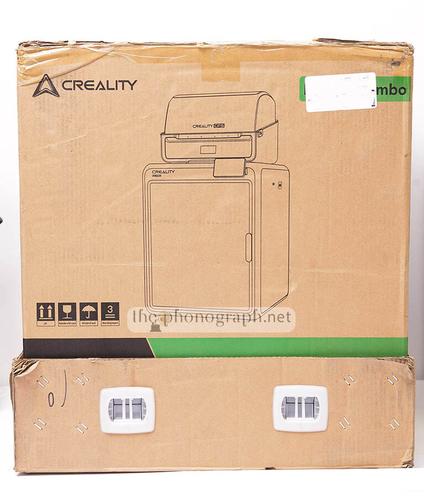
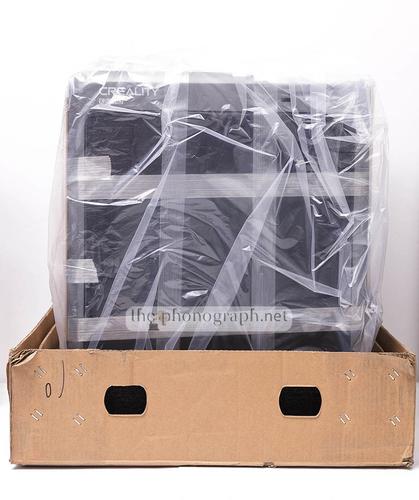
As a common standard with Creality printers, the Creality K2 Pro comes in a very rugged packaging with plenty of thick soft foam that protects the machine.
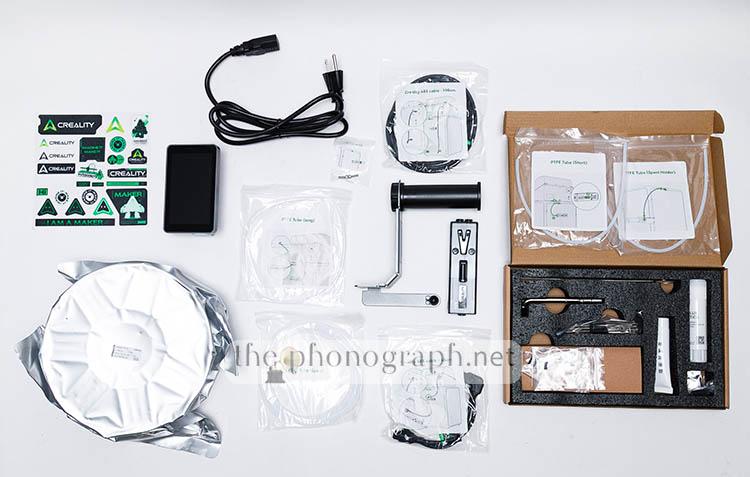
With the printer you will also get:
• 0.5kg HyperPLA
• Cutter replacement
• Assembly PTFE tubes
• Replacement PTFE Tubes
• Metal grease
• Stick glue
• Thermal grease
• Extra silicone brush
• Metal pliers
• Spool holder
• Tools kit
If you bought the Creality Pro 2 Combo variant, then you will also get:
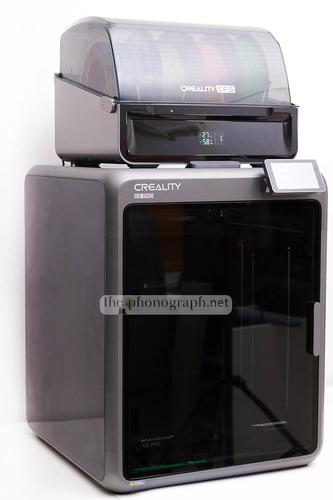
• 1x Creality CFS unit
• CFS cables
• Set of PTFE Tubes
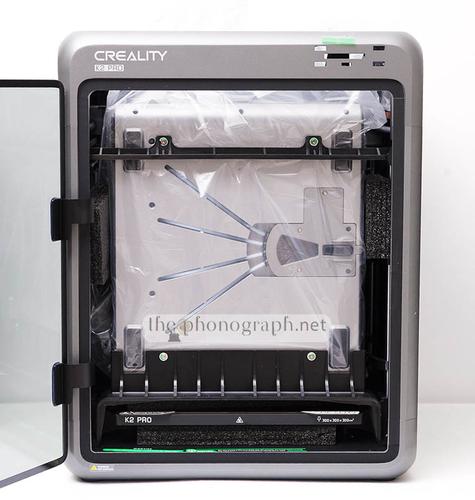
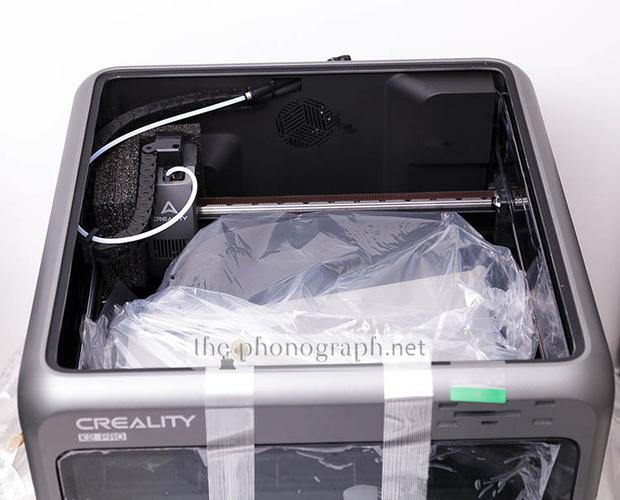
The brand has been very smart packing and shipping the CFS unit inside the chamber of the K2 pro.
This highly reduces the size of the packaging that needs to be delivered, but on the other hand it implies some extra steps to unbox the units with the CFS.
AS
ASSEMBLY
 4.5/5
4.5/5
Being part of the K series, the design nature of the Creality K2 Pro allows it to come almost fully preassembled from factory without any axis assembly nor wiring needed by the user – unlike “classic” 3D FDM printers.
Nonetheless, unlike what we have seen on other Creality K series like the Creality K1C and K1 SE, the K2 Pro needs just a bit of extra pieces to be assembled.
The only piece that does not come assembled and connected is the display screen and the top lid that simply needs to be positioned in place.
On the other hand, if you are getting the Combo version you will also have to deal with some further assembly steps that include the removal of the CFS unit from the chamber of the K2 Pro.
There are 2 main frontal solid plastic pieces that hold in place the CFS inside the chamber of the K2 Pro, this parts need to be removed by unscrewing a few screws, which some of them are not necessarily very comfortable to reach.
The brand has created an unboxing and assembly video that we highly recommend to watch in order to avoid missing to remove some very important pieces like a couple of screws, actually 4 screws that hold the bed in place, which you have a high risk of damaging your printer if you don’t remove them before using the machine.
D
DESIGN
5/5
The Creality K2 Pro is a CoreXY 3D printer, which means that the axis and build plate/bed move differently than on “standard” 3D printers. This type of printers have a bed that moves on the Z-axis, while the print head moves exclusively over the Y-axis and X-axis.
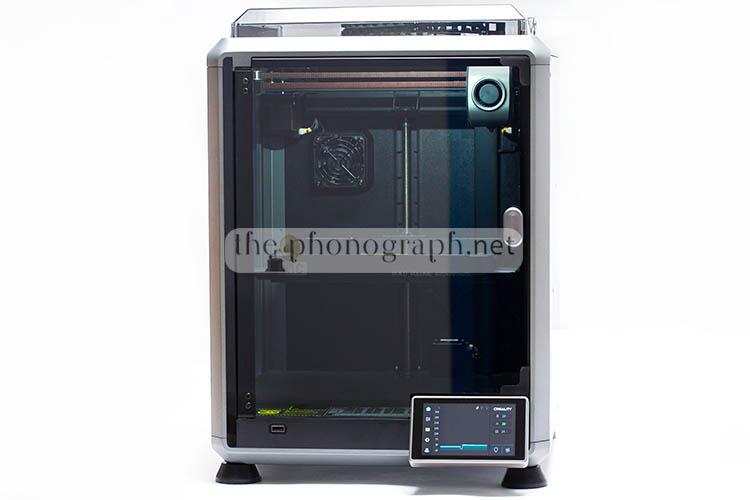
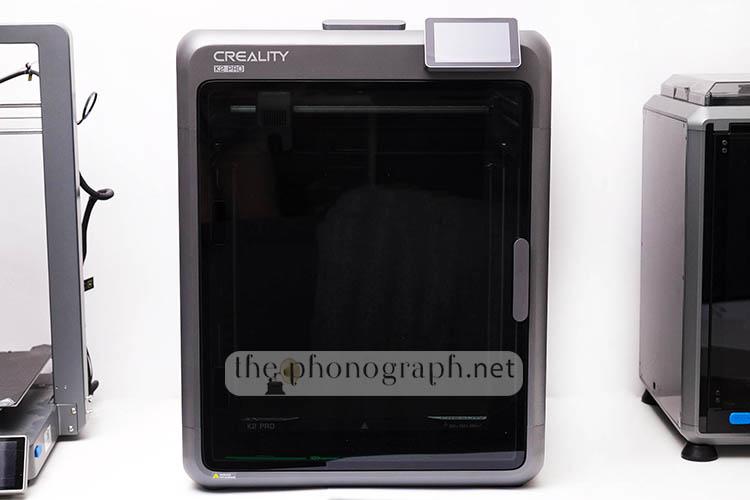
This also means that the printer is built around a fully enclosed body with black semi-translucent panels and a front opening door to access the internal chamber.
The design has a truly unibody exoskeleton structure, with a shell that has barely visible and minimal seams around the full metal body.
An improvement over the K1C is a rubberized gasket closing system that has been improved on the front door that is now able to fully close without holes or remaining open gaps from where fumes or air could leak out of the unit – on the K1C there was a gap on the frontal glass door around the top area of the display screen.
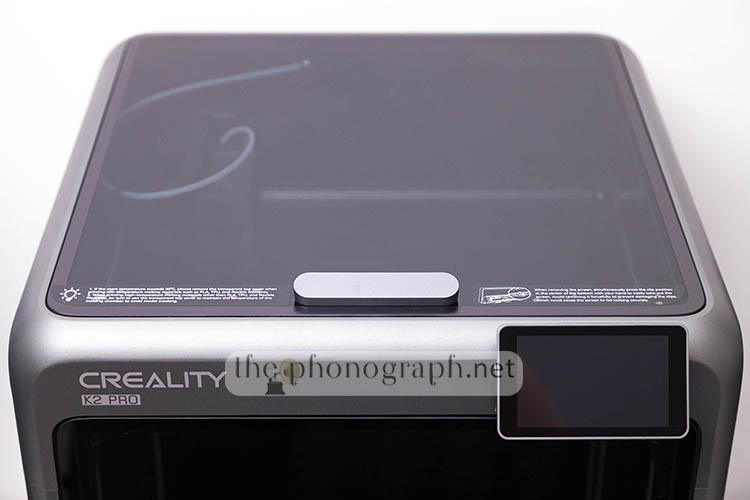
Another noticeable design difference is the upper lid which sits flush with the shell exoskeleton, instead of the protruding acrylic lid of the K1C. Not only that, also, the new lid comes with a handle but without a hinge design. The top lid of previous models used to hit the moving parts of the upper print head/cables; all of these are issues no longer present on the K2 Pro – without doubt, the brand has been listening to their users, refining the new design of the K series.
Aesthetically, the K2 Pro follows a coherent overall look while also utilizing similar a color gamut of the Ender, Hi and K series with a main space-gray frame combined with black details.
The brand has created the Creality K2 Pro with most of the best features of all their current and previous printers, making it a sort of “hybrid” new generation that can easily become the best all-around 3D printer of all.
Some of the inherited features and specs of the Creality K2 Pro include:
• CFS multicolor 3D printing compatible with up to 16 colors (4x CFS), like the Creality K2 Plus and Creality Hi
• CoreXY with active heated chamber
• Ai cameras – also timelapse can be automatically created and exported
• Audible alerts – firstly seen introduced with the Creality Hi
• Built-in run-out sensor
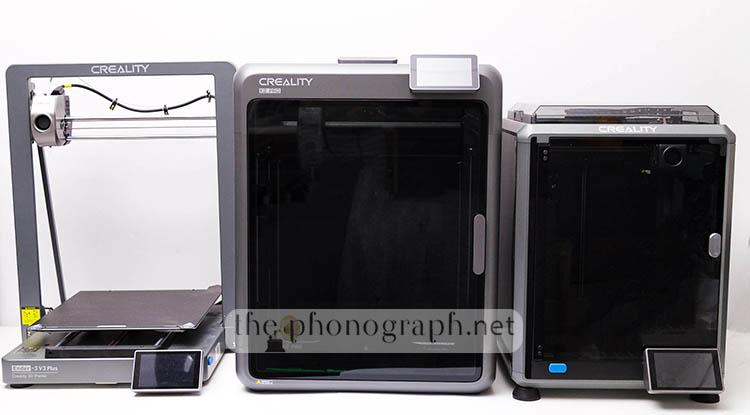
• Same large build/print capacity of the Creality K1 Max – 300x300x300mmm (just 50mm smaller than the K2 Plus and 30mm less than the Ender-3 V3 Plus)
This means that the Creality K2 Pro surpasses the printing volume of other flagship models such as the Creality K1C, K1 SE and K2 while including multicolor printing capabilities and upgraded Ai tools/cameras – also larger printing size than the Creality Hi Combo and Ender-3 V3.
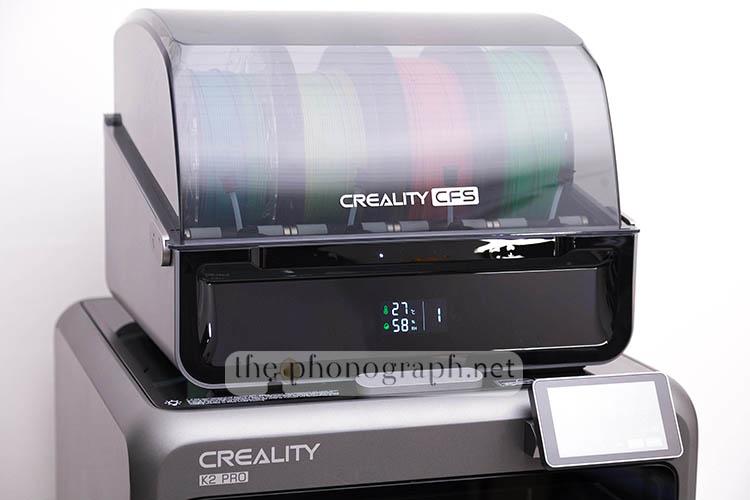
Like every other latest model from the brand that is compatible with CFS multicolor, the Creality K2 Pro can be matched with up to 4 units of the Creality CFS multicolor accessory, which would upgrade the multicolor capacity to up to 16 colors; all managed by the built-in CFS accessories and the mobile/PC software, without the need to manually replace different filaments.
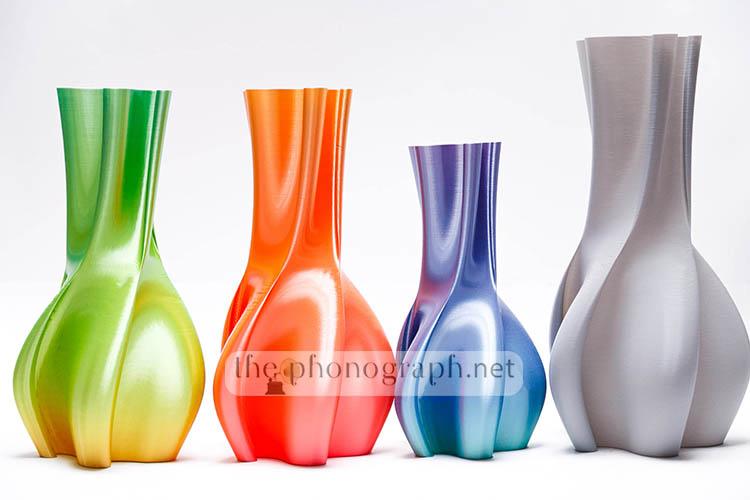
As a more understandable difference of the printing size capability of the Creality K2 Pro against others, below you can see our comparison of real-life prints at full size of the Creality K2 Pro vs Creality K1C vs Creality K1 SE vs Creality Hi vs Creality Ender-3 V3 vs Creality Ender-3 V3 Plus.

DS
DISPLAY SCREEN
4.5/5
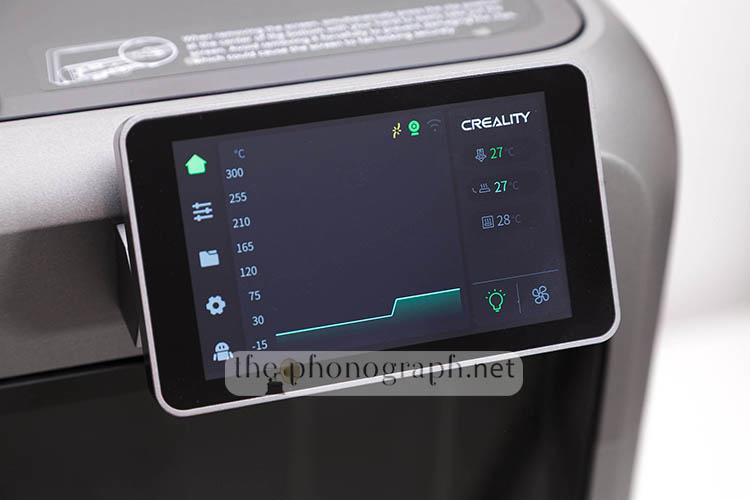
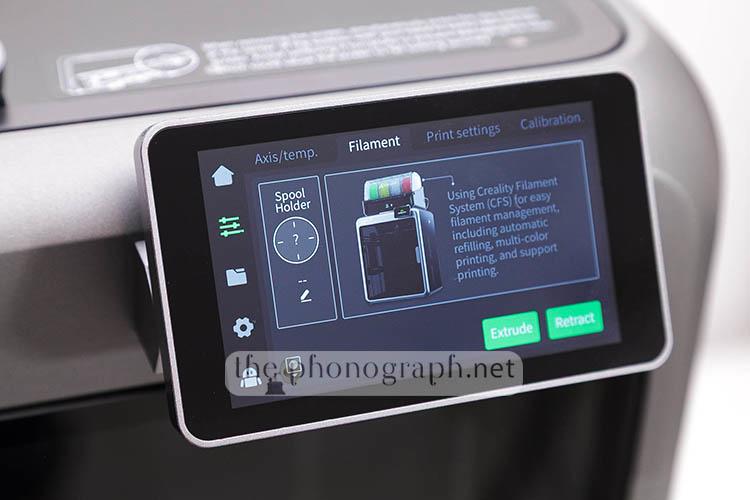
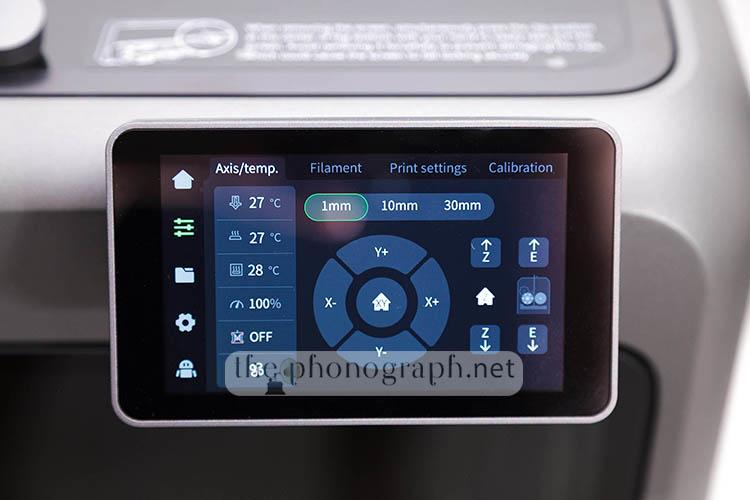
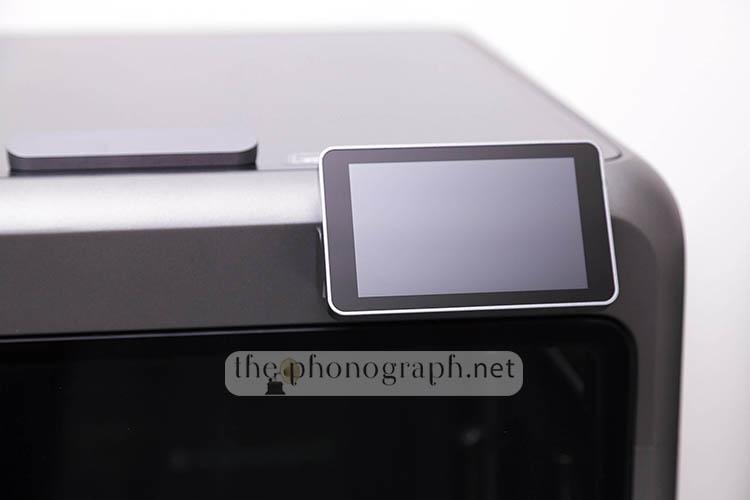
The new display screen of the K2 pro is now placed on the upper right corner of the front case, thus does not interfering with the design of the front door; this is a color touchscreen display with a diameter of 4″.
A difference that we noticed right away about the display screen is that it is now a little bit smaller than what we have seen on the K1C, K1SE, Ender-3 V3 Plus and Ender-3 V3.
Yet, it is not as small as on the Creality Hi.
On the other hand, the screen is fixed place and does rotate nor folds like on the Creality Hi. Still, the screen has a new design where you can tilt up or down a little bit – a display movement that was not available on any of the aforementioned K and Ender machines.
The display has an intuitive user interface and runs in the same type of customized OS by Creality, thus having a familiar UI design, logic and navigation for all Creality customers that own previous machines from the brand.
The CFS unit has also a dedicated display screen with a familiar UI design and multi-color panel. This screen serves to inform the readout of the internal sensors that let you know the temperature and humidity inside the chamber of the CFS – you can also see the current spool bank that is in use, informed by a number.
CB
CONSTRUCTION & BUILD
5/5
The printer feels much more rugged than any other printer from the brand; even from the superb build of the K1C and K1 SE.
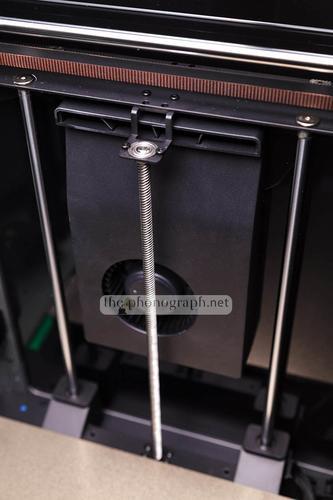
You can easily see that the brand has built the machine with premium quality materials (aerospace-grade aluminum) – even the new spool holder structure is now mostly made of metal.
We mentioned the new top lid design before, yet there’s another huge difference about this as it is no longer made of acrylic like on the K1C but, instead, is made of glass with the exact same quality of the front door of the printer.
As what you would expect from this flagship series from Creality, the K2 Pro is equipped with a direct drive dual-gear extruder (40mm3/s flow), hardened steel nozzle with a quick swap design, precision steel rods, 4x linear rails and all is powered by 5 step-servo motors.
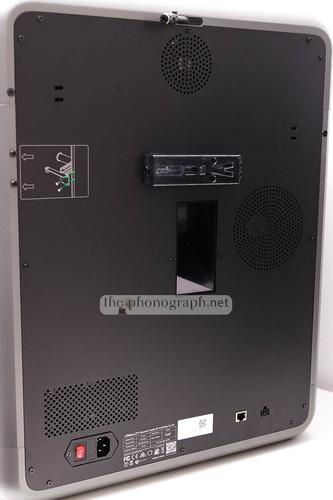
Yet another construction quality improvement over older Creality K printers is that the back panel of the machine is now made of metal, instead of the honeycomb pattern plastic of the K1.
The only 2 panels pieces of the machine that are not made of either metal or glass are the two lateral panels that are made of black semi-translucent, acrylic and the case of the display screen and the lid handles that are made of plastic.
Some further internal upgrades that are introduced with the new model are:
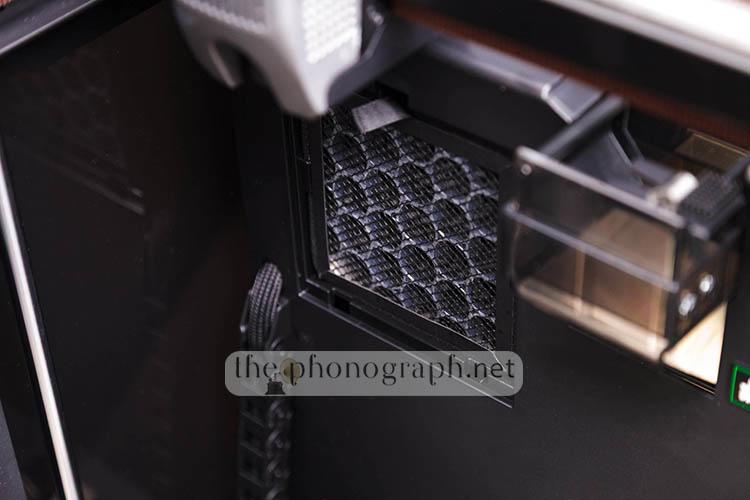
• Built-in Air Purifier
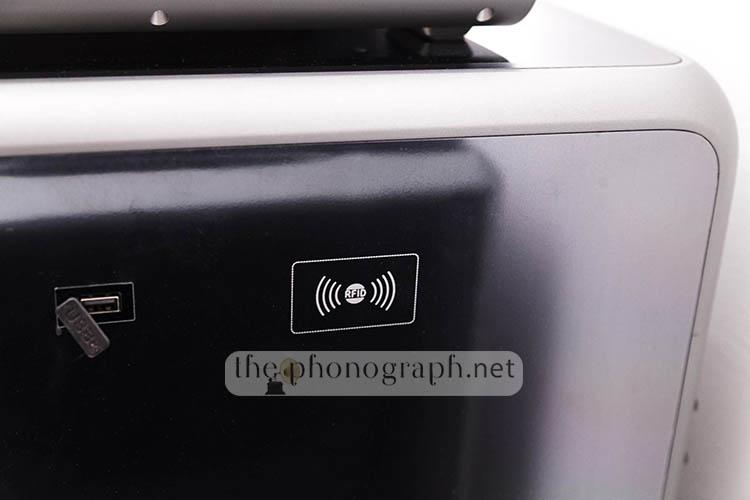
• Built-in RFID reader – Creality RFID filaments are read and set automatically by the machine (type, model, color, optimal parameters)
• Automated magnetic cutter
• Larger 32GB internal EMMC disk for internal saving of sliced files
• Reversible dual-face bed plate
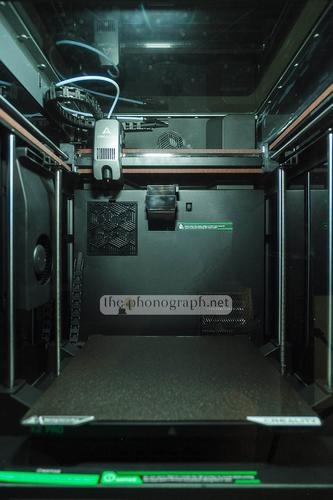
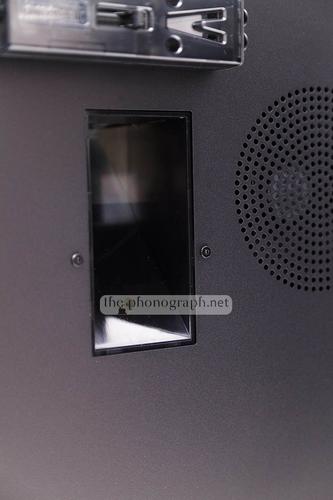
On the internal back panel, you will find a rectangular internal hole; this is a built-in chute disposing design that is much more evolved than what is implemented on the Creality Hi.
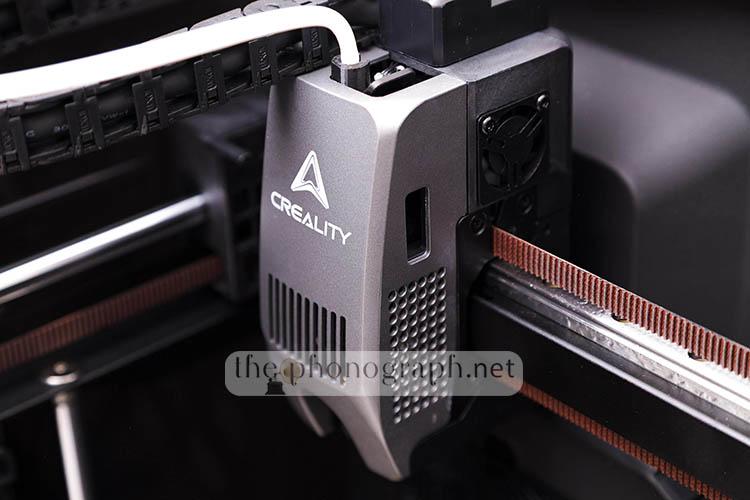
The print head of the K2 Pro has a new design, in comparison with every other Creality machines that we have reviewed so far. Having a quite taller footprint than all other K1 and Ender-3 V3 series; yet being noticeably smaller than the particularly large print head that we saw while reviewing the Creality Hi.
It is fair to mention that the CFS unit is not made of hefty metal like the printer but, instead, is mainly made of plastic and acrylic – for case and non-structural/mechanical parts.
The CFS included with the Creality K2 Pro Combo is exactly the same as the one included with the Creality Hi Combo and, also, the buffer addon is unfortunately exactly the same as the one of the Creality Hi. Why “unfortunately” Actually the piece works quite well but the only issue is that it’s completely made of plastic; once this piece breaks, the CFS function will not be able to function.
In spite of this, this buffer addon is external to the machine, thus it can be easily replaced by buying a new piece.
Another difference is that the CFS buffer addon has a dedicated placement screw-on area on the printer instead of being glued like on the Creality Hi. Therefore, in case of breakage it can be easily removed and replaced – if you want to know further details about the CFS we recommend to read our Creality Hi Combo review.
The RFID tech works perfectly also for the multi-spool on the CFS making the setup steps an automated breeze handled by the RFID reader and being fully configured in the settings of the machine and software without any users intervention needed – compatible RFID Creality filaments are needed.

CON
CONNECTIVITY
4.75/5
As expected from Creality and a flagship model like the K2 Pro, the model includes an internal dual band Wi-Fi module, allowing it to communicate and be fully controlled wirelessly through Creality Print (PC) and/or Creality Cloud (Android/iOS)
Also, as seen on all other printers from the brand that we have reviewed, the connection and setup is seamless without hiccups and even allowing the control of the CFS multicolor system.
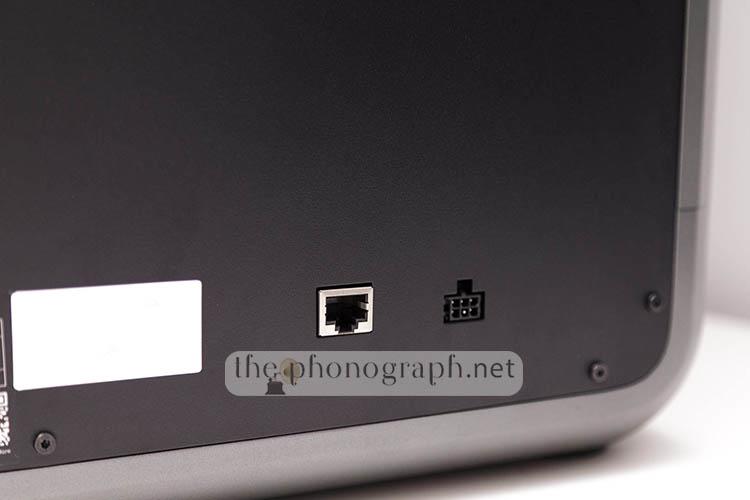
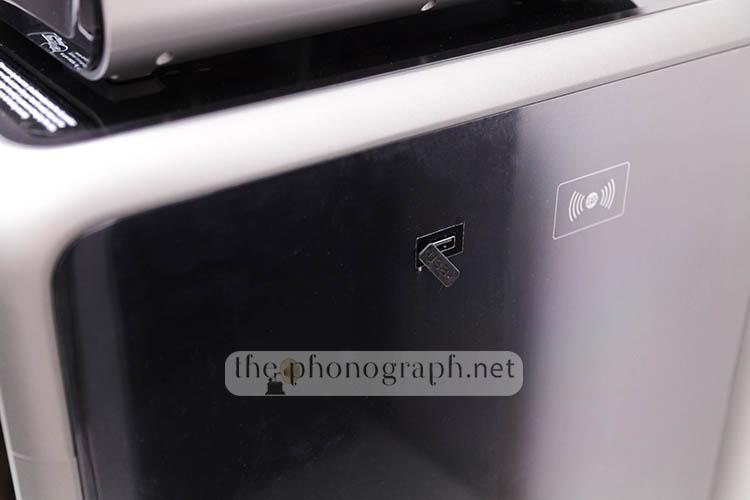
On top of that, the printer also offers an Ethernet port and a USB-A connection.
The USB port allows the use of USB drives connected directly to the machine enabling fully standalone work and printing of the pre-sliced files inside the USB disk.
V
VERSATILITY
4.75/5
Without doubt, the Creality K2 Pro is a very versatile 3D printer from the brand, with nearly as large print volume as the K2 Plus, with multicolor printing capability and also being able to handle and print tougher, higher-class and engineering filament types – expect full printing coverage for PLA/PETG/PET/ABS/ASA/PLA-CF/PA-CF/PPA-CF, etc.
A note about the K2 family, if you are looking at the cheaper K2 non-Pro model, you will sacrifice some of the coverage of more advanced filaments that it can print and also part of the added features (RFID, auto flow rate, internal disk capacity and Ethernet connectivity)
P
PERFORMANCE
5/5
We were gladly surprised to discover that the K2 Pro also translates all the flagship specs and features in real-life faster printing times; even for multicolor printing – 600mm/s print speed and 20000mm/s2 acceleration. Of course, if you own other modern Creality printers you should know that the K2 Pro also has the same automated leveling capabilities and does not require any archaic methods through manual z-offsets, leveling cards nor bed leveling by manually tightening screws.
We tested the Creality K2 Pro with all sort of filaments (some with RFID), ranging from different PLA types, Wood PLA, Marble PLA, Silk PLA, Matte PLA and also extending the tests to TPU, ABS and advanced filaments that included Hyper PA612-CF (carbon fiber), PC-ABS, etc. – worth noting that the PA612-CF was the only RFID tagged spool that was not recognized by the printer (apparently this new filament model is still not part of the machine’s database) . You can see part of the print tests in the “Print Quality” section. Every print test that we did was free of stringing, visible defects from z-wobble, z-banding, warping nor we encountered any clogging or extrusion issues halting the print tasks.
For example, without too much fiddling, the Creality K2 Pro printed in 1:05 hours a 14 set of our own custom design of multicolor keycaps for a macropad, while the Creality Hi Combo was able to print the same design in 1:26 hours; this represents a massive 32% reduction in print time with the Creality K2 Pro.
Usually estimated print times do not contemplate leveling, calibration and pre-heating times; if we put these factors in consideration, the Creality K2 Pro showed an even more remarkable improvement in shortening the total time needed to complete a print from zero to 100%. This is achieved thanks to the faster heating-up system and the brand-new adaptive mesh leveling (AML) incorporated in the K2 Pro.
AML improved the required time involved in the calibration process by probing only the specific area of the bed where the design will be printed.
Furthermore, we noticed that the color swapping steps (including filament cutting, purging, replacement, unloading, loading) was significantly faster than on the Creality Hi Combo, thus helping cutting down the time needed to complete multi-color 3D prints.
Another very noticeable upgrade is the controlled noise and reduction of decibels output when compared with most other 3D printers on the market; the K2 Pro is not only way more silent but also does not exhibit any of the disturbing grinding and bumping noises that are typically present on 3D FDM printers. The vent and CFS motor feeding the filaments are the loudest elements of the whole printer combo.
The new flow-rate control was handled and analyzed by an Ai camera positioned on the nozzle itself, the printer first printed 2 flow rate patterns on each side of the bed and then scanned it with the Ai camera to determine and set the optimal flow rate. This process takes some minutes, so if your print/filament does not need a particular adjustment and tuning of the flow rate, you might prefer to skip it to reduce your print times but if you are using either more advanced filaments or are running a critical/important print, you will highly appreciate the feature. The Ai cameras also take care of detecting print failures, chute blockage and checking the build plate.
If you own the Creality Hi Combo and have been 3D printing in multicolor, then you certainly know the infamous “poo”/chute shooting out of it when changing filaments and the need of a DIY 3D printed kit with a bin and directional control addon to manage them; well, the K2 Pro has improved this with a factory design that better controls the output, taking care of them with a cleaner and better organized system but it still will require some sort of DIY bin.
A detail that we noticed was that when sending a print directly from the internal disk of the machine, the printer still did calibration steps despite manually unchecking the calibration feature when sending to print.
PC
PRINT QUALITY
5/5
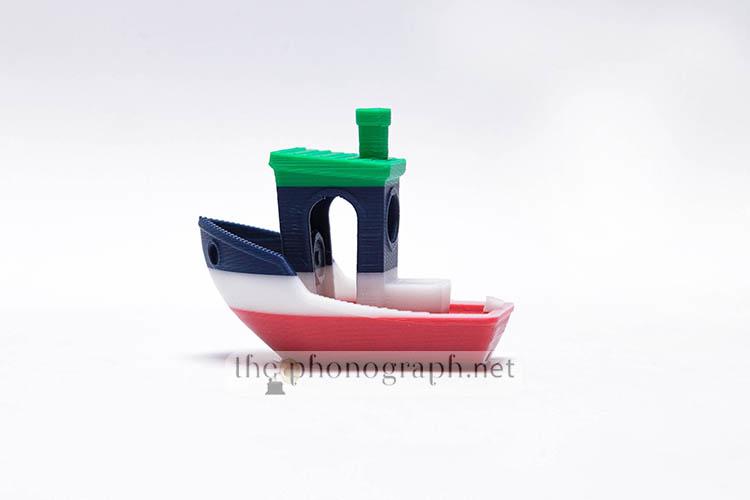
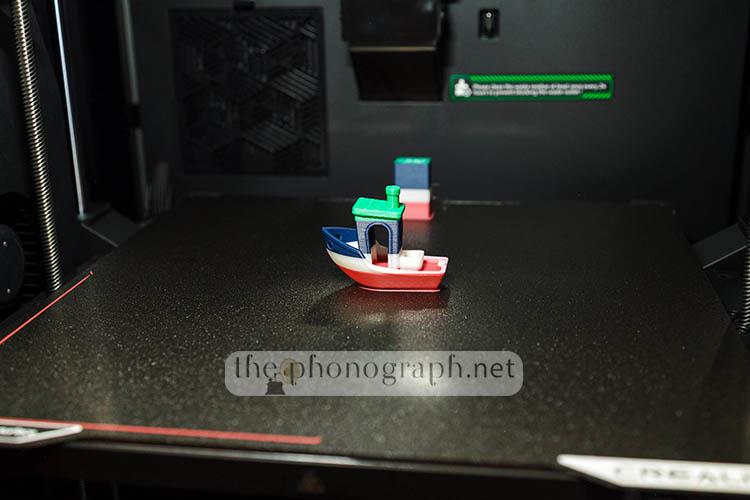
4-Color Benchy: 35 minutes, all colors, filament swapping and processes fully handled automatically by the printer. The colored Benchy does not only look “special” but it also printed flawlessly without a single layer defect, stringing nor bubbles.
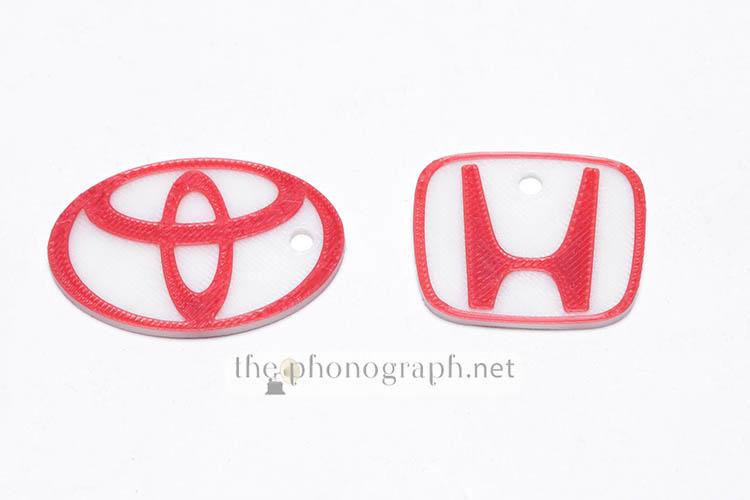
Multicolor keychains, printed together, taking less than 15 minutes to fulfill the print task.
Engineering filament prints: Hyper PA612-CF, this was a drastic upgrade as usually when trying to print this filaments on a K1C, the filament snapped during printing (top lid and PTFE guide tube design); instead with the K2 Pro, all the print tests with this PA612-CF went smoothly and without any filament snapping ever.
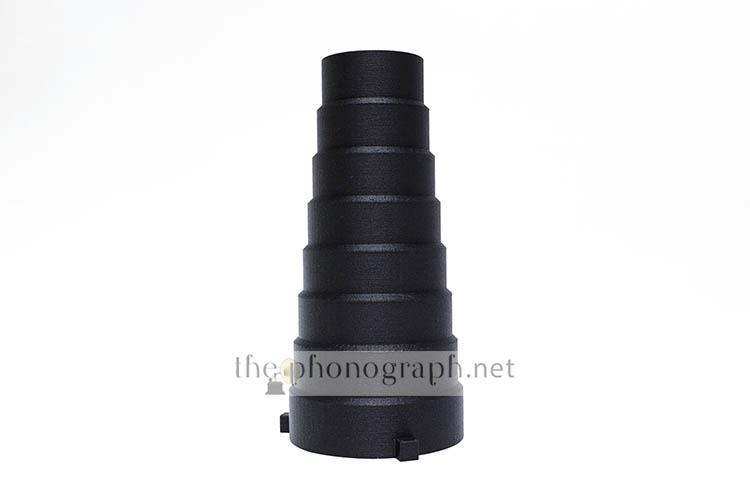
3:26 hours for a full-sized Snoot with Bowens mount for video/photo studio flashes and lights.
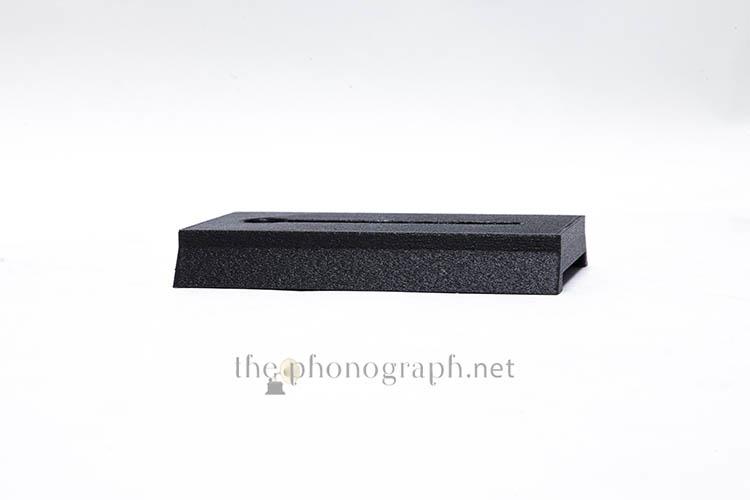
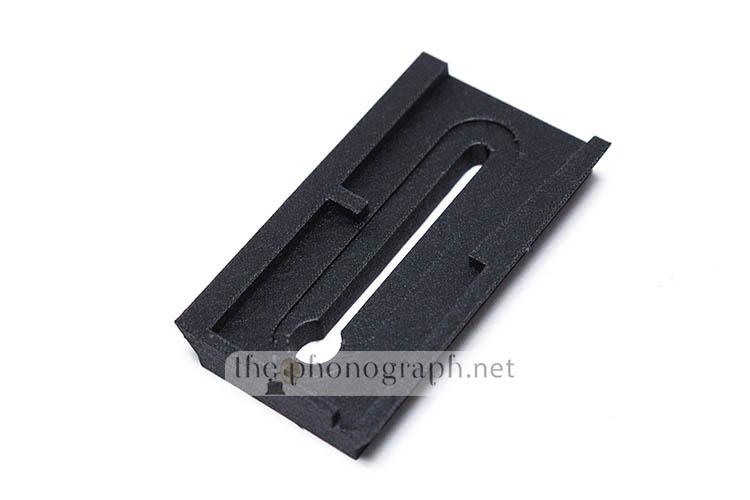
39 minutes for a plate adapter compatible with Manfrotto tripod head.
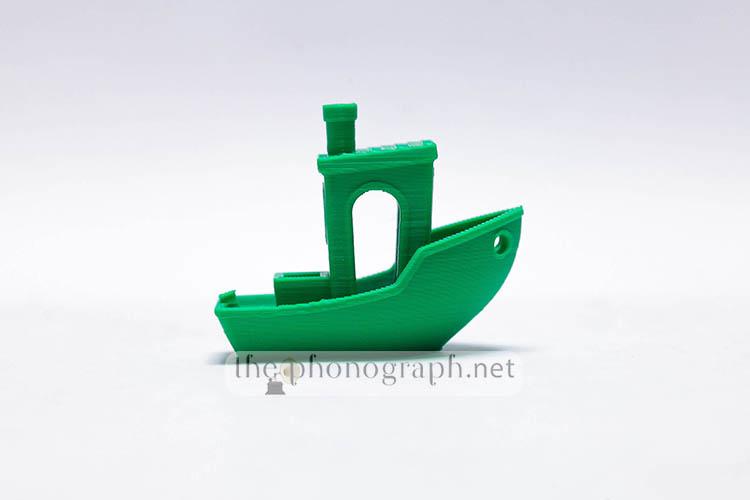
Single color Benchy: The included Benchy with the machine was printed in 21 minutes, perfect print with decent printing time but did not dethrone the record Benchy achieved with the Ender-3 V3 in just 13:30 minutes.
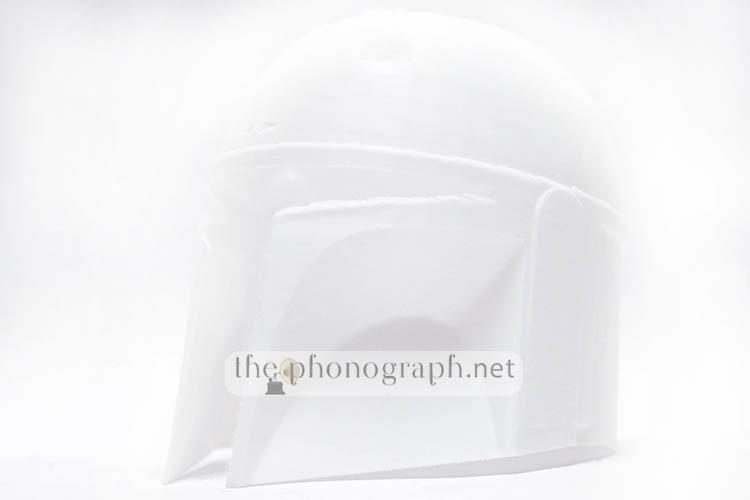
Full size single-piece Helmet: Single color with supports, 18 hours to complete. With this print you can see one of the main advantages of the Creality K2 Pro in comparison with smaller printers. On any smaller printer you would had to print this same helmet in multiple pieces and then glue them together, instead of the 1-print 1-piece, seamless print done with the K2 Pro.
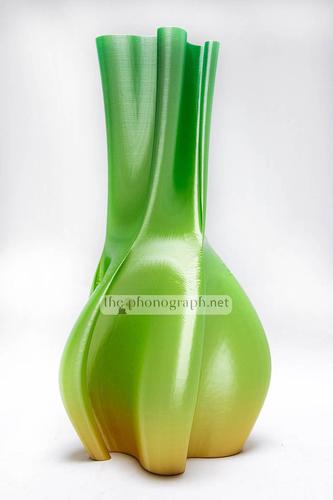
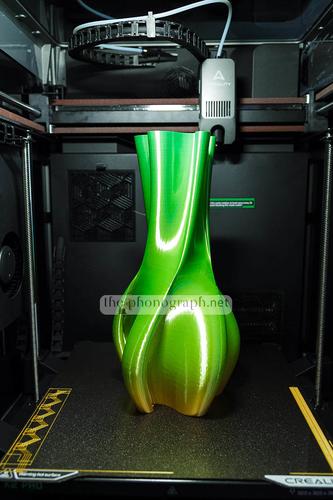
Full size vase: 3:15 hours. This vase print shows again the maximum height capability of the K2 Pro. Also on the 2nd photo you can see on the left and right edges of the build plate the patterns that the K2 Pro prints ad scan for the flow calibration.
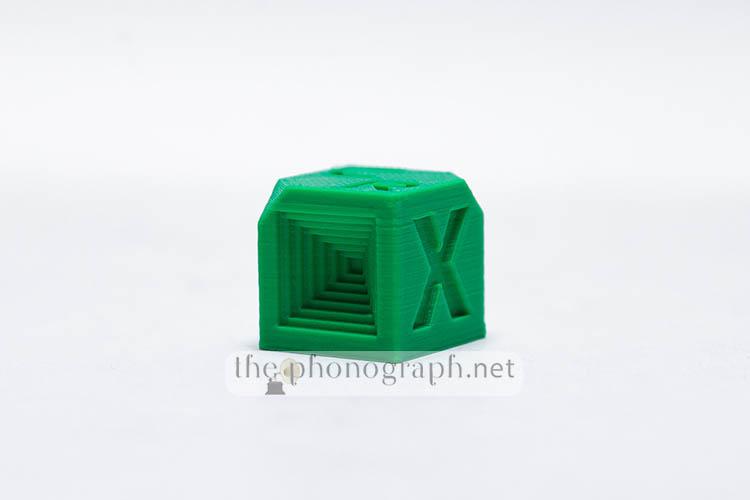
Test cube without any flaws nor printer induced errors.
PC
POWER CONSUMPTION
 4/5
4/5
As part of the newer generation of 3D FDM printers from Creality, the K2 Pro also inherits the newer design for faster heating up of the bed; in order to achieve this, though, it comes at the consequence of higher power consumption spikes reaching 1300W, but for brief moments as the main consumption values during printing were mostly ranging between 70W to 350W. This might affect only a smaller part of consumer who have a UPS system built around older models with lower power spikes.
SW
SOFTWARE
4.5/5
As mentioned in the “Connectivity” section, the K2 Pro is compatible with Creality Cloud and Creality Print, both which are constantly updated, incorporating deeper features and always evolving.
Moreover, the printer can be used with other mainstream popular slicing software on the market, like Cura, OrcaSlicer, etc.
A difference though, is the Creality Print and Cloud are better adapted and offer more features for the Creality K2 Pro with parameters, presets and settings custom tailored for it – also you gain access to the online databases and 3D designs ready to be downloaded and printed inside the software/app itself.
SEE ALSO: Coupons – Discounts – Deals – Promo Codes – Sales Deals
Creality K2 Pro Combo Technical Specifications
Printing Technology
Fused Deposition Modeling
Build Volume
300 × 300 × 300 mm
K2 Pro Dimensions
445 × 505 × 850 mm
K2 Pro Net Weight
23.7 kg
Printing Speed
≤ 600 mm/s
Acceleration
≤ 20000 mm/s²
Printing Accuracy
100±0.1 mm
Layer Height
0.05-0.3 mm
Extruder
Dual-gear direct drive extruder
Filament Diameter
1.75 mm
Nozzle Diameter
0.4 mm
Nozzle Temperature
≤ 300 ℃
Heatbed Temperature
≤ 110 ℃
Chamber Temperature
≤ 60 ℃
Build Plate
Flexible PEI build plate
Leveling Mode
Full-auto Leveling
XYE Motor
Step-servo motors for XY axis and extruder
File Transfer
USB Drive/Ethernet/Wi-Fi
File Storage
32GB EMMC
RFID Sensor in Printer
Included
Rated Voltage
100-240V~ AC 50/60 Hz
Display Screen
4″ color touch screen
Rated Power
1300W
Supported Filaments
PLA/PETG/PET/ABS/ASA/PLA-CF/PA-CF/PPA-CF
AI Camera for Monitoring
Standard
AI Camera for Calibration
Standard
Power Loss Recovery
Yes
Auto Filament Relay
Yes
Filament Tangle Detection
Yes
Air Purifier
Yes
Input Shaping
Yes
Lighting kit
Yes
Active Chamber Heater
Yes
RFID-tagged Filaments
Yes
Printable File Format
G-code/3MF
CFS Compatibility
Yes
CFS Extensions
≤ 4
Slicing Software
Creality Print 6.0 or newer versions
UI Languages
English/German/Spanish/French/Italian/Portuguese/Russian/Turkish/Japanese/Korean/Chinese
YOU WILL ALSO LIKE: Amazon Coupons & Deals
SELECTED FOR YOU: Aliexpress 11.11 Shopping Festival Coupons
RELATED TO THIS PAGE: Aliexpress Anniversary Sale Coupons and Deals
SEE ALSO: Black Friday Coupons and Deals – Black Friday Aliexpress coupons
MORE: Cyber Monday Coupons and Discounts